
Quick answer
For most UK small-business websites, data protection comes down to a few things: a plain-English privacy notice, consent before non-essential cookies such as analytics, forms that collect only what you need, a secure HTTPS site, a set time for deleting old enquiries, and checking whether you owe the ICO’s data protection fee.
None of it needs a lawyer for a typical brochure site, but it does need doing properly. This guide covers the eight checks, what each common website feature means for your obligations, and the order to fix things in. It is practical guidance, not legal advice; for anything unusual, such as health data or large mailing lists, take advice from a specialist.
What GDPR means for a small website
The UK GDPR and the Data Protection Act 2018 apply whenever you handle personal data, meaning information about an identifiable person. On a small-business website that usually includes:
- Names, phone numbers, emails and addresses sent through contact or quote forms.
- Booking details, if customers book appointments online.
- Newsletter sign-ups.
- Data collected by analytics, advertising pixels, chat widgets and embedded maps or videos.
- Order and delivery details on an online shop.
Cookies and similar technologies sit under a separate set of rules, the Privacy and Electronic Communications Regulations (PECR), which work alongside the UK GDPR. Both are regulated by the Information Commissioner’s Office (ICO).
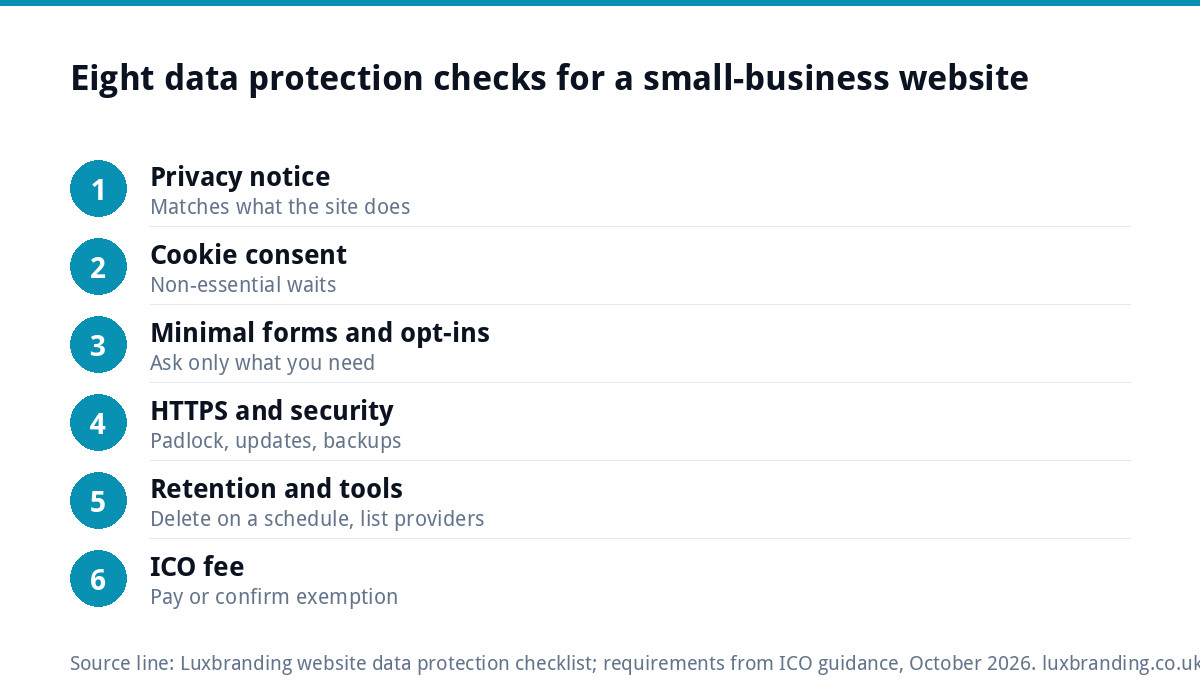
The eight checks
Work through these in order. Most sites pass some already and need a few hours on the rest.
| Check | What good looks like | Where it lives |
|---|---|---|
| 1. Privacy notice | Plain English, matches what the site really does | A page linked from every footer and form |
| 2. Cookie consent | Non-essential cookies wait until the visitor agrees | Cookie banner and site settings |
| 3. Minimal forms | Only the fields you need to reply and quote | Contact, quote and booking forms |
| 4. Marketing consent | Separate, unticked opt-in for newsletters | Forms and checkout |
| 5. HTTPS everywhere | Padlock on every page, forms sent securely | Hosting and SSL certificate |
| 6. Retention | Old enquiries deleted on a schedule | Inbox, form plugin, CRM |
| 7. Third parties listed | Every tool that receives data is named | Privacy notice |
| 8. ICO fee checked | Paid, or exemption confirmed | ICO website |
Check 1: a privacy notice that matches reality
A privacy notice tells people what you do with their data. The ICO’s guidance on the right to be informed lists what it must cover, including your purposes for processing personal data, your retention periods and who it will be shared with, and says the information should be concise, transparent, intelligible, easily accessible and in plain language.
The most common failure is a notice copied from another site that describes tools you do not use, or misses the ones you do. Write yours by listing what your site actually collects, then explaining each in a sentence: what, why, how long, who else sees it. Link the notice from the footer and next to every form.
Check 2: cookies and consent
Under PECR, cookies that are not strictly necessary generally need consent before they are set. The ICO’s guidance on cookies and similar technologies says the exemption covers cookies that are strictly necessary for a service the user has asked for, such as a shopping basket or security cookies, and that cookies which are helpful or convenient but not essential still require consent.
In practice that means analytics and advertising tags should not fire until the visitor agrees, the banner should make rejecting as easy as accepting, and there should be a way to change the choice later. The rules on cookies are being updated, and the ICO says it is consulting on a revised version of its detailed guidance, so check the current position before relying on any exemption for analytics.
One side effect worth knowing: once consent is working properly, your analytics will count fewer visitors, because people who decline are not tracked. That is the law working, not your traffic falling.
Checks 3 and 4: forms that collect less
Every field on a form is data you then have to protect. Ask only for what you need to reply. For a trades enquiry that is usually a name, a phone number or email, a postcode and a description of the job. Date of birth, full address and “how did you hear about us” as a required field rarely earn their place at the first contact.
If you want to add people to a newsletter, ask separately with an unticked box and clear wording. A customer who asks for a quote has not agreed to marketing emails just by filling in the form.
Also check the form actually works. A form that silently fails loses enquiries and can leave data sitting in places you did not expect; our guide to a contact form that is not working covers the usual causes.
Check 5: a secure site
Data protection includes keeping data secure. At a minimum, every page should load over HTTPS so form submissions are encrypted in transit. If browsers flag your site as “Not secure”, our guide to a website showing not secure explains the fixes.
Beyond the padlock, security means keeping software updated, using strong passwords with two-factor sign-in on the admin account, and taking regular backups. For WordPress sites, our WordPress security guide covers the basics, and our guide to what to do if a website is hacked explains the first steps, including when a breach may need reporting.
Check 6: how long you keep enquiries
Many small businesses keep every enquiry forever, in an inbox, a form plugin’s database and a spreadsheet. Data protection expects you to keep personal data no longer than you need it.
Set a simple rule and write it in your privacy notice. For example: enquiries that do not become jobs are deleted after twelve months; customer records are kept for as long as you need them for guarantees, accounts and tax. Then actually do it, perhaps as a quarterly diary reminder. If your form plugin stores copies of every submission on the website, either switch that off or include it in the clear-out.
Check 7: the tools that see your data
Every third-party tool on your website may receive personal data: analytics, ad pixels, booking systems, live chat, review widgets, embedded maps and videos, newsletter platforms and payment providers. Each should be named in your privacy notice, and those that set non-essential cookies should wait for consent.
| Website feature | Personal data involved | What to do |
|---|---|---|
| Contact or quote form | Name, contact details, job description | Minimal fields, privacy link, retention rule |
| Analytics | Device and usage data, often via cookies | Load after consent; name it in the notice |
| Advertising pixels | Browsing behaviour shared with ad platforms | Load after consent; name the platforms |
| Newsletter sign-up | Email address, marketing preferences | Separate unticked opt-in, easy unsubscribe |
| Online booking | Contact details, appointment times, sometimes notes | Check the provider’s data terms; list it |
| Embedded maps or videos | May set cookies when loaded | Consider click-to-load; list the provider |
| Online shop checkout | Names, addresses, order history | Secure checkout, clear terms, retention for accounts |
Check 8: the ICO data protection fee
Many small businesses do not realise this applies to them. The ICO’s page on the data protection fee says organisations, including sole traders, that use personal information need to pay a fee unless they are exempt. The ICO site has a short self-assessment to check whether you are exempt and which tier applies. It is quick to complete and worth doing once, then putting a renewal reminder in the diary.
If a customer asks for their data
People have the right to ask what data you hold about them, and to have it corrected or, in some cases, deleted. For a small business this is usually simple if you know where your data lives: the inbox, the form plugin, your accounting software and any CRM or booking tool. Keep a short list of those places now, so a request takes an hour rather than a week. Respond promptly and keep a note of what you sent.
Building it in from the start
It is much easier to get this right when a site is built than to retrofit it later. When we build a custom WordPress website (£499 for up to eight pages), contact forms are connected to your inbox and Google Analytics is included, so it is worth deciding at the brief stage how consent, the privacy notice and form fields will work. Our website launch checklist includes the legal checks to run before go-live.
For keeping a site secure afterwards, our Website Management & Hosting at £20 a month covers UK hosting, SSL, daily backups, security monitoring and automatic updates. All our prices are on the pricing page; order online or email us at support@luxbranding.co.uk.
Get the UK Website Project Brief Template (free)
A two-page template for briefing any UK web designer: sitemap, integrations, audience and deliverables. Cuts revision rounds in half.
No spam. UK GDPR compliant. We only use your email to send this resource, unless you tick the box to hear from us.
Frequently asked questions
Does my small business website need to be GDPR compliant? +
Yes, if it collects personal data, which almost every site does through contact forms, analytics or booking tools. For a typical small business that means a clear privacy notice, consent before non-essential cookies, minimal form fields, a secure HTTPS site, a rule for deleting old enquiries and checking whether the ICO data protection fee applies.
Do I need a cookie banner on my website? +
If your site sets cookies that are not strictly necessary, such as analytics or advertising cookies, you generally need consent first, which is what a cookie banner collects. Strictly necessary cookies, such as a shopping basket, are exempt. The ICO is consulting on revised cookie guidance, so check its current position before relying on any exemption.
What should a website privacy notice include? +
The ICO says privacy information should cover why you process personal data, how long you keep it and who it will be shared with, in concise, plain language. In practice, list what your site collects through forms, analytics and other tools, explain each in a sentence, and link the notice from the footer and next to every form.
Do sole traders need to pay the ICO data protection fee? +
Often, yes. The ICO says organisations, including sole traders, that use personal information need to pay the data protection fee unless they are exempt. The ICO website has a short self-assessment that tells you whether you are exempt and which tier applies. It is quick to complete and worth rechecking once a year.
Can Luxbranding build a website that handles data properly? +
Our custom WordPress website is £499 for up to eight pages, with contact forms connected to your inbox and Google Analytics included, so consent, form fields and the privacy notice can be planned at the brief stage. Website Management and Hosting at £20 a month covers SSL, daily backups, security monitoring and updates.