
Quick answer
Use Facebook lead forms when you want plenty of enquiries cheaply, say £8 a lead rather than £20, and can call back within the hour: forms are pre-filled, so more people submit, but more are half-interested. Send clicks to your website when the job is high value or needs prices, photos and proof first.
When you set up a Facebook or Instagram campaign for enquiries, Meta offers two main routes: an instant form that opens inside the app, or a click through to your own website. Both can work. Choosing the wrong one for your business is a common reason owners decide that “Facebook leads are rubbish”. This guide explains how each works, when each wins, and how to get better leads from whichever you choose.
How each option works
Lead forms, which Meta calls instant forms, open on top of the ad without leaving Facebook or Instagram. Meta’s developer guide to lead ads describes them as a quick and privacy-safe way for people to sign up for information from a business, and explains that the form uses information people have already shared with Facebook. In practice, name, email and phone number are often filled in already, so submitting takes a couple of taps.
Website clicks take people to a page on your site, ideally one built for the offer in the ad. They read, look at photos and prices, then fill in your form or ring you. Tracking happens through the Meta Pixel and Conversions API on your site.
Lead forms vs website clicks at a glance
| Lead form (instant form) | Website click | |
|---|---|---|
| Effort for the customer | Very low: often pre-filled | Higher: load a page, read, fill a form |
| Number of leads | Usually more | Usually fewer |
| Quality of leads | Mixed: some forget they enquired | Usually higher: they chose to read first |
| Cost per lead | Usually lower | Usually higher |
| What the customer sees first | Your ad and a short form | Your page: prices, photos, reviews |
| Needs a website? | No | Yes, and a fast, focused page |
| Tracking | Built into Meta | Pixel and Conversions API on your site |
| Where leads arrive | Meta’s Leads Centre, or your CRM if connected | Your inbox or CRM |
Why lead forms get more, and weaker, leads
The same thing that makes lead forms convert well also lowers quality: it is very easy to submit one. Someone scrolling at 10pm can tap twice on an ad for a new driveway without much thought. When you ring the next day, they may not remember the enquiry, or they were only curious about prices.
That is not a reason to avoid forms. It is a reason to compare the right numbers. A form that brings 30 leads at £8 each, of which three become jobs, can beat a website campaign that brings 10 leads at £20 each, of which two become jobs. Or it can lose. You only know by counting jobs, not leads.
When a lead form is the better choice
- You can call back fast. The value of a form lead drops quickly. If someone can ring within the hour, forms work far better.
- The offer is simple and does not need much explaining, such as a free quote, a seasonal check or a booking slot.
- Your website is slow or weak. A form avoids losing people on a page that does not convince.
- Most of your customers use phones and are unlikely to fill in long website forms.
- You want volume to build a list for follow-up, such as a waiting list or event sign-ups.
When sending people to your website wins
- The job is high value, such as an extension, kitchen or bespoke service, where people want to see work and prices first.
- You need to filter out poor fits, for example by showing a “from” price or the areas you cover.
- You sell products and want people to buy, not enquire.
- You have a strong landing page with reviews, photos and a short form.
- You want to build remarketing audiences of people who visited specific pages.
A website click is only as good as the page behind it. A focused landing page, £199 with us, matched to the ad, usually outperforms sending people to a homepage. If the page is slow on phones, fix that first; our guide to website speed for small businesses covers the quick wins.
Five ways to decide
| Question | If yes, lean towards |
|---|---|
| Can someone call every lead back within the hour? | Lead form |
| Is the average job worth several thousand pounds? | Website click |
| Is your website slow, dated or missing a page for this offer? | Lead form, while you fix the site |
| Do you need to put people off who cannot afford you? | Website click with a “from” price |
| Are you selling a product people can buy now? | Website click |
If the answers point both ways, test both. Run the same ad with each destination for a few weeks, with the same budget, and compare the cost per job won.
Getting better leads from a form
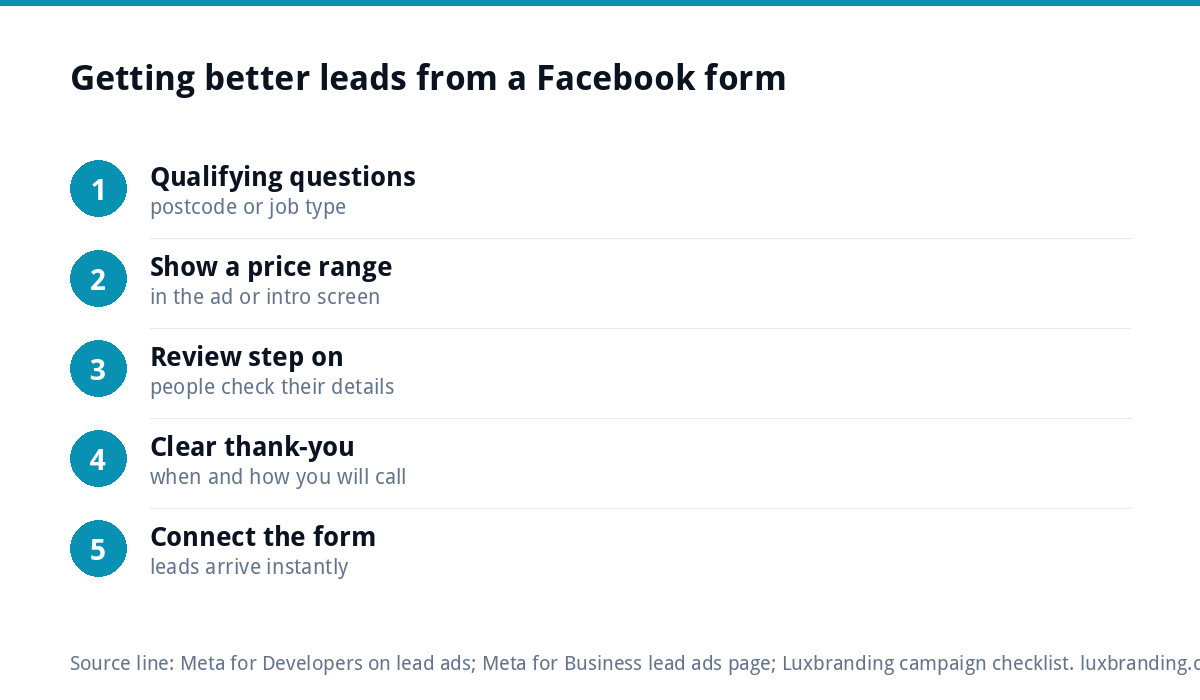
Meta’s page on lead ads mentions options to optimise campaigns for lead quality and to verify details such as phone numbers. Alongside those, a few changes make a big difference:
- Add one or two qualifying questions, such as postcode or type of job. A little friction filters out casual taps.
- Say the price range or “from” price in the ad or on the form’s intro screen.
- Use the review step so people see their details before submitting.
- Write a thank-you screen that says when you will call, and from which number.
- Connect the form to your email or CRM so leads arrive instantly rather than sitting in Meta’s Leads Centre.
Handle the details properly
A lead form collects personal details, so treat them with care. Link the form to your privacy policy, say plainly how you will use the details, and only add people to a marketing list if they have agreed to it. Keep the questions to what you need to quote: asking for a full address or date of birth on the first form puts people off and gives you data you then have to protect. Delete old leads you no longer need.
Using both together
The two routes are not either-or. A common pattern is to send cold audiences to a landing page with prices and photos, then show a short lead form to people who visited that page but did not enquire. They have already seen your work, so the easy form catches warm prospects at the moment they are ready.
Follow-up: where most leads are lost
Whichever route you use, speed of reply matters more than the form. A lead called back in ten minutes is a different conversation from one called back two days later. Meta’s developer guide explains that leads can be downloaded from the Leads Centre in Meta Business Suite or sent in real time to a CRM. Set up instant notifications so nothing waits until someone remembers to check.
For leads you cannot reach by phone, an automatic email with your prices, photos and a booking link keeps them warm. Our email marketing automation service can set that up. If your replies are landing in junk folders, our guide to business emails going to spam covers the fixes.
Measuring fairly
Cost per lead is the number Meta shows first, and it flatters lead forms. Track three numbers instead:
- Cost per lead, from Meta.
- Cost per qualified lead: leads you could actually quote for.
- Cost per job won, after a few weeks of follow-up.
A simple spreadsheet with one row per lead, its source, whether you reached them, whether you quoted and whether you won the job is enough. After a month, the cheaper route on paper is often not the cheaper route in jobs.
Give each test enough time and budget to mean something. Meta’s guide to ad costs recommends a budget that runs for at least seven days. If your website form is the destination, test it from a phone first; our guide to a website contact form not working covers the usual faults.
Getting your Meta campaigns set up
Our Meta ads management is £199 a month for up to £5,000 of monthly ad spend, with Pixel and Conversions API setup, A/B testing and monthly reports on cost per lead, and no markup on your budget. We recommend at least £500 a month of ad spend so there is enough data to judge results. Every fixed price is on our pricing page.
Get the UK SEO DIY Audit Checklist (free)
A 32-point checklist UK SMEs can run against their own website in an afternoon. Surfaces the quick wins before paying for a paid audit.
No spam. UK GDPR compliant. We only use your email to send this resource, unless you tick the box to hear from us.
Frequently asked questions
Are Facebook lead forms better than sending people to a website? +
Neither is better for everyone. Lead forms usually bring more enquiries at a lower cost per lead, because details are often pre-filled, but quality is more mixed. Website clicks bring fewer, usually stronger leads who have seen your prices and work. Compare the cost per job won, not the cost per lead, to decide.
Why are my Facebook lead form leads poor quality? +
Because forms are so easy to submit, some people tap through without much thought. Add one or two qualifying questions such as postcode or job type, mention a price range, use the review step, and call back quickly. Speed matters most: a lead called within the hour is far more likely to remember enquiring.
Where do Facebook lead form leads go? +
Meta's developer guide says leads can be managed and downloaded in the Leads Centre in Meta Business Suite, or sent in real time to a CRM using webhooks. Connect the form to your email or CRM, or turn on instant notifications, so leads do not sit unseen in Meta until someone checks.
Do I need a website to run Facebook lead ads? +
No. Instant forms open inside Facebook and Instagram, so you can collect enquiries without a website. You do still need a privacy-conscious process for handling the details, and a way to follow up quickly. For higher-value work, a focused landing page usually brings better enquiries and builds trust before people get in touch.
Can you set up and manage our Facebook lead campaigns? +
Yes. Our Meta ads management is £199 a month for up to £5,000 of monthly ad spend, with Pixel and Conversions API setup, A/B testing and monthly reports on cost per lead, and no markup on your budget. We recommend at least £500 a month of ad spend. A focused Landing Page is £199.