
Quick answer
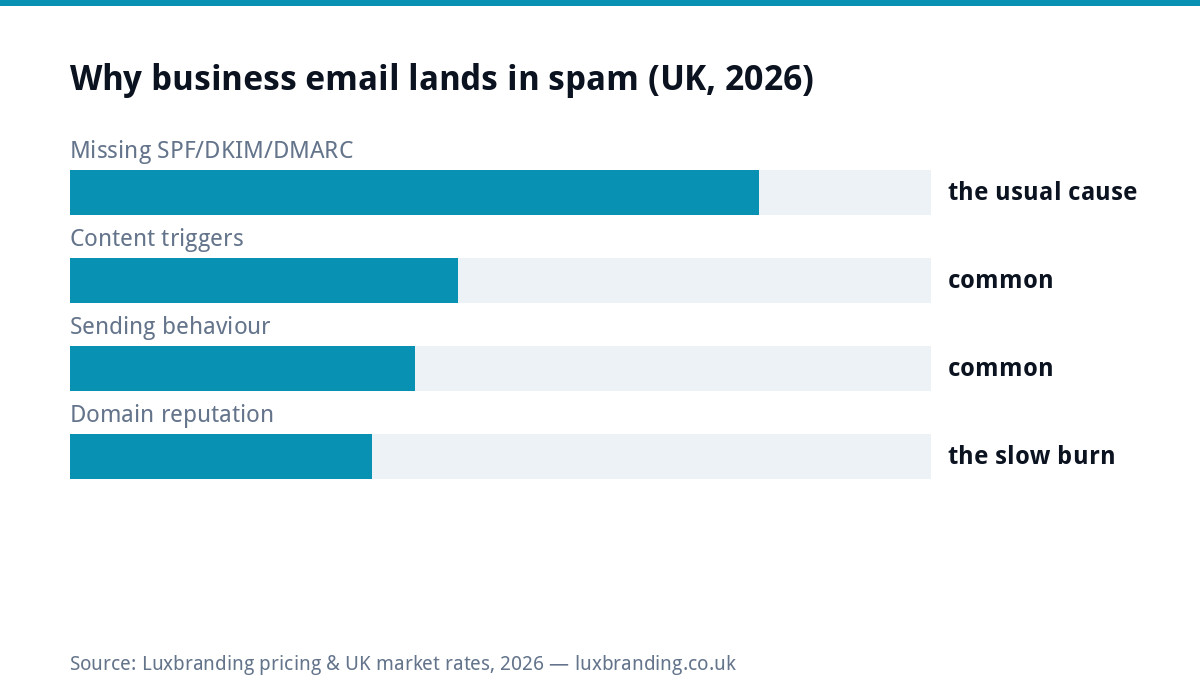
Business email lands in junk for four reasons, in order of likelihood: missing authentication records (SPF, DKIM, DMARC: free to fix, ten minutes with DNS access), content triggers, sending behaviour, and accumulated domain reputation. The 20-minute diagnosis below identifies yours. For a business whose quotes and invoices are silently rotting in customers’ junk folders, this is among the highest-stakes free fixes in the whole operations list, because you rarely find out it is happening until a customer mentions it.
Minute 1-5: the Gmail header test
Send a normal email from your business address to a Gmail account you control. Open it in Gmail, click the three dots, choose Show Original, and read the summary block at the top: SPF, DKIM and DMARC each get a verdict. Three PASSes: authentication is fine and your problem lives further down this page. Any FAIL, SOFTFAIL or missing line: you have found it, and the fix is the records section below. Repeat the test to an Outlook address if your customers skew corporate, since Microsoft’s filters run their own moods. This one test replaces most paid deliverability audits for a small sender, and it costs two minutes.
The three records, and who sets them
| Record | What it proves | Who sets it |
|---|---|---|
| SPF | These servers are allowed to send as my domain | One DNS TXT record; your email provider publishes the exact value to paste |
| DKIM | This message really came from us, unaltered | Enabled in your email provider’s admin, then one DNS record |
| DMARC | Here is what to do if the above fail, and report it to me | One DNS TXT record; start with a monitoring policy, tighten later |
Where they live: your domain’s DNS, managed wherever the domain is (registrar or host). Whoever set up your business email should have done all three; “should” is doing heavy lifting in that sentence, which is why the Gmail test exists. Google’s sender guidelines now expect authentication from effectively all senders, and bulk senders face hard requirements, so this stopped being optional hygiene and became table stakes.
Content triggers: what filters flag in the message itself
With authentication passing, the message content is suspect number two, and the triggers are consistent: an email that is one big image with no text, attachments sent to first-time recipients (invoice PDFs to established contacts are fine; a bare attachment to a stranger pattern-matches malware), URL shorteners hiding destinations, ALL-CAPS subjects and pound-sign confetti, and mismatches between the display name and the actual address. The fix costs nothing: write like a human, in text, with your normal signature, links shown honestly. If your quotes go as attachments to new enquirers, add two sentences of real message around them; the difference in delivery is measurable. The 2MB logo in every signature deserves its usual mention here too: oversized signature images trip size heuristics and annoy everyone downstream, and the size cheat sheet fixes it in minutes.
Behaviour and reputation: the slow-burn causes
Inbox providers score sending patterns over time. Sudden volume spikes from a quiet domain (the 300-recipient BCC announcement), high bounce rates from stale address lists, recipients who never open or who junk-button you, and, the classic self-inflicted wound, sending marketing blasts from your everyday mailbox: each deposit erodes the domain’s standing, and reputation damage outlives the behaviour that caused it. If you bought a list at any point, that single act explains more junk-folder misery than everything else combined, and the recovery path is its own guide: our bought-a-list damage control post covers it, UK consent law included. Checking whether you are on public blocklists takes a minute with free lookup tools such as MXToolbox; delisting processes exist and mostly want the underlying behaviour fixed first.
By situation: transactional vs marketing
Everyday business email (quotes, invoices, replies): authentication plus normal human behaviour is the whole fix; volume is low and engagement is high, which filters like. Occasional announcements to your customer base: the danger zone. Send through a proper campaign tool rather than BCC from Outlook, keep the list to people who genuinely gave consent, and honour every unsubscribe, because UK PECR rules apply to marketing email regardless of company size. Regular newsletters and promotions: full marketing infrastructure territory, with its own warm-up, segmentation and consent discipline, priced in our email marketing cost guide and set up properly in the £149 email marketing service. The universal rule: never mix the streams. The everyday domain’s reputation is a business asset; marketing experiments run on proper rails.
Worked example: the vanishing quotes
Composite from the support inbox: a joinery firm notices quote follow-ups going unanswered for weeks, assumes the market went quiet, then a friendly customer mentions finding three quotes in junk. The Gmail test shows SPF PASS (the host set it), DKIM missing, DMARC missing. Twenty minutes with the email provider’s setup page and two DNS records later, all three PASS. The interesting part is the postscript: the firm reviews the quiet quarter and realises the junk folder had been eating an unknowable slice of £30k-plus in quoted work. Nothing about their carpentry changed; two DNS records did. That asymmetry (invisible cost, trivial fix) is why this check belongs in every business’s annual once-over, alongside the SSL check in the same spirit.
Migrations: where good deliverability goes to die
The commonest way a business that HAD working email ends up on this page: something moved. A new website host, a switch from one email provider to another, a domain transfer, a new booking or invoicing tool that sends mail “from” your domain: each of these changes which servers send as you, and if the SPF record does not change with them, yesterday’s PASS becomes today’s SOFTFAIL without anyone touching the email settings. The symptoms are maddeningly partial: some recipients get everything, others junk you, and the pattern follows which receiving provider enforces how strictly. The discipline: any time anything that sends email changes (host, provider, CRM, booking system, newsletter tool), re-run the two-minute Gmail header test the same day, and add the new sender to SPF or set up its DKIM per that tool’s instructions before the first real send. Third-party tools that send on your behalf are the sneakiest offenders, because they work in their own test (sent from their servers, authenticated as them) and fail in yours (unauthenticated as you). Keep a one-line inventory of everything that sends as your domain; when the list changes, the DNS changes. That single habit prevents the majority of “it suddenly stopped arriving” cases that reach our inbox after a site move we did not do.
The prevention list (pin it)
Authentication verified once via the header test, rechecked after any email or host migration. Marketing kept on campaign infrastructure with real consent. Lists never bought, ever. Attachments to strangers wrapped in real messages. Volume changes gradual. Signature images small. And once a quarter, one test email to Gmail and Outlook with a ten-second glance at the verdicts, which is the entire ongoing cost of staying out of junk. If the diagnosis surfaces something deeper (blocklisted domain, spoofing in your name, a compromised mailbox actually sending spam), that escalates to the security playbook in our hacked-site guide’s spirit: contain, clean, then rebuild reputation. Everything else on this page is £0 and yours by teatime; the paid services it borders live, as ever, on the price list.
Get the UK SEO DIY Audit Checklist (free)
A 32-point checklist UK SMEs can run against their own website in an afternoon. Surfaces the quick wins before paying for a paid audit.
No spam. UK GDPR compliant. We only use your email to send this resource, unless you tick the box to hear from us.
Frequently asked questions
Why are my business emails going to spam? +
Usually missing authentication: SPF, DKIM and DMARC are DNS records proving your emails genuinely come from your domain, and modern inboxes distrust senders without them by default. After that: content triggers, erratic sending behaviour, or accumulated domain reputation damage.
What are SPF, DKIM and DMARC in plain English? +
SPF lists which servers may send as your domain. DKIM cryptographically signs each message so tampering shows. DMARC tells receiving inboxes what to do when the first two fail, and protects your name from spoofing. All three are DNS entries, set once, free.
How do I check if my email authentication is set up? +
Send a test to a Gmail account, open it, choose Show Original, and read the SPF, DKIM and DMARC lines: each should say PASS. Free lookup tools also read your domain's records directly. Any FAIL or missing record is your diagnosis.
Does it cost money to fix email deliverability? +
The authentication records are free: ten minutes of DNS work with the right access. If your provider or host set up your mailboxes properly they may already exist. Paid fixes only enter with damaged domain reputation or bulk marketing infrastructure.
Why do my marketing emails go to spam but normal emails arrive? +
Bulk sending is judged by stricter rules: volume patterns, list quality, engagement rates and consent all feed the verdict. Marketing needs proper campaign infrastructure and UK consent rules followed; sending blasts from your normal mailbox is how both streams end up distrusted.