
Quick answer
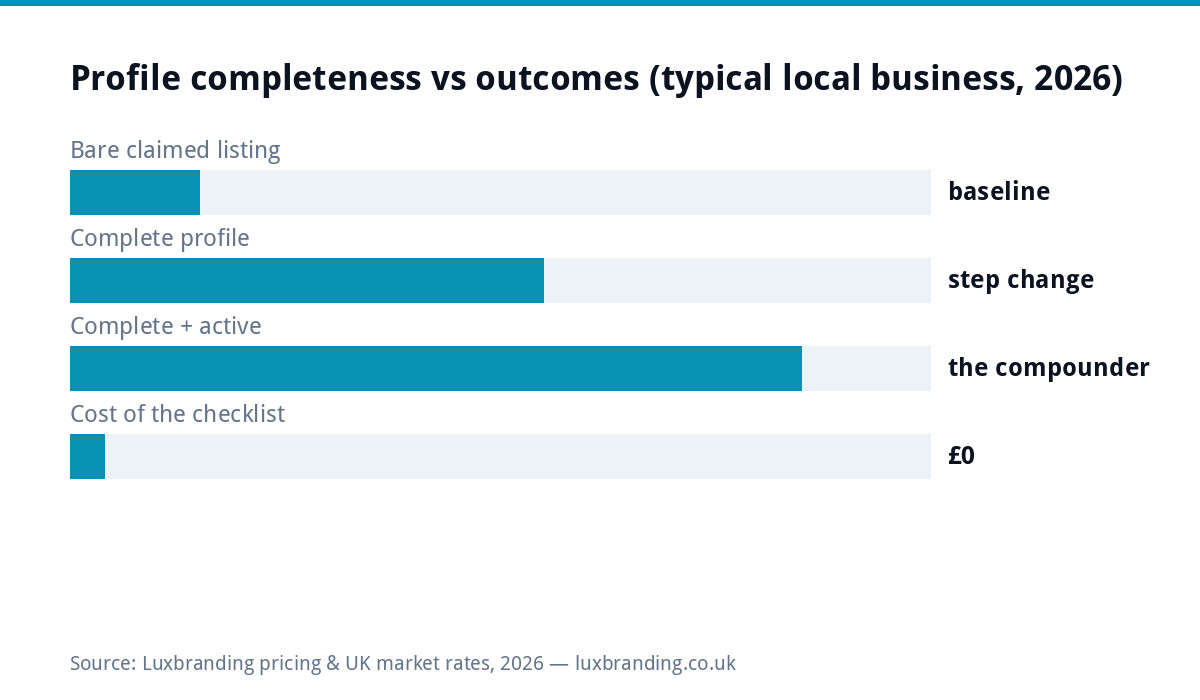
Below is the complete profile checklist: work through it top to bottom once (about an hour), then run the monthly twenty-minute routine in the second table forever. Every field matters because completeness itself is a ranking input for the Map Pack, and the difference between a bare claimed listing and a complete, active profile is the difference between existing on Google Maps and earning from it. Printable, free, and the same sequence our £199 done-for-you setup works through, minus our hour of category research.
The setup checklist (do once, in this order)
| ✓ | Field | The standard to hit |
|---|---|---|
| ☐ | Business name | Your real trading name EXACTLY, nothing added: keyword-stuffed names are the top suspension trigger |
| ☐ | Primary category | The most specific match for your core money work, chosen from Google’s list, not the closest big word |
| ☐ | Secondary categories | Every other genuine service line, none aspirational |
| ☐ | Address / service areas | Storefronts: exact address. Service businesses: address hidden, honest area list. The wrong model here is the other big suspension trigger |
| ☐ | Hours | True, with holiday overrides diarised: wrong hours are the one-star review machine |
| ☐ | Phone + website | The number you answer, the site that matches this profile’s details exactly |
| ☐ | Description | All 750 characters used: what you do, for whom, where, written around real search phrases without stuffing |
| ☐ | Services/products | Every service as its own entry with a sentence and from-price where you publish one |
| ☐ | Photos | 10 to 15 real: exterior, interior, team, work in progress, finished jobs. No stock, no logos-as-photos |
| ☐ | Attributes | Every true one (wheelchair access, wifi, dog-friendly…): they match real filtered searches |
| ☐ | Booking/appointment links | If you take bookings, wire the link: it converts directly from the panel |
| ☐ | Duplicates check | Search your business + old addresses; merge or remove ghosts before they compete with you |
The monthly routine (twenty minutes, calendared)
| ✓ | Task | Why it compounds |
|---|---|---|
| ☐ | Reply to every new review | Future customers read replies as your character reference; the hard ones have scripts |
| ☐ | Add 2 to 3 fresh photos | Recency signals a live business to Google and humans alike |
| ☐ | Check the Q&A tab | Strangers can answer questions about your business wrongly; you should get there first |
| ☐ | Confirm hours + upcoming holidays | The cheapest one-star prevention available |
| ☐ | Glance at the insights | Searches, calls and direction requests are your local scoreboard, free |
| ☐ | Send the month’s review asks | The scripts make it thirty seconds per happy customer |
The category decision (spend your hour here)
If the checklist has one field worth real research, it is the primary category, because it defines which searches you can enter at all. Google’s official category guidance says choose the most specific category that describes your overall business, and specificity wins: an emergency-led plumber under “Emergency plumber” enters the panic searches that pay; a kitchen fitter under “Kitchen remodeler” beats the generic “Contractor” for every kitchen query. Check what categories the businesses actually ranking in your target searches use (their profiles show it), match your genuine core, and put everything else in secondaries. Changing categories later is allowed but churning them pattern-matches spam, so decide once, well.
The consistency layer (the checklist behind the checklist)
Google cross-checks your profile against the wider web, so the fields must MATCH everywhere: identical name, address format and phone on your website, directories, and socials. Mismatches quietly erode trust signals and, at the extreme, feed the suspension classifiers, which is why the checklist’s website row says “matches exactly” and why profile work and site visibility work are one project wearing two hats. While cross-checking, claim the profile’s cousins where they matter (Bing Places, Apple Maps), because AI assistants and in-car systems read those too, and the same details paste in.
What NOT to do (each of these has a suspension story)
The checklist’s negative space, learned from the recovery guide’s casework: no keywords in the name field however tempting (“Smith Plumbing” not “Smith Plumbing | Boiler Repair Manchester”); no virtual offices or co-working addresses presented as premises; no review gating software and no incentivised reviews; no bulk edits in one sitting on an established profile (change one thing, let it settle); and no second profile to outflank a problem on the first. Every one of these shortcuts is a documented route to vanishing from Maps entirely, and the recovery queue is weeks long. The checklist’s boring honesty IS the optimisation.
Worked example: the checklist run on a real-shaped profile
The composite we see weekly: a claimed listing, name thankfully clean, category “Contractor” (generic), no service areas set, three photos from 2023, hours missing Saturdays the business actually works, no services listed, nine reviews with none answered. The checklist pass: primary category researched to “Bathroom remodeler” (their actual money work), service areas set honestly, twelve photos loaded from the camera roll in twenty minutes, every service entered with a from-price, Saturday hours fixed, and all nine reviews answered in one sitting with the scripts. Nothing clever, nothing paid, roughly ninety minutes. The typical shape afterwards: discovery searches and direction requests climb within weeks, because completeness was the constraint all along. Most profiles are this profile; the checklist exists because the fix is boring and the boring fix works.
Print-and-do: the one-hour version
If the full read is too much for today, the compressed run: name clean, category specific, areas honest, hours true, ten photos, services listed, reviews answered, duplicates removed, monthly routine calendared. Nine lines, one hour, and the profile moves from claimed to working. Everything else on this page is the why behind those lines, useful when a decision needs judgement, skippable when it doesn’t.
How you know it is working
The profile’s own insights are the scoreboard: searches you appeared for (discovery vs direct), views, calls, direction requests and website clicks, monthly. Screenshot the numbers when you finish the setup checklist as your baseline, then read the trend after the routine has run for two months: completeness plus activity plus reviews is the whole visible algorithm at local scale, and the trend answers the “is this worth twenty minutes a month” question with your own data. When the trend stalls despite a complete, active profile, the constraint has moved to reviews-versus-competitors or website authority, which are the next projects in the local stack, in that order.
Done-for-you, and what this checklist is quietly teaching
Everything above is genuinely DIY-able, which is why it is free; the £199 setup service exists for owners whose hour is worth more than the learning curve, and it runs this exact sequence with the category research done properly and the suspension tripwires avoided by experience. Either route ends the same place: a profile that is complete, consistent, active and reviewed, sitting on top of a site that corroborates it. Print the two tables, put the monthly routine in the calendar, and the Map Pack stops being a mystery; prices for the done-for-you version, as ever, on the price list.
Last word for the sceptical: nothing on this page games anything. Every row is information Google explicitly asks businesses to provide, completed honestly, which is why it works and keeps working. The gaming routes all end at the suspension guide; the boring routes end in the Map Pack. Choose boring.
Get the UK SEO DIY Audit Checklist (free)
A 32-point checklist UK SMEs can run against their own website in an afternoon. Surfaces the quick wins before paying for a paid audit.
No spam. UK GDPR compliant. We only use your email to send this resource, unless you tick the box to hear from us.
Frequently asked questions
What should a complete Google Business Profile include? +
Correct business name (no keywords added), the most specific primary category, accurate secondary categories, address or service areas set for your model, true hours with holiday overrides, phone and website, full description, services listed with descriptions, ten-plus real photos, attributes set, and a steady flow of answered reviews.
How often should I update my Google Business Profile? +
Monthly for twenty minutes: new photos, review replies, Q&A check, and hours confirmation, plus immediate updates when anything real changes. Profiles Google sees as maintained outperform abandoned ones, and the routine is in the checklist's second table.
What is the most important field on the profile? +
The primary category: it decides which searches you can appear for at all. Choose the most specific one that describes your core business ("Emergency plumber" beats "Plumber" if that's the work you want), and resist stuffing the business name field, which risks suspension.
Do photos really matter on a Business Profile? +
Yes, doubly: customers judge by them (real premises and work photos convert; stock repels) and complete photo sets correlate with more calls and direction requests. Ten to fifteen honest photos covering outside, inside, team and work is the working set, refreshed monthly.
Why is my profile not showing in the Map Pack? +
Usually some mix of incomplete fields, a too-generic primary category, thin reviews versus competitors, and proximity (the pack is location-biased). Run the checklist first, then the reviews habit; if the profile vanished entirely rather than ranking low, that is the suspension guide's territory.