You asked an AI tool for a logo and got something you actually like. Then you tried to use it. The printer wanted a vector file, the sign maker said it was too blurry, or you noticed the second word is not quite a word. This guide covers every way to fix an AI logo, what each fix costs, and how to tell which one you need.
The short answer
Most AI logos need one of three things, and the price depends on which:
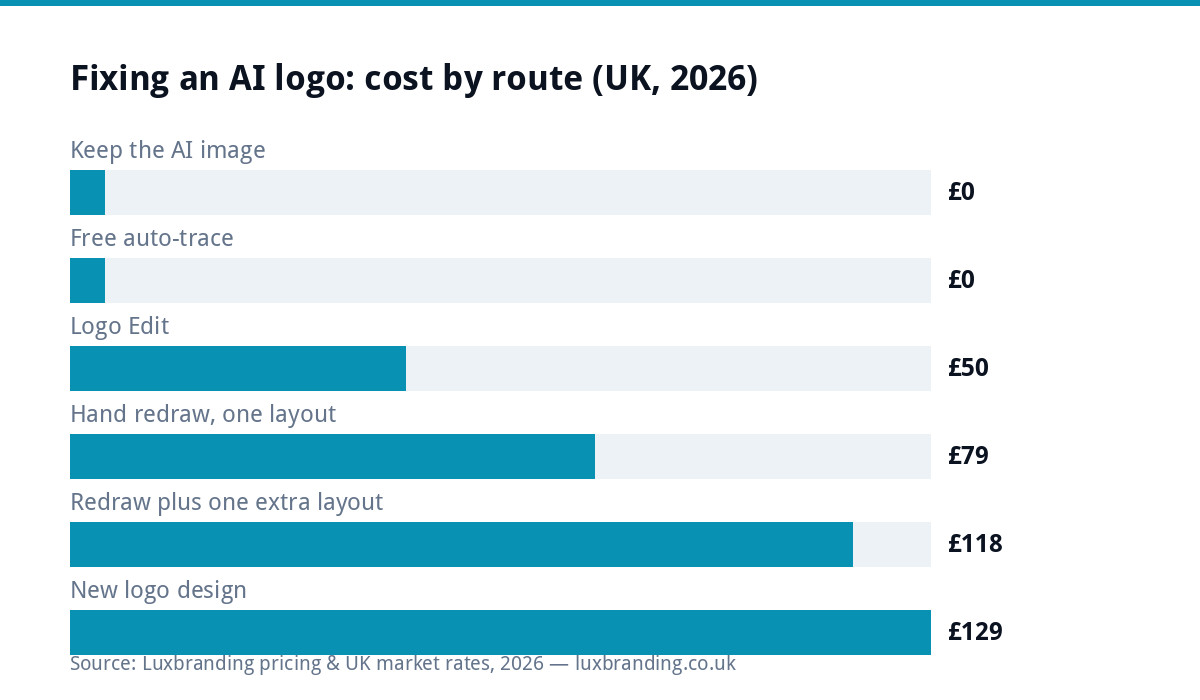
- A redraw if you like the design as it is and the problem is the file: blurry edges, no vector, uneven lines. Our Recreate & Vectorise service is £79 for one layout and £39 per additional layout.
- An edit if the design is nearly right but something needs changing: a colour, the spacing, or too much detail. A Logo Edit is £50.
- A redesign if the idea itself does not work for your business. Logo Design is £129 and starts from your brief rather than the AI image.
Sometimes a free fix is enough, and we say when below.
Why AI logos go wrong in the same ways
Image generators such as ChatGPT, Midjourney, Gemini and Canva’s AI tools are built to make pictures. A logo is not really a picture. It is a set of instructions that has to work at the size of a website tab and the size of a van, in one colour and in full colour, on screen and in ink.
So the same problems turn up again and again:
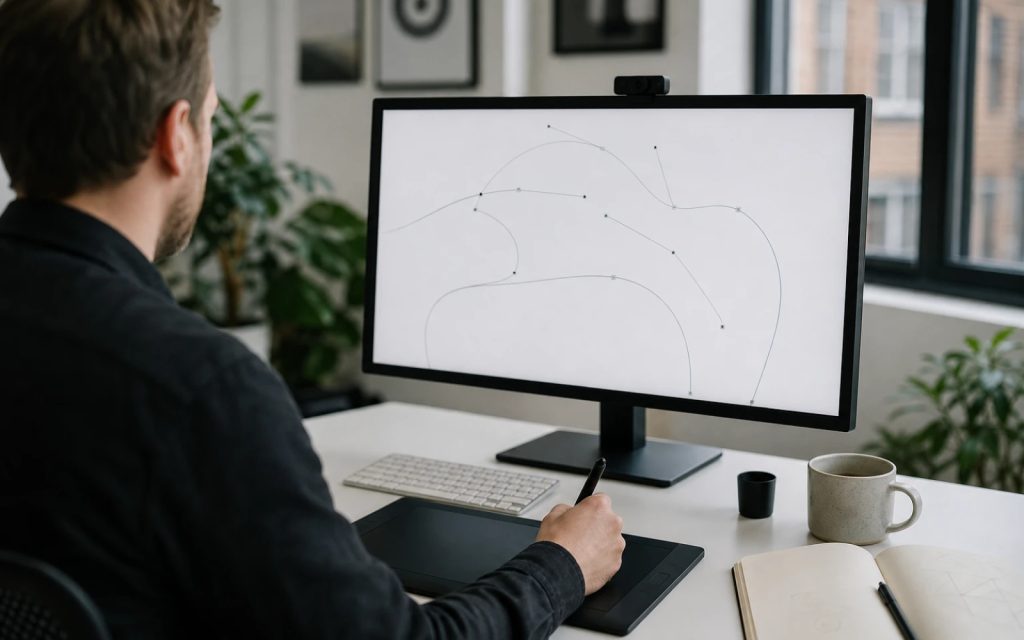
- It is made of pixels. Every one of these tools exports a PNG, JPG or WebP. However sharp it looks on a phone, it is a grid of coloured squares with a fixed size. Printers, sign makers and embroiderers work from vector files, which are drawn with mathematical curves and scale to any size. Our guide to logo file formats explains the difference in full.
- The strokes wobble. A line that should be one even thickness gets thicker and thinner along its length.
- The colours drift. Where you see one blue, the file may hold several blues a shade apart, soft-edged into each other. A printer has to guess which is right.
- The lettering is not real type. AI draws letters as shapes it has seen. Letters grow odd tails, words gain or lose a letter, and nothing can be edited.
- There is too much going on. Tiny highlights, gradients and textures look rich at full size and turn to mush when the logo is the size of a thumbnail or stitched onto a polo shirt.
None of this means the idea is bad. Often it is a good idea that was never finished.
Your five options, from free to a new design
| Option | Cost | Good for | Watch out for |
|---|---|---|---|
| Keep using the AI image | Free | Social profiles, a website header, anything on screen at a fixed size | Will fail at print, signage and embroidery |
| Free auto-trace (Inkscape, online vectorisers) | Free to a few pounds | Simple, flat shapes with one or two colours | Lumpy curves, dozens of colour fragments, damaged lettering |
| Hand redraw as vector | £79 for one layout, £39 per extra layout | A design you like that needs to work everywhere | It keeps the design, including anything you did not like |
| Logo Edit | £50 | A nearly right logo that needs a change or simplifying | Needs a vector to edit, so a PNG may need the redraw first |
| New logo design | £129 | An idea that does not suit the business | You start from a brief, not the AI image |
Redraw, edit or redesign? How to decide
Ask yourself three questions, in this order.
1. Would you be happy seeing this exact design on your van for the next five years? If the honest answer is no, fixing the file will not fix the logo. Go straight to a redesign, and take the AI image along as a reference for what you liked. Our guide on how to brief a designer shows how to turn it into a useful brief.
2. Does it still read at the size of a stamp? Shrink it on screen until it is about two centimetres wide. If you can no longer tell what it is, it has too much detail to work as a logo, and it needs simplifying before or during the redraw. That is an edit.
3. Is the only problem the file? If the design reads well small, you like it, and the trouble is blurry edges, a printer asking for a vector, or messy colours, you need a redraw and nothing more.
| What you see | What it usually needs | Price |
|---|---|---|
| Printer or sign maker asked for a vector file | Redraw | £79 |
| Edges look soft or stepped when printed | Redraw | £79 |
| A word is misspelt or a letter looks wrong | Redraw (lettering fix included) | £79 |
| You need a stacked or icon-only version too | Redraw plus an extra layout | £79 + £39 |
| Too much detail to read small or to stitch | Redraw plus a Logo Edit to simplify | £79 + £50 |
| Different colours or a new name | Logo Edit, once it is a vector | £50 |
| The idea does not suit the business | New design | £129 |
We review every image before starting and tell you which applies. If we cannot do the job, you get a full refund.
When a free fix is good enough
We would rather you did not pay for something you do not need. A free route is fine when:
- the logo will only ever appear on screen, at roughly the size it was made;
- it is one or two flat colours with simple, chunky shapes and no lettering; or
- you want a quick mock-up to see how a sign might look before paying for anything.
For those, try tracing it yourself. Our step-by-step guide to vectorising a logo covers the free Inkscape method and a zoom test that tells you whether the result is good enough. If the trace comes out lumpy, or the lettering melts, that is the point to stop and have it redrawn.
What each kind of AI tool tends to get wrong
These are the patterns we see in AI logos sent to us for redrawing. They are typical tendencies, not a formal test, and every tool changes often.
| Tool type | What it exports | Typical problems |
|---|---|---|
| Chatbots with image generation (ChatGPT, Gemini) | PNG or WebP | Garbled lettering; the design shifts every time you ask for a small change |
| Art generators (Midjourney and similar) | PNG | Rich textures, gradients and fine detail that will not survive small sizes or stitching |
| Design apps with AI features (Canva) | PNG, JPG, PDF; SVG on some plans | An SVG or PDF export can still wrap a flat image inside, so it is not a true vector |
| Logo generator websites | PNG, sometimes SVG | Stock icons and fonts that other businesses are also using |
That third row catches people out. A file ending in .svg or .pdf is only a vector if the shapes inside are drawn as paths. If it simply contains the PNG, a printer will still bounce it. Our guide to why printers reject artwork explains how to check.
The lettering problem
This is the fix people ask about most. AI does not use fonts. It paints letter-shaped marks, so there is nothing to select, retype or edit, and asking the tool to correct one word often redraws the whole logo differently.
When we redraw an AI logo, we respell the wording correctly and set it in the closest real, licensed font, so it prints cleanly and can be changed later. That is included in the £79. If you want different wording or a different style of lettering from the original, that is a Logo Edit at £50. For choosing a typeface from scratch, see our guide to the best fonts for logos.
When the image is too detailed to be a logo
Some AI images are really illustrations: a detailed character, a painted landscape, lots of soft shading. They can look wonderful and still fail as a logo, because a logo has to survive being tiny, one colour, stitched or cut from vinyl.
There are three honest routes:
- Simplify it. Fewer colours, bolder shapes, the fine texture removed. This keeps your idea recognisable and is a Logo Edit (£50) alongside the redraw.
- Keep it as an illustration for places where it has room to breathe, such as a menu cover or a website banner, and use a simpler mark as the logo.
- Start again with a designer, using the AI image as the mood board. That is Logo Design at £129.
Embroidery is the strictest test of all. Our guide to logo files for embroidery and signs covers what stitching can and cannot reproduce.
What to send, and what you get back
Send the largest original download you have, straight from the AI tool. A screenshot works if it is all you have, but the original is better. You do not need to send the prompt.
For a £79 redraw you get back one layout, meaning one arrangement of your logo such as stacked, horizontal or the icon on its own, in:
- full colour, one colour, and a reversed version for dark backgrounds;
- SVG, AI (Adobe Illustrator), EPS, PDF, PNG, JPG and ICO files;
- the HEX, RGB and CMYK codes for each colour, with the nearest Pantone on request.
Each additional layout is £39. We check the redraw side by side against your original before delivery, and it takes 2 to 3 working days. If you are comparing prices elsewhere first, our logo file conversion cost guide sets out the UK market.
Cricut, vinyl cutters, embroidery and laser engraving
- Cricut and vinyl cutters take the SVG file directly.
- Laser engravers: most engraving software imports SVG, AI or PDF. We do not supply DXF files.
- Embroidery: your embroiderer turns a vector into a stitch file (DST or PES). We supply the vector they digitise from, not the stitch file itself.
- Printers and sign makers usually ask for PDF, AI or EPS, all of which are included. Our print-ready artwork guide covers bleed, CMYK and the rest of what a printer checks.
Three mistakes that cost people time
- Asking the AI to “make it a vector”. Most chat tools will hand back another PNG, or an SVG file with the same flat image tucked inside it. The file name changes; the problem does not.
- Running it through an upscaler. Upscaling makes a bigger, smoother-looking picture, but it is still made of pixels. It can pass on screen and fail on a large banner or a van, where every soft edge shows.
- Ordering the signs before the file is sorted. Sign makers and embroiderers often charge to redraw artwork themselves, per job, and each supplier’s version comes out slightly different. Fixing the logo once, as one master file, means every supplier after that works from the same artwork.
Can you own a logo made with AI?
We hand over every file with no restrictions from us. Whether anyone can claim copyright in an AI-generated design, or register it as a trade mark, is a separate legal question that the UK government has been consulting on. Our guide to UK logo copyright and trade marks explains the current position, and a solicitor can advise on your case. Redrawing a design does not change who can claim it.
The next step
If you are still deciding whether to use AI at all, our comparison of AI logo generators and a designer covers what each is really for. If you already have your AI logo and like it, the quickest fix is a redraw: order Recreate & Vectorise, reply to your order confirmation email with the image, and we tell you straight away if it needs anything more. You can see every price on one page on our pricing page.
Get the UK Branding Budget Worksheet (free)
A printable worksheet: decide what your brand needs now and price it against fixed published prices and the IPO trademark fee.
No spam. UK GDPR compliant. We only use your email to send this resource, unless you tick the box to hear from us.
Sources & Further Reading
- Copyright and artificial intelligence (consultation), GOV.UK
- Tracing an image in Inkscape, Inkscape manual
Frequently asked questions
Can you fix a logo I made with ChatGPT or Midjourney? +
Yes. We redraw it by hand as true vector artwork, keep the design you like and tidy what AI leaves behind: uneven strokes, near-identical colours, soft edges and garbled lettering. It is £79 for one layout and £39 per additional layout.
Is it worth paying to redraw an AI logo? +
Only if you will use it in print, on signage, on clothing or at large sizes. For a logo that only ever appears on screen at a fixed size, the AI image may be enough.
Should I redraw, edit or redesign my AI logo? +
Redraw if you like the design and only the file is the problem (£79). Edit if it is nearly right but needs a change or simplifying (£50). Redesign if the idea does not suit the business (£129). We review every image before starting and tell you which applies.
Can you fix the spelling in my AI logo? +
Yes, and it is included in the £79 redraw. We respell the wording and set it in the closest real, licensed font so it can be edited later. Changing the wording or style beyond the original is a Logo Edit at £50.
Can I use my redrawn logo on a Cricut or laser engraver? +
A Cricut or vinyl cutter takes the SVG file. Most laser engraving software imports SVG, AI or PDF. We do not supply DXF files.
How long does it take to fix an AI logo? +
A redraw takes 2 to 3 working days from when we receive your image. A Logo Edit takes 24 to 48 hours.
Is a free online vectoriser good enough? +
For simple, flat shapes with one or two colours and no lettering it can be. On lettering, fine curves and detailed AI artwork, free tools tend to produce lumpy curves and scattered colour fragments.