Almost every logo headache we untangle for new clients comes down to one thing: file formats. Someone has a logo, but it’s a single low-resolution JPG pulled off an old website, and now a printer, a signwriter or an embroiderer is asking for “the vector file”, and nobody knows what that means or where it is. Knowing which logo file format does what isn’t designer trivia; it’s what stops you paying to have your own brand redrawn from scratch. Here’s the plain-English version of what each format is, when to use it, and why owning the right master file matters more than the logo itself.
Quick answer
You need two kinds of logo file. Vector masters (AI, EPS, SVG, PDF) are infinitely scalable and are what printers, signwriters and embroiderers require. Raster exports (PNG, JPG) are fixed-resolution and are for screens: PNG when you need a transparent background, JPG for photos. Always own the editable vector master in CMYK for print and RGB for web. If all you have is a JPG, you don’t truly own a usable logo.
Vector vs raster: the one concept that explains everything
Every logo file falls into one of two camps, and understanding the difference solves ninety per cent of format confusion.
- Vector files store your logo as mathematical paths: points, curves and fills. Because it’s maths rather than fixed dots, a vector logo can be scaled from a business card to a building and stay perfectly crisp. This is your master artwork.
- Raster (or bitmap) files store the logo as a grid of coloured pixels at a fixed size. Blow a raster image up beyond its native resolution and it turns soft and blocky. Photographs are always raster; logos should not live as raster, only be exported to it.
The golden rule: design and store your logo as vector, then export the raster versions you need for screens. You can always make a PNG from a vector, but you can never reliably make a clean vector from a JPG.
The formats, one by one
Here’s what each common extension actually is and where it belongs.
- AI: Adobe Illustrator’s native vector format. This is the true editable master most designers work in. If you own the AI file, the logo can be edited, recoloured and re-exported forever.
- EPS, a long-standing vector format that nearly every print shop, signwriter and older system can open. Think of it as the universal “send this to a professional” vector file.
- SVG: vector built for the web. It scales perfectly on screens, stays razor-sharp on retina and 4K displays, and keeps file sizes tiny. This is the format your web developer wants.
- PDF: can hold true vector data, opens on virtually any device without special software, and is ideal for sending print-ready artwork or sharing a logo someone can place straight into a document.
- PNG, a raster format that supports transparency, so your logo sits cleanly on any colour background with no white box around it. The go-to for websites, email signatures and social media.
- JPG (JPEG), a raster format with no transparency and lossy compression. Brilliant for photographs, poor for logos: it cannot do a transparent background and degrades each time it’s re-saved.
Format-to-use cheat sheet
If you remember nothing else, keep this table to hand.
| Format | Type | Best used for |
|---|---|---|
| AI | Vector | Editable master: keep it safe, this is the source of everything |
| EPS | Vector | Sending to printers, signwriters and embroiderers |
| SVG | Vector | Websites and apps, crisp at any screen size |
| Vector | Print-ready artwork and easy universal sharing | |
| PNG | Raster | Web, social and email where a transparent background is needed |
| JPG | Raster | Photographs and flat-background images, not ideal for logos |
Once you have the right format, our cheat sheet gives the right logo size for every platform.
Which file do you actually send each person?
Different suppliers need different files. Send the wrong one and you’ll get blurry print, a re-drawing fee, or a flat refusal to start the job.
- To a printer (brochures, business cards, packaging): a vector PDF or EPS in CMYK. They print in four-colour process, so RGB screen files can shift colour unexpectedly.
- To a signwriter or large-format printer (fascia signs, vehicle wraps, banners): a vector EPS or AI. Signage is huge, so only vector stays crisp at that scale.
- To a web developer (website, app): an SVG for the logo itself, plus transparent PNGs in RGB as a fallback.
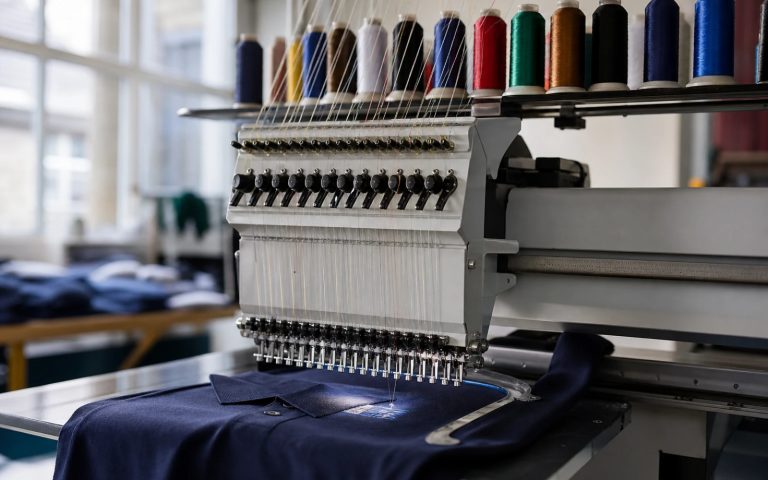
- To an embroiderer (uniforms, caps, workwear): a simple vector file with limited colours. They convert it to stitch (“digitising”), and fine detail or gradients don’t stitch well. Keep it bold.
CMYK vs RGB, and why transparency matters
Two technical points cause more real-world disasters than any other. First, colour mode. RGB (red, green, blue) is how screens make colour and is correct for anything digital. CMYK (cyan, magenta, yellow, black) is how presses lay down ink and is correct for anything printed. A vivid RGB blue can print as a muddier shade in CMYK, which is exactly why printers ask for CMYK files, so what you approve is what comes off the press. A proper logo handover includes both versions.
Second, transparency. A logo saved as a JPG always carries a solid background, usually white, so dropping it onto a coloured website header or a dark email leaves an ugly box around it. PNG and all the vector formats support a transparent background, letting the logo float cleanly over anything. This single issue is behind most “why does my logo have a white square behind it?” emails we receive.
The “I’ve only got a JPG” disaster, and owning your master
The most common and most expensive problem we see: a business has been trading for years with nothing but a small JPG of its logo. It can’t be printed large, it can’t go on signage, it can’t sit on a coloured background, and it can’t be edited. When the original designer is long gone (or was a relative who “knocked something up”), the only fix is to pay to have the logo professionally redrawn as vector from scratch, effectively buying your own brand twice.
Avoiding this is simple. When you commission a logo, insist the handover includes the editable vector master (AI), universal vector files (EPS, PDF, SVG), transparent PNGs, both CMYK and RGB versions, and, crucially, full copyright transfer in writing so you legally own the artwork. Without that, you may be renting your own identity. Every project through our logo design service ships with the complete file set and full ownership as standard. For how this fits into pricing, see our UK logo cost guide.
What format is a logo made with AI?
Almost always a raster: PNG, JPG or WebP, whichever the tool exports. That includes ChatGPT, Midjourney, Gemini and most AI logo generators. It looks crisp at the size it was made because you are seeing it at that size. Everything in this guide about raster files applies to it.
Some tools offer an SVG or PDF download. Open it in a vector editor and switch to outline view: if you see clean paths, it is a true vector; if you see a single rectangle holding a picture, it is still a raster in a vector wrapper. To turn an AI logo into the full set of formats above, it has to be redrawn as vector.
Using a low-resolution file online is one cause of blurry website images; the fixes are usually free.
What to do next
Open your logo folder right now and check what you actually hold. If you can only find JPGs and PNGs and no vector master (AI, EPS, SVG or a true vector PDF), you don’t yet own a fully usable logo, and the next time a printer or signwriter asks, you’ll be stuck. The sensible move is to either request your missing vector files from whoever designed it, or commission a fresh, professionally built mark that comes with every format and full ownership from day one. For the wider picture of building a brand the right way, our small-business logo guide covers the next steps.
Logo design with every file format included
Get the full file set, and full ownership, from £129
Vector masters (AI, EPS, SVG, PDF), transparent PNGs, CMYK and RGB exports, and written copyright transfer. Unlimited revisions, 48-hour first concepts.
When a printer or supplier rejects your logo file
Most people meet file formats for the first time because somebody has just refused one. The message is usually short, slightly technical and entirely unhelpful. Here is what the common rejections actually mean and what to send instead.
| What they told you | What it means | What to send |
|---|---|---|
| “We need vector artwork” | Your file is made of pixels and will blur at their size | AI, EPS or SVG |
| “Low resolution, cannot print” | Under about 300 dots per inch at final size | Vector, or a PNG exported at the printed dimensions |
| “Fonts not outlined” | They do not own your typeface, so it substitutes | A vector file with text converted to outlines |
| “RGB, we need CMYK” | Screen colours that shift when printed | A CMYK version, with Pantone references if colour is critical |
| “No transparent background” | Your logo carries a white box | PNG with transparency, or vector |
| “File will not open” | Usually an AI or EPS they lack software for | A PDF, which nearly everyone can open |
| “Too small for embroidery” | Fine detail disappears in thread | A simplified one-colour version |
Two of those are worth understanding rather than just fixing. Outlining fonts is permanent: once text becomes shapes it can no longer be edited as text, so keep an editable master and send the outlined copy. And embroidery is not a file problem but a design one. Thread cannot hold thin lines or small gaps, which is why good logos have a simplified version for stitching, signage and anything very small.
If you do not have the file being asked for, you do not need the original designer. A logo can be rebuilt as true vector artwork from a clear image of it, which is what our Recreate & Vectorise service does from £79 for one layout (£39 per additional layout), returning every format in this article.
Get the UK Branding Budget Worksheet (free)
A printable worksheet: decide what your brand needs now and price it against fixed published prices and the IPO trademark fee.
No spam. UK GDPR compliant. We only use your email to send this resource, unless you tick the box to hear from us.
Sources & Further Reading
- Scalable Vector Graphics (SVG), W3C
- Tracing an image in Inkscape, Inkscape manual
Frequently asked questions
What is the difference between vector and raster logo files? +
Vector files (AI, EPS, SVG, PDF) store your logo as mathematical paths, so they scale to any size and stay crisp. Raster files (PNG, JPG) are made of fixed pixels and turn blurry when enlarged beyond their native resolution.
Which logo file format should I send a printer? +
Send a vector file in CMYK colour mode, ideally a print-ready PDF or EPS. Printers use four-colour process inks, so a CMYK vector ensures the colours and edges reproduce accurately at any size without pixelation.
What is the difference between a PNG and a JPG logo? +
A PNG supports a transparent background, so your logo sits cleanly on any colour with no white box. A JPG always has a solid background and loses quality each time it is saved, making it poor for logos.
I only have a JPG of my logo. Is that a problem? +
Yes. A JPG cannot be scaled large, used on signage, edited, or placed on a coloured background. You will likely need it professionally redrawn as a vector master, so always insist on vector files when commissioning a logo.
What file format is a logo made with AI? +
Almost always a raster file: PNG, JPG or WebP. Some AI tools offer an SVG or PDF download, but it may only wrap the same flat image. Open it in a vector editor in outline view: clean paths mean a true vector, a single rectangle holding a picture means it is still a raster.
Which logo file do I need for a Cricut or vinyl cutter? +
An SVG. Cutting machines follow the paths in a vector file, so a PNG or JPG has to be traced or redrawn first.