Quick answer
A small business staff newsletter works best as a short monthly email: an owner’s update, what is coming up, a team win, one practical reminder and a way to reply. Keep it to five minutes’ reading, send it on the same day each month, leave out private details, and never use it to announce changes that need consultation.
Once a business grows past a handful of people, not everyone hears everything any more. Site teams miss office news, part-timers miss the Monday chat, and new starters have no idea what happened before they arrived. An internal newsletter fixes that cheaply. This guide covers what to include, which format suits a small team, how often to send it, the people and data rules to respect, and a ready-to-use structure.
Do you need a staff newsletter?
Not every business does. If everyone works in one room and talks daily, a newsletter adds little. It becomes useful when:
- People work across sites, vans, shifts or from home.
- You have part-time or seasonal staff who miss informal updates.
- You keep repeating the same announcements in different conversations.
- New starters struggle to learn how things work and who does what.
- You want to recognise good work more consistently.
Roughly speaking, once you have more people than fit round one table, a short regular update starts to earn its keep. It also helps when you are growing quickly, because it gives every new starter the same picture of how the business works and what it cares about.
Choosing a format
| Format | Good for | Drawbacks |
|---|---|---|
| Most teams; easy to read on a phone; easy to reply | Can get lost among customer emails | |
| Printed sheet in the staff room or van | Teams without work email or who rarely sit at a desk | No links; harder to update; needs printing |
| Shared document or intranet page | Teams already using shared drives daily | People must remember to look |
| Team messaging channel post | Quick, informal teams | Scrolls away fast; easy to miss |
| Short video from the owner | Spread-out teams who like a personal touch | Harder to skim; needs a written summary too |
For most small businesses, a short branded email, with a printed copy on the noticeboard for anyone without work email, covers everyone.
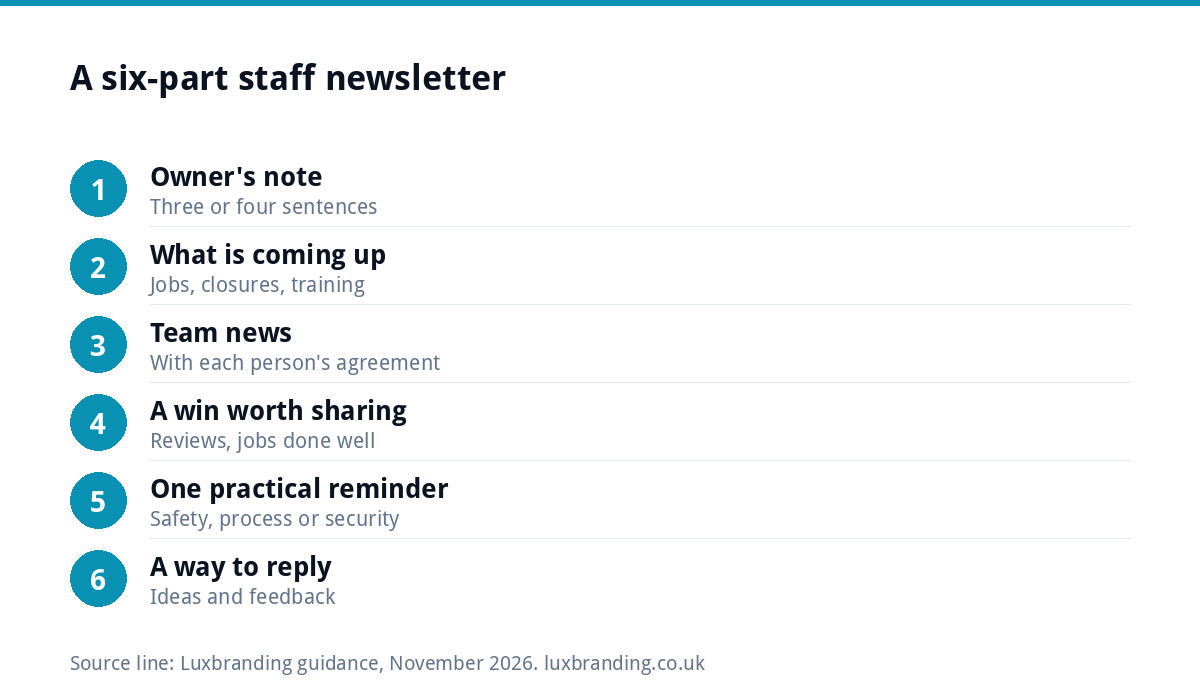
What to include: a simple structure
- A short note from the owner or manager. Three or four sentences on how things are going and what matters this month.
- What is coming up. Busy periods, big jobs, holiday closures, training dates, deadlines.
- Team news. New starters, work anniversaries, qualifications passed, with each person’s agreement.
- A win worth sharing. A great customer review, a tricky job done well, a target reached.
- One practical reminder. A safety point, a process change, a phishing warning, a tool tip.
- A question or a way to reply. Ask for ideas or feedback, and say who reads the replies.
Content ideas by month
| Month | Seasonal angle | Practical reminder |
|---|---|---|
| January | Plans for the year ahead | Holiday booking process |
| April | New financial year, any pay or policy updates | Updated forms or price lists |
| Summer | Busy season and cover arrangements | Working in heat, hydration, sun protection |
| Autumn | Training plans and the run-up to Christmas | Driving in poor light and weather |
| December | Thank-you and closure dates | Emergency cover contacts |
A newsletter is not a consultation
A newsletter is a good way to inform people. It is not a substitute for consulting them when the law requires it. Acas explains when consultation is legally required, including certain changes to employment contracts, where employers should consult with all affected employees and any relevant representatives.
As general guidance, do not use the newsletter to break news about redundancies, contract changes, pay cuts or restructures. Talk to the people affected first, through the proper process, and only then summarise what was agreed. Finding out about a change to your job from a group email damages trust quickly.
Respect people’s privacy
Staff newsletters handle personal information more often than people realise: birthdays, photos, family news, health and absences. The Information Commissioner’s Office publishes employment guidance for organisations, including on handling workers’ health information. Sensible habits for a small business:
- Ask before featuring someone’s photo, birthday or personal news, and respect a no.
- Never mention sickness, medical details or personal circumstances.
- Keep pay, performance and disciplinary matters out of it entirely.
- Remember that newsletters get forwarded; write as if a customer might read it.
Use it to strengthen security habits
A monthly newsletter is a natural place for one short security reminder, especially as small firms are frequent targets of fake invoice and payment-change emails. The National Cyber Security Centre’s guidance on defending against phishing recommends a layered approach, including helping users identify and report suspected phishing, while warning against relying too heavily on staff spotting every scam. Use the newsletter to remind people how to report something suspicious and to check payment changes by phone, not to blame anyone who gets caught out.
A sample issue
Here is how a short issue might read for a hypothetical electrical contractor with fourteen staff across two van teams and an office:
- From the boss: “October was our busiest month for EV charger installs. Thank you all, especially for covering the two weekend callouts. November is quieter on installs, so it is a good time to catch up on training.”
- Coming up: inspection and testing refresher on the 14th; office closed from Christmas Eve, emergency cover rota attached; new van arriving early December.
- Team news: welcome to our new apprentice, who starts on the 3rd and will shadow the domestic team; congratulations to the office manager on ten years with us.
- A win: a five-star review praising how tidy the team left a customer’s kitchen after a rewire.
- Reminder: if a supplier emails to change bank details, phone them on the number we already hold before paying anything.
- Your turn: reply with ideas for the Christmas meal, or anything that would make Monday mornings run smoother.
That issue takes about two minutes to read and perhaps forty minutes to write, most of it gathering the news. A notes file that people add to during the month cuts that time in half.
Make it look like your business
An internal newsletter is a small brand moment. Using your logo, colours and typefaces consistently makes it feel official and reinforces the standards you want staff to carry to customers. If your brand assets are scattered or inconsistent, our guide to a brand that looks inconsistent everywhere explains how to pull them together, and our guide to brand guidelines costs covers what a usable guide includes.
A simple branded email template, set up once, saves time every month and means anyone in the business can put an issue together.
Keep it going
- Pick a day and stick to it, such as the first Monday of each month.
- Keep a running notes file where anyone can drop news during the month.
- Share the work. Rotate a “team spotlight” so different people contribute.
- Keep it short. Five minutes’ reading is plenty; link to detail if needed.
- Ask for feedback after three issues and change what is not working.
Common mistakes
- Turning it into a list of complaints or rule reminders, so people stop opening it.
- Only ever featuring the office, or only ever featuring the site teams.
- Long blocks of text that nobody reads on a phone between jobs.
- Letting it lapse after a busy month and never restarting it.
- Sending it without checking names, dates and spellings, which undermines the whole point.
How to tell if it is working
You will not need analytics. Signs it is working include fewer “nobody told me” moments, replies with ideas, people mentioning items from it in conversation, and new starters saying it helped them settle in. If you hear none of those after three or four issues, ask the team directly what they would find useful and change the mix.
Send it from a proper business address on your own domain, so it is trusted and does not land in junk. If internal emails are going missing, our guide to business emails going to spam covers the usual causes.
Get a template set up
Our email marketing and automation service can design a branded newsletter template that works for staff updates as well as customer emails, and our content writing service can help shape the copy. If your branding needs a refresh first, our Brand Identity Design is £299 for a logo, colours, typography, imagery and brand guidelines. Every price is on our pricing page.
Get the UK SEO DIY Audit Checklist (free)
A 32-point checklist UK SMEs can run against their own website in an afternoon. Surfaces the quick wins before paying for a paid audit.
No spam. UK GDPR compliant. We only use your email to send this resource, unless you tick the box to hear from us.
Frequently asked questions
How often should a small business send a staff newsletter? +
Monthly suits most small teams: often enough to stay useful, rare enough to stay readable. Pick a fixed day, such as the first Monday of the month, so people expect it. Very busy or fast-changing teams may prefer a short fortnightly update, but a reliable monthly issue beats an ambitious weekly one that stops after six weeks.
What should go in an internal company newsletter? +
A short note from the owner, what is coming up, team news such as new starters and qualifications, a win worth sharing, one practical reminder about safety, process or security, and a way to reply. Keep it to about five minutes' reading and link to detail elsewhere rather than packing everything in.
Can I announce changes to jobs in a staff newsletter? +
Not as the first or only step. Acas explains that consultation is legally required in some situations, including certain changes to employment contracts. Talk to the people affected through the proper process first, then summarise what was agreed. Learning about a change to your own job from a group email damages trust quickly.
Is it OK to share staff birthdays and photos in a newsletter? +
Only with each person's agreement, and respect anyone who says no. Never include health information, absences, pay, performance or personal circumstances. The ICO publishes employment guidance for organisations, including on workers' health information. Assume newsletters may be forwarded beyond the team and write accordingly.
Should a staff newsletter be email or printed? +
Email suits most teams because it is quick, readable on a phone and easy to reply to. If some staff do not use work email or rarely sit at a desk, put a printed copy on the noticeboard or in the van as well. What matters is that everyone can see it, not the format itself.