
Quick answer
At the time of writing, WooCommerce recommends PHP 8.3 or newer, MySQL 8.0 or MariaDB 10.6 or newer, a WordPress memory limit of at least 256 MB, HTTPS and WordPress 6.9 or newer. Beyond the specs, a UK shop needs daily backups, caching that skips the basket and checkout, and a host that answers quickly.
WooCommerce runs on almost any WordPress hosting, which is exactly why so many small shops end up on hosting that is not really fit for selling. A brochure site can get away with a cheap plan. A shop that takes payments, sends order emails and updates stock cannot. This guide sets out the official requirements in plain English, what they mean for a small UK shop, and the questions to ask a host before you move.
The official requirements in one table
Both WooCommerce and WordPress publish their recommended server setups. These are the figures at the time of writing, November 2026. They change as new versions come out, so check the source pages before you buy a plan.
| Component | WooCommerce recommends | WordPress recommends |
|---|---|---|
| PHP | 8.3 or greater (tested up to 8.4) | 8.3 or greater |
| Database | MySQL 8.0+ or MariaDB 10.6+ | MySQL 8.0+ or MariaDB 10.11+ |
| Memory limit | 256 MB or greater | Not specified on the requirements page |
| HTTPS | Required support | Required support |
| WordPress version | 6.9 or greater | Latest |
| Web server | Apache or Nginx recommended | Apache or Nginx recommended |
The WooCommerce figures come from its server requirements page, which applies them to WooCommerce 10.8 and later. The WordPress figures come from the WordPress requirements page. Where the two differ on MariaDB, meeting the higher figure covers both.
Why the PHP version matters most
PHP is the language WordPress and WooCommerce are written in, and each version only receives fixes for a limited time. The official PHP supported versions page shows security support for PHP 8.2 ending on 31 December 2026, 8.3 on 31 December 2027 and 8.4 on 31 December 2028. Anything older than 8.2 no longer receives security fixes at all.
WooCommerce notes that it still supports some older setups, but that they have reached end of life and may expose your site to security risks. For a shop handling customer details, that is a risk worth removing. Newer PHP versions are also generally faster, so an upgrade often speeds up the shop as a side effect.
The catch is compatibility. An old theme or an abandoned plugin may break on a newer PHP version, so upgrade on a staging copy first and test the whole buying journey.
Memory, processing and why shops need more
A brochure site mostly serves the same pages to everyone, so it can be cached and served with very little work. A shop is different. Every basket, checkout, account page and order is unique to one customer, so the server has to build those pages fresh, run database queries, calculate shipping and talk to the payment provider.
That is why WooCommerce asks for a 256 MB memory limit, and why cheap shared plans that hold up well for a brochure site can fall over during a sale. Signs your plan is too small include a slow checkout, timeouts when you save products, and errors at busy moments. If that sounds familiar, our guide on an online shop getting no sales covers the other reasons a shop underperforms.
Caching that does not break the basket
Caching is how fast sites stay fast: the server saves a ready-made copy of a page and hands it out instead of building it every time. On a shop, that is great for product and category pages and a disaster for the basket, checkout and account pages, which must always be live.
Good WooCommerce hosting handles this automatically, caching the catalogue while excluding the pages that hold customer-specific information. If you add a caching plugin on top of hosting that already caches, you can end up with two layers fighting each other, which is one of the classic causes of customers seeing someone else’s basket or an empty cart.
HTTPS, payments and security
Both WooCommerce and WordPress list HTTPS support as a requirement. Your SSL certificate should renew automatically, and every page, not just the checkout, should load over HTTPS.
Payment providers such as Stripe and PayPal handle card details on their own systems, which keeps most card data away from your server. Your hosting still holds customer names, addresses and order histories, so the basics matter: up-to-date software, a firewall, malware scanning, strong admin passwords and two-factor login.
Order emails that actually arrive
Every WooCommerce order triggers emails: a confirmation to the customer, a notice to you, and later a dispatch or refund message. On a lot of cheap hosting those emails are sent straight from the web server with no proper authentication, and they end up in junk folders or never arrive. Customers then assume the order failed, place it twice or contact you to ask what happened.
The fix is to send shop emails through a properly authenticated mail service rather than the server’s default mail function, with the right records set on your domain so inboxes trust the sender. When you compare hosts, ask how order emails are sent and whether they help with that setup. Our guide on business emails going to spam explains the domain records involved in plain English.
Test it yourself after any move: place an order using a Gmail address and an Outlook address, and check that both emails land in the inbox rather than junk.
Backups and uptime for a shop
A brochure site that loses a week of changes is an inconvenience. A shop that loses a week of orders is a serious problem. For any site that takes orders, daily backups are the minimum, stored away from the server itself, with a tested way to restore them.
Ask too what happens when the server has a problem at 8pm on a Sunday, because that is often when shops are busiest. Monitoring that alerts someone within minutes is worth more than a headline uptime percentage.
Shared, managed or VPS: which suits your shop
| Hosting type | Suits | Watch out for |
|---|---|---|
| Cheap shared hosting | Testing an idea with a handful of products | Resource limits, slow checkout under load, old PHP versions |
| Managed WordPress hosting | Most small UK shops | Check that WooCommerce pages are excluded from caching |
| VPS or cloud server | Larger catalogues, high traffic, custom setups | You or a developer must manage updates and security |
| Hosted platform (for example Shopify) | Owners who never want to think about servers | Monthly and transaction fees; less control over the code |
If you are still deciding between WooCommerce and a hosted platform, our Shopify vs WooCommerce comparison sets out the running costs side by side, and our guide to website hosting costs in the UK explains what each price band buys.
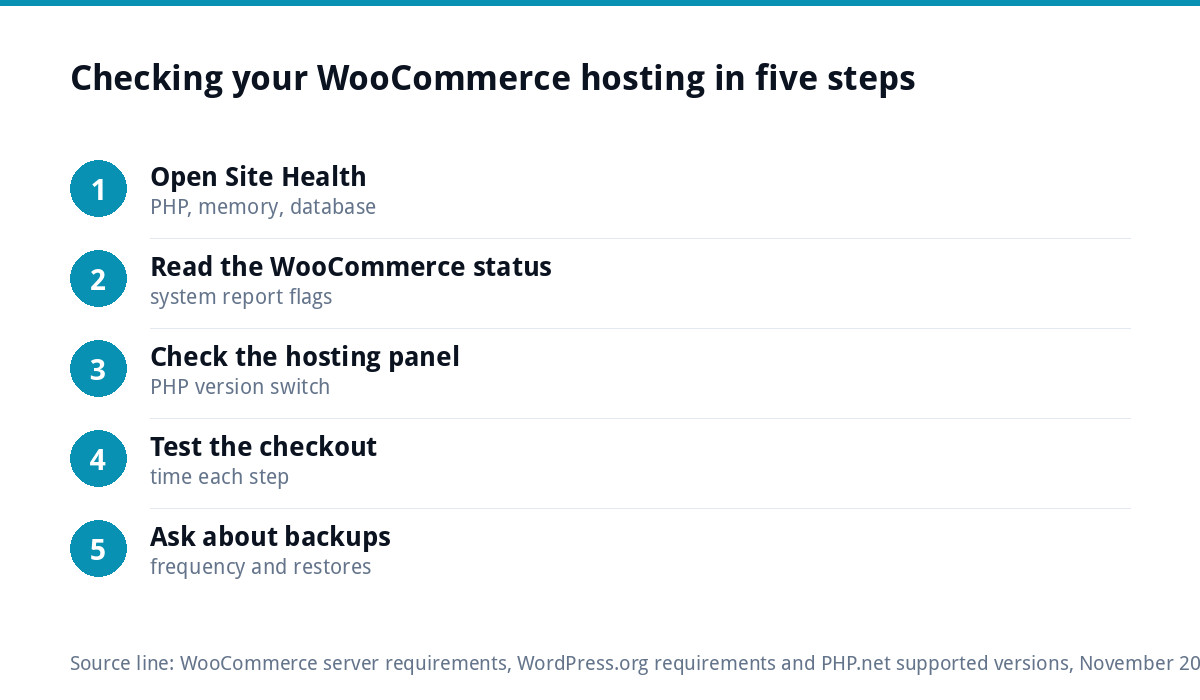
How to check what your current host runs
- Open Site Health. In WordPress, go to Tools, then Site Health, then Info. The Server section shows the PHP version and memory limit; the Database section shows MySQL or MariaDB and its version.
- Check WooCommerce’s own status page. Under WooCommerce, then Status, the system report flags anything below recommendation.
- Look at the hosting control panel. Most panels let you see and change the PHP version.
- Test the checkout. Place a test order at a busy time of day and time how long each step takes.
- Ask about backups. Find out how often they run, where they are stored and how quickly the host can restore one.
Questions to ask a host before you move
- Which PHP versions do you offer, and can I switch between them myself?
- What memory limit will my WordPress site have?
- Do you cache at server level, and do you exclude the basket, checkout and account pages?
- How often are backups taken, where are they stored and how do I restore one?
- Is the server in the UK?
- Who do I contact when the shop is down out of hours, and how quickly do they respond?
A host that answers all six clearly is usually a safe bet for a small shop.
Where we fit
Our e-commerce websites start at £499 for up to 20 products, built on WooCommerce or Shopify with Stripe and PayPal, hand-coded without page builders, and yours to host anywhere. If you want us to look after the hosting side, our website management and hosting plan is £20 a month and includes UK hosting, SSL, daily backups, security monitoring and automatic updates. Full details are on our pricing page, and you can order online or email us at support@luxbranding.co.uk.
Get the UK Website Project Brief Template (free)
A two-page template for briefing any UK web designer: sitemap, integrations, audience and deliverables. Cuts revision rounds in half.
No spam. UK GDPR compliant. We only use your email to send this resource, unless you tick the box to hear from us.
Frequently asked questions
What PHP version does WooCommerce need? +
At the time of writing, WooCommerce's server requirements page recommends PHP 8.3 or greater for WooCommerce 10.8 and later, tested up to PHP 8.4. Older versions may still run, but WooCommerce says they have reached end of life and may expose your site to security risks. Upgrade on a staging copy first and test checkout.
How much memory does a WooCommerce site need? +
WooCommerce recommends a WordPress memory limit of 256 MB or greater. Shops need more than brochure sites because the basket, checkout and account pages are built fresh for each customer rather than served from a cache. You can see your current limit in WordPress under Tools, then Site Health, then Info.
Is shared hosting good enough for WooCommerce? +
It can be for testing an idea with a few products and little traffic. As orders grow, shared plans often hit resource limits, which shows up as a slow checkout or errors during busy periods. Most small UK shops are better served by managed WordPress hosting that caches the catalogue but not the checkout.
Does WooCommerce hosting need to be in the UK? +
It is not a legal requirement, but UK hosting usually answers UK visitors a little faster than a server overseas, and it keeps support in the same time zone as your busiest selling hours. More important than location are the PHP version, memory, backups and how quickly the host responds when something goes wrong.
Can caching break a WooCommerce shop? +
Yes, if it caches the wrong pages. The basket, checkout and my account pages must always be built live, otherwise customers can see an empty basket or stale details. Good WooCommerce hosting excludes those pages automatically. Adding a caching plugin on top of server caching can cause conflicts, so use one layer, set up properly.