Quick answer
Pinterest is worth it for small businesses that sell visual, planned purchases: home and interiors, weddings, gifts, food, fashion, crafts, gardens and kitchen or bathroom fitting. People use it to plan and save ideas, and pins can send visits for months. It is rarely worth the time for emergency trades or local services bought on the day.
Pinterest gets less attention than Instagram or TikTok, partly because it behaves differently. It works more like a visual search engine than a social network: people search for ideas, save what they like into boards and come back when they are ready to buy. That makes it a strong fit for some businesses and a waste of an afternoon a week for others. This guide helps you tell which you are.
How Pinterest differs from other social platforms
On Instagram or Facebook, a post has a short life. It appears in followers’ feeds, gets its likes and comments, then sinks. On Pinterest, a pin is closer to a web page: people find it by searching, save it to a board, and the same pin can keep bringing visits long after you posted it.
Three differences shape whether it suits you:
- People arrive with a plan, not to chat. They are searching for a kitchen idea, a wedding cake style or a garden layout.
- Every pin can link to your website. Traffic goes to your product or project page, not just your profile.
- Followers matter less than search. A new account with useful pins can be found without a big following.
Who should bother, and who should not
| Business type | Fit | Why |
|---|---|---|
| Home, interiors, furniture | Strong | Long planning cycle, very visual, people save ideas for later |
| Weddings and events | Strong | Couples build boards months before they book |
| Handmade, gifts, crafts | Strong | Product photos travel well and link straight to a shop |
| Food, bakery, recipes | Good | Recipes and cake ideas are searched and saved heavily |
| Kitchen, bathroom, garden installers | Good | Finished project photos match inspiration searches |
| Fashion and beauty brands | Good | Outfit and look ideas are a natural fit |
| Emergency trades (locksmith, drains) | Poor | Nobody plans a burst pipe on a mood board |
| Accountants, solicitors, B2B services | Poor | Little visual content, buyers search elsewhere |
If you sit in the bottom rows, your time is better spent on your website’s search visibility and Google Business Profile, where people look when they need someone today.
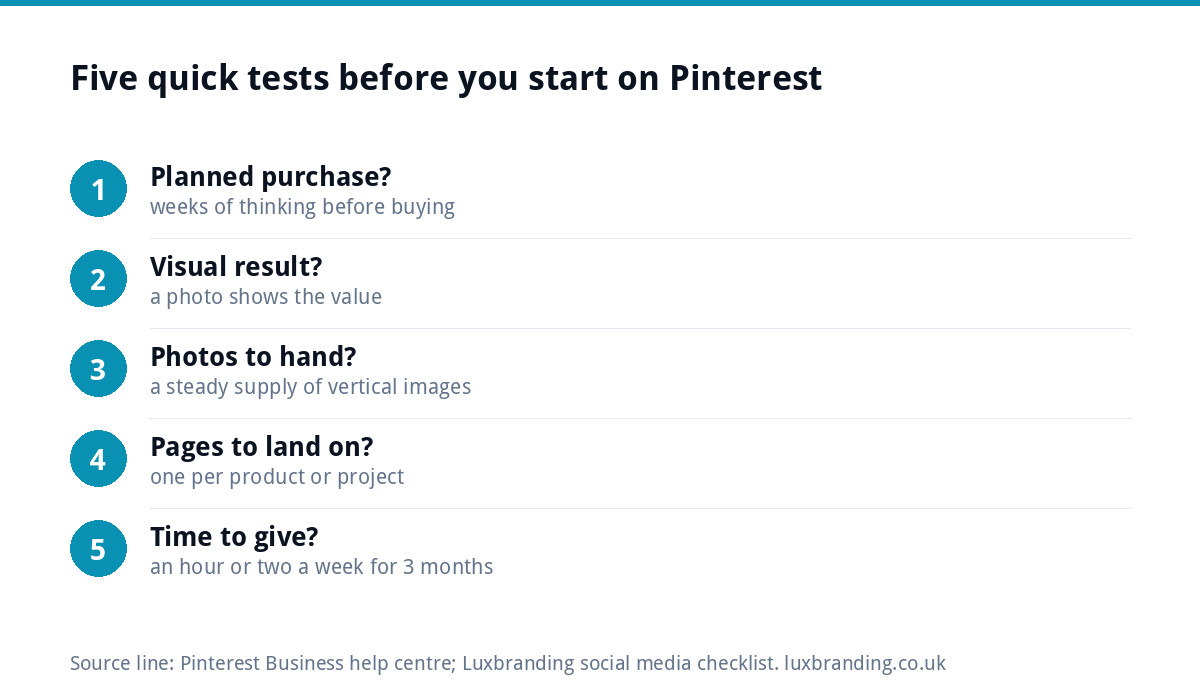
Five quick tests before you start
- Do people plan the purchase in advance? Weeks or months of thinking is a good sign.
- Is the result visual? If a photo shows the value, Pinterest can sell it.
- Do you have, or can you take, good photos? You need a steady supply of clear, vertical images.
- Is there a page on your website for each product or project? Pins need somewhere useful to land.
- Can you give it an hour or two a week for three months? Pinterest is slow to start and rewards consistency.
Three or more yes answers means it is worth a proper trial. Fewer than three, and you will probably get more from other channels first.
Setting up properly, in order
A few setup steps make the difference between a profile that sends visits and one that sits there.
- Use a business account. Pinterest’s guide to getting a business account says it is free and gives you analytics on your pins and the ability to run ads. You can convert a personal account rather than starting again.
- Claim your website. Pinterest’s help page on claiming your website explains that it gives you insight into how often your content is shared on Pinterest and helps people find more information.
- Turn on rich pins if you sell products or write articles. According to Pinterest’s page on rich pins, product rich pins show up-to-date pricing and availability from your site, and article rich pins pull in the headline and description.
- Create boards that match what people search for, such as “small kitchen ideas” or “rustic wedding cakes”, not your internal product names.
- Write pin descriptions in plain words that describe what is in the photo and who it is for.
What to pin
The pins that work are the ones that answer a planning question. For a product business, that means each product shown in use, not just on a white background. For a service business, it means finished work with a short description of the job.
- Room shots, finished projects and before-and-afters.
- Products styled in a real setting, such as a mug on a kitchen table.
- Simple how-to or idea graphics linked to a guide on your site.
- Seasonal ideas pinned well ahead of the season, because people plan early.
Keep the look consistent. Pins with the same colours, fonts and photo style become recognisable as yours, the same way consistent branding works on a shopfront. If your product photos look different on every channel, our guide to packaging design for small brands covers how a consistent look helps products stand out in photos too.
Pinterest compared with Instagram and Google
| Google search | |||
|---|---|---|---|
| Why people are there | Planning and saving ideas | Following people and brands | Finding an answer or a supplier |
| How long content lasts | Months, through search and saves | Days for most posts | As long as the page ranks |
| Links to your site | On every pin | Mainly in your bio, stories and ads | Every result |
| Best for | Visual, planned purchases | Community and personality | Urgent and considered buying |
| Main time cost | Photos and descriptions | Regular posting and replies | Website content and profile upkeep |
For most small businesses, Pinterest is an extra channel, not a replacement. It works best when your website already has good product or project pages for pins to link to.
A 90-day starter plan
A simple routine beats bursts of effort. This plan fits around a busy week.
- Weeks 1 and 2: set up the business account, claim your website, create five to eight boards named after real searches, and pin your twenty best existing photos, each linked to the right page.
- Weeks 3 to 8: add three to five new pins a week. Mix fresh photos with new pins for older products or projects, using a different image or angle each time.
- Weeks 9 to 12: check which boards and pins bring outbound clicks. Make more of what works and stop making what does not.
Batch the work. Taking photos of three finished jobs on one afternoon and scheduling the pins over the following fortnight is far easier than trying to post something every day.
Should you pay for Pinterest ads?
A business account gives you the option to run ads, but most small businesses should wait. Ads amplify pins that already work; they rarely rescue pins that do not. Spend the first three months finding out which images and topics earn clicks for free, then promote a proven pin with a small, fixed budget and a clear goal, such as visits to one product page.
If your buyers search with urgent intent rather than browsing for ideas, paid search on Google is usually the better first ad spend. Pinterest ads suit the same businesses Pinterest suits: visual, planned purchases with a good page to land on.
How to judge whether it is working
Give it three months before deciding. Then look at three numbers in Pinterest analytics and your website analytics:
- Outbound clicks to your website, not impressions or saves alone.
- Visits from Pinterest in your website analytics, and what those visitors do next.
- Enquiries or sales that mention Pinterest or arrive from it.
Saves are a good early sign, because they show people are planning with your content. But a channel that brings saves and no visits after three months is not earning its time.
Common mistakes
- Treating it like Instagram, with selfies, behind-the-scenes chat and no links.
- Pinning to a homepage instead of the exact product or project page.
- Square or landscape photos only, when vertical images take up more space in the feed.
- Giving up after a month, before pins have had time to be found.
- Slow product pages, so the visit is lost before the page loads. Our guide to website speed for small businesses covers the quick fixes.
Getting help with social media
If you sell products online and want pins to land on pages that convert, our E-commerce Website is £499 one-off for up to 20 products. For ongoing posting and community management across your channels, our Social Media Management is £249 a month for 12+ posts a month with full management, run by a real person rather than an auto-poster. It covers Instagram, Facebook, LinkedIn, TikTok and X, with Pinterest on request, and we recommend the one to three platforms where your customers actually are. Every fixed price is on our pricing page.
Get the UK SEO DIY Audit Checklist (free)
A 32-point checklist UK SMEs can run against their own website in an afternoon. Surfaces the quick wins before paying for a paid audit.
No spam. UK GDPR compliant. We only use your email to send this resource, unless you tick the box to hear from us.
Frequently asked questions
Is Pinterest good for a small business? +
It is good for businesses that sell visual, planned purchases, such as interiors, weddings, gifts, food, fashion, crafts, gardens, kitchens and bathrooms. People use it to plan and save ideas, and pins can keep sending visits for months. It is a poor fit for emergency trades and services people buy on the day, where Google matters far more.
Is a Pinterest business account free? +
Yes. Pinterest's help centre says a business account is free and gives you analytics on your pins and the ability to run ads. You can convert an existing personal account into a business account rather than starting again. Claiming your website adds insight into how often your content is shared on Pinterest.
How long does Pinterest take to work? +
Give it about three months of steady pinning before you judge it. Pins are found through search and saves, which builds slowly, but the same pin can keep bringing visits long after you post it. Judge it on outbound clicks, website visits and enquiries rather than impressions or saves alone.
What should a small business post on Pinterest? +
Post pins that answer a planning question: finished projects, before-and-afters, products styled in real settings and simple idea graphics linked to a guide on your website. Use vertical photos, plain descriptions of what is in the image, and boards named after what people search for. Link each pin to the exact product or project page.
Can you manage our social media for us? +
Our Social Media Management is £249 a month, run by a real person rather than an auto-poster. If you sell products online and want pins to land on pages that convert, our E-commerce Website is £499 one-off for up to 20 products. Every fixed price is listed on our pricing page.