Quick answer
You can open most logo files without Illustrator. SVG files open in any web browser and insert straight into Microsoft Office. Vector PDFs open in any PDF reader, and many AI files will too because they are usually saved with PDF compatibility. For editing AI, EPS and SVG files, free editors such as Affinity and Inkscape handle most jobs.
Designers hand over logos in AI, EPS and SVG because those formats keep the logo sharp at any size. Then the files sit in a folder because nobody in the business has Illustrator. This guide shows how to open, preview and use each one with free tools, what each method can and cannot do, and when it is simpler to ask for a different file.
First, why your logo came in these formats
AI, EPS, SVG and vector PDF are all vector formats. Instead of storing pixels, they store shapes as mathematical paths, so the logo can be printed on a pen or a building without going blurry. Printers, signwriters and embroiderers need these files; your website and documents can use them too. Our guide to logo file formats explains each format’s job. This guide is about the practical problem: getting them open on an ordinary computer.
Format by format: the quickest way to open each one
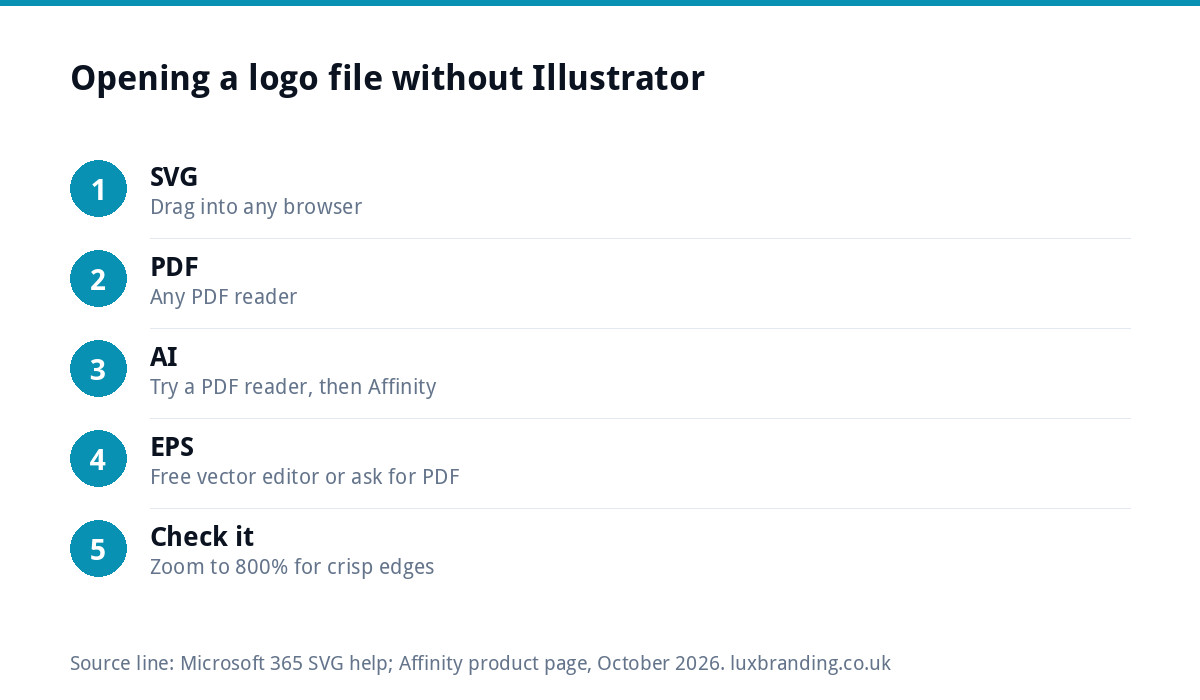
| Format | Quick way to view it | Free way to edit it | Main limitation |
|---|---|---|---|
| SVG | Drag it into Chrome, Edge, Firefox or Safari | Inkscape, Affinity, or basic edits in Microsoft Office | Some email programs will not display it |
| PDF (vector) | Any PDF reader | Affinity or Inkscape | Readers view and print but do not edit artwork |
| AI | Often opens in a PDF reader if saved with PDF compatibility | Affinity imports AI files | Without PDF compatibility, only Illustrator opens it fully |
| EPS | Hardest to preview on modern systems | A free vector editor | Older format; many apps no longer open it |
How to open an SVG file
SVG is the easiest of the four. It is a web standard, listed in MDN’s guide to image formats as the vector format browsers support, so every modern browser can display it: drag the file onto an open browser window, or right-click and choose to open it with your browser. The logo will appear on a blank page, and you can zoom in as far as you like without it blurring.
To use it in documents, Microsoft 365 can insert SVG images into Word, PowerPoint, Excel and Outlook. Microsoft’s SVG help page shows how to insert one and how to use “Convert to Shape” to change colours of individual parts. That is handy for a quote template or a presentation, though it is not a substitute for proper editing.
How to open a PDF or AI logo file
A vector PDF opens in any PDF reader, including the one built into your web browser. You can view it, zoom in and print it. A designer will often supply a PDF precisely because everyone can open it.
AI is Illustrator’s own format. Illustrator can save AI files with a PDF-compatible version inside, an option that is usually switched on, so in many cases you can open an AI file in a PDF reader: try renaming a copy from logo.ai to logo.pdf, or choose “Open with” and pick your PDF reader. If you see a message saying the file was saved without PDF content, you need a program that reads AI files directly.
How to open an EPS file
EPS is an older print format and the awkward one. Many current operating systems and apps no longer preview it reliably, which is why people often think the file is broken. Your options:
- Open it in a free vector editor that supports EPS import.
- Ask for a PDF or SVG version. Any designer can export one in seconds, and the content is identical for most uses.
- Do not convert it with a random website. Many online converters turn vectors into low-quality pixels, which defeats the point of the file.
The good news is that you rarely need to open an EPS yourself, and there is no need to buy software just to look at one. Its main job is to be sent, untouched, to a printer or signwriter who has the software to use it.
Free editors that replace Illustrator for logo jobs
For simple tasks such as changing a colour, exporting a PNG or resizing, you do not need a paid subscription:
- Affinity. The Affinity website states that it is free for individuals, runs on Mac and Windows, and can bring in AI files and other formats with layers preserved (at the time of writing, October 2026).
- Inkscape. A free, open-source vector editor that works with SVG as its native format and can import PDF files.
- Microsoft Office. For inserting SVGs and recolouring parts of them in everyday documents.
Whichever you use, always work on a copy and keep the original file untouched.
The most common job is exporting a PNG for social media or a document. In any of these editors the steps are similar: open the file, choose Export, pick PNG, set the width to around 2,000 pixels, make sure the background is set to transparent, and save it with a clear name such as yourbusiness-logo-transparent.png. Do this once for the full-colour version and once for the white version, and you have the two files you will use most often.
What you can safely do yourself, and what to leave
| Task | Safe to DIY? | Notes |
|---|---|---|
| View or print the logo | Yes | Browser or PDF reader |
| Export a PNG for social media | Yes | Export large, with transparency |
| Insert into a quote or letterhead | Yes | Use SVG or a large PNG |
| Change one colour | Usually | Use the exact colour codes from your guidelines |
| Change the font or spacing | Risky | Easy to unbalance the design |
| Create a new layout (stacked or icon) | Risky | Needs design judgement |
| Prepare files for signage or embroidery | Leave it | Suppliers have specific requirements |
A quick test: is your file really a vector?
Sometimes a file called logo.eps or logo.pdf contains nothing but a pasted-in JPG. Open it and zoom in to 800% or more. If the edges stay crisp, it is a true vector. If they turn into blocks or blur, it is a pixel image in a vector wrapper, and it will not satisfy a printer or signwriter.
This happens more often than you might expect, usually when someone has saved a JPG “as” an EPS or PDF to meet a supplier’s request. The file name changes; the quality does not. It is worth checking before you order anything expensive such as signage or vehicle graphics.
In that case the logo needs to be rebuilt properly. Our guide to how to vectorise a logo explains the process, and our Recreate & Vectorise service does it for £79 for one layout, plus £39 per additional layout.
Sending files to printers and signwriters
When a supplier asks for “a vector file”, send the EPS, AI or vector PDF exactly as your designer supplied it, along with your colour codes. You do not need to open it first. Name the files clearly, put them in one zipped folder, and mention in your email which version is which (full colour, white, one colour), so the supplier does not have to guess. If you are preparing a whole print job, our guide to print-ready artwork covers bleed, colour mode and the other settings printers check.
When a professional edit is quicker
If you need more than a colour swap, such as a new layout, a different font, a white version for dark vans or adjusted spacing, it is usually faster and safer to have it done. Our Logo Edit is £50 one-off, turned around in 24 to 48 hours from receiving your logo file and list of changes. You get the edited vector back in SVG, AI, EPS, PDF, PNG and JPG with colour codes, and you own the amended artwork.
Starting from scratch instead
If your current logo files are incomplete and the design no longer fits the business, a new logo can cost less in the long run than patching the old one. Our Logo Design is £129 and includes every file format, so you get SVG, PNG and PDF versions anyone can open alongside the AI and EPS masters, plus stacked, horizontal and icon-only layouts. Prices for all our services are on the pricing page.
Get the UK Branding Budget Worksheet (free)
A printable worksheet: decide what your brand needs now and price it against fixed published prices and the IPO trademark fee.
No spam. UK GDPR compliant. We only use your email to send this resource, unless you tick the box to hear from us.
Frequently asked questions
How do I open an EPS file without Illustrator? +
Use a free vector editor that supports EPS import, or ask your designer for a PDF or SVG version, which any computer can open. Avoid random online converters, which often turn the vector into a low-quality pixel image. In most cases you do not need to open an EPS at all: send it untouched to the printer.
Can I open an AI file without Illustrator? +
Often, yes. Illustrator usually saves AI files with a PDF-compatible version inside, so a copy renamed from .ai to .pdf usually opens in a PDF reader. To edit it, Affinity, which is free for individuals, can import AI files. If the file was saved without PDF content, only Illustrator opens it fully.
What program opens SVG files? +
Any modern web browser displays SVG files: drag the file into Chrome, Edge, Firefox or Safari. Microsoft 365 can insert SVGs into Word, PowerPoint, Excel and Outlook and recolour parts of them. Free vector editors such as Inkscape and Affinity can open and edit them properly.
How can I tell if my logo file is a real vector? +
Open it and zoom in to 800% or more. A true vector keeps crisp edges at any zoom. If the edges become blocky or blurred, the file is a pixel image saved inside a vector format, and printers and signwriters will not be able to use it properly.
Can Luxbranding edit my logo files for me? +
Yes. A Logo Edit is £50, turned around in 24 to 48 hours from receiving your file and list of changes, and returns the edited vector in SVG, AI, EPS, PDF, PNG and JPG. If your file is only pixels, Recreate and Vectorise is £79 for one layout plus £39 per additional layout.