
Quick answer
To get your first ten product reviews, switch reviews on in your shop, then ask every buyer a few days after delivery with a short email linking straight to the review form. Add a card in the parcel, reply to every review and never pay for, filter or invent reviews: UK law now bans fake and concealed incentivised reviews.
This guide covers the setup, the timing and wording of review requests, where to show reviews on the page, how to get star ratings into Google, and the legal lines a small shop must not cross.
Why the first ten matter most
A product page with no reviews asks a stranger to be the first to take a risk. A page with a handful of specific, honest reviews answers the questions a shopper cannot ask you in person: does it look like the photos, is the sizing right, did it arrive well packed, would they buy again?
The first ten are the hardest because you have the fewest customers to ask. After that, steady sales and a good request process tend to keep them coming. If your shop has visitors but few sales, missing reviews are one of the usual suspects covered in our guide to a store with traffic but no sales.
Step 1: switch reviews on properly
Both main platforms support product reviews. On WooCommerce, the product reviews documentation shows the settings under WooCommerce, Settings, Products, including:
- Enable product reviews.
- Enable star ratings, and optionally make the rating required.
- Show a “verified owner” label on reviews from people who bought the product.
- Allow reviews only from verified owners.
We recommend switching on the verified owner label from day one. It costs nothing and tells shoppers the review came from a real purchase. Shopify shops normally use a reviews app for the same features. Our Shopify vs WooCommerce comparison covers how the two platforms differ more widely.
Step 2: ask at the right moment
Timing makes more difference than wording. Ask too early and the parcel has not arrived. Ask too late and the excitement has gone.
| Product type | When to ask | Why |
|---|---|---|
| Gifts, cards, accessories | Two to four days after delivery | First impressions are the review |
| Clothing and footwear | About a week after delivery | Time to try on and wear once |
| Skincare, food, candles | Two to three weeks after delivery | Time to actually use the product |
| Furniture, homeware, larger items | Two weeks after delivery | Time to assemble and live with it |
| Subscriptions and refills | After the second delivery | Reviews reflect the ongoing experience |
One polite reminder a week later is fine. More than that becomes nagging.
Step 3: write a request people answer
Keep the email short, personal and easy to act on:
- A subject line naming the product: “How is your oak chopping board?”
- One or two sentences from a real person at the business.
- A button that opens the review form for that exact product, already logged in where possible.
- A prompt that leads to useful detail: “How did you use it? Anything you would tell the next buyer?”
- An honest line that all reviews are welcome, good or bad.
Review requests are often treated as marketing rather than service emails, so send them to customers who agreed to hear from you or who fall under the soft opt-in, and include an easy way to opt out. Our email marketing and automation setup (£149) includes automation flows, so requests like these can go out automatically after delivery.
Step 4: use the parcel and the people you know
For the very first reviews, every channel counts.
- A card in the parcel with a short thank you and a QR code to the review page. Design it to match your packaging, which our guide to packaging for small brands covers.
- A personal message to early buyers. If your first customers include friends of friends or local buyers, a direct “would you mind leaving a quick review?” works well, as long as they genuinely bought and used the product.
- Customers who message you. When someone emails to say they love their order, thank them and ask if they would put that on the product page.
- Photo prompts. Ask buyers to add a photo. Real photos of products in real homes often persuade more than the words.
What UK law says you must not do
Since April 2025, the Digital Markets, Competition and Consumers Act 2024 treats certain review practices as always unfair. Schedule 20 includes:
- Writing or commissioning fake reviews, including reviews from friends or family who never bought the product.
- Publishing reviews that hide the fact they were incentivised.
- Presenting reviews in a misleading way, such as hiding negative reviews while showing the positive ones.
In practice, that means: no reviews from staff or family posing as customers, no “five stars for a discount” offers, and no quietly deleting honest criticism. If you ever offer anything to reviewers, such as a free sample to test, it must be clearly disclosed on the review, and the offer must not depend on the review being positive.
| Practice | OK? | Notes |
|---|---|---|
| Asking every buyer for an honest review | Yes | The best way to build reviews |
| Packaging card with a QR code to the review page | Yes | Keep the wording neutral: “tell us what you think” |
| Only asking happy customers | Risky | Selective asking can make your reviews misleading |
| Discount in exchange for a review | Avoid | If anything is offered, it must be disclosed on the review |
| Hiding or deleting negative reviews | No | Misleading presentation is banned; remove only abusive or off-topic content |
| Reviews from staff, friends or family | No | Unless they genuinely bought and say so, these count as fake |
Where to show reviews on the page
- Star rating near the product title, linking down to the reviews.
- A short quote near the Add to basket button, picked for detail, not just enthusiasm.
- The full reviews below the description, newest first, with photos.
- Your replies under reviews, especially the critical ones.
Reply to every review, briefly. Thank people for good ones. For a complaint, apologise where it is deserved, explain what you have done and invite them to get in touch. Shoppers read your replies as closely as the reviews.
When a review feels unfair
Sooner or later a review will blame you for something outside your control, such as a courier delay, or misunderstand the product. Resist the urge to argue. Reply once, politely, with the facts: when the parcel was sent, what the listing says about sizing, what you have offered to put it right. Future shoppers are the real audience for that reply. A calm, helpful answer under a two-star review shows exactly how you treat customers when something goes wrong, which is what cautious first-time buyers most want to know. If a review is abusive or clearly about a different shop, use your platform’s moderation tools to remove it.
Getting stars into Google results
Product pages can show star ratings in Google search when they use structured data. Google’s review snippet documentation lists Product as an eligible type, and says reviews should be about a specific item rather than a category. It also says ratings a business collects about itself, marked up on its own LocalBusiness or Organization pages, are not eligible for stars. Product reviews on product pages are the right place.
WooCommerce and most Shopify review apps output this markup automatically. Check one product page with Google’s Rich Results Test once you have a few reviews.
A worked example: a small skincare brand
A two-person skincare brand in Brighton launched with six products and no reviews. They switched on verified owner labels, set an automated request for 18 days after delivery, and added a recycled card to each parcel with a QR code to the review page. Their first few customers were emailed personally by the founder with a thank you and a link.
Reviews arrived slowly, mostly on the best seller first. They replied to each one, including a three-star review about a pump that leaked, and changed supplier for the pump. The reply to that review now does more to reassure buyers than any five-star review on the page.
Getting your shop set up for reviews
Our E-commerce Website is £499 one-off for up to 20 products on WooCommerce or Shopify, with Stripe and PayPal connected, a mobile-first build and an SEO foundation including schema. Product reviews are a standard WooCommerce feature, so mention them in your brief. If you are still planning costs, our e-commerce website cost guide sets out the options. Every price is on our pricing page.
Get the UK Website Project Brief Template (free)
A two-page template for briefing any UK web designer: sitemap, integrations, audience and deliverables. Cuts revision rounds in half.
No spam. UK GDPR compliant. We only use your email to send this resource, unless you tick the box to hear from us.
Frequently asked questions
How do I get my first product reviews? +
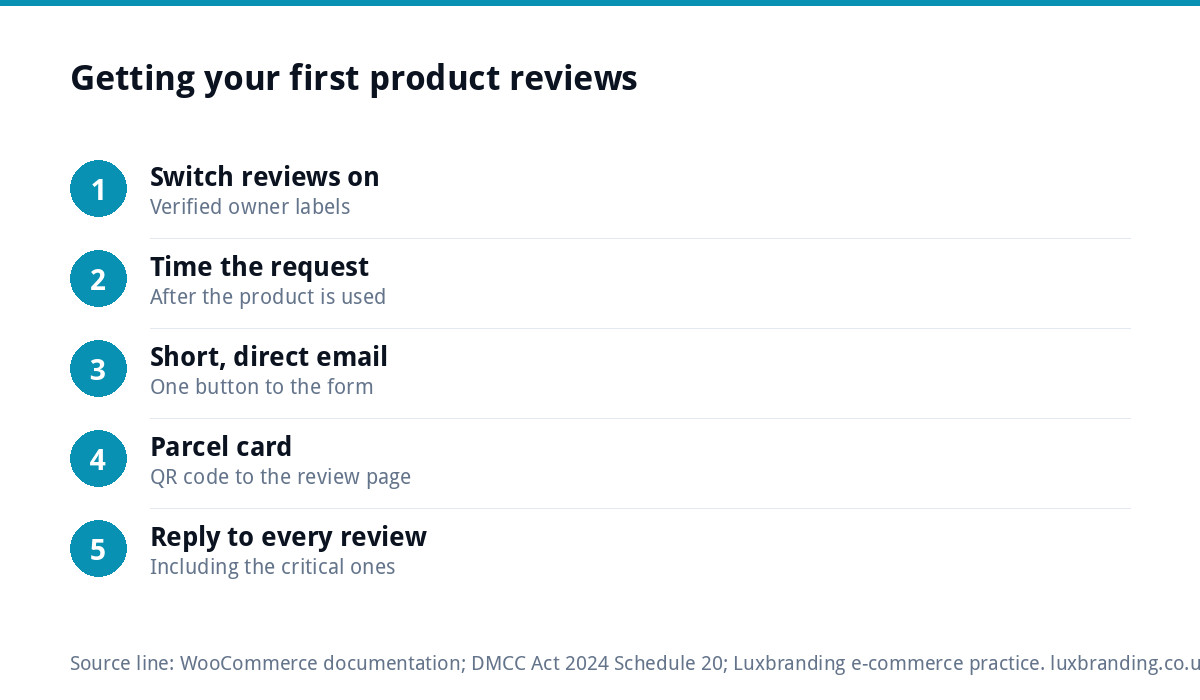
Switch reviews on with verified owner labels, then ask every buyer a few days to a few weeks after delivery, depending on the product, with a short email linking straight to the review form. Add a card with a QR code in each parcel, and reply to every review you receive, including the critical ones.
Can I offer a discount for a review? +
It is best avoided. UK law bans reviews that conceal they were incentivised, so anything offered must be clearly disclosed on the review, and it must never depend on the review being positive. An honest request at the right time usually works without any incentive, and keeps the reviews credible.
Can I delete negative reviews on my shop? +
You can remove reviews that are abusive, off-topic or spam, but not honest criticism. Presenting reviews in a misleading way, such as hiding negative ones while showing positive ones, is banned under the Digital Markets, Competition and Consumers Act 2024. Reply calmly and fix the problem instead.
How do I get star ratings to show in Google? +
Product pages need review structured data, which WooCommerce and most Shopify review apps add automatically. Google's documentation lists Product as eligible for review snippets, while ratings a business collects about itself on its own Organization pages are not. Test a product page with Google's Rich Results Test.
Can Luxbranding build my online shop? +
Yes. Our E-commerce Website is £499 one-off for up to 20 products on WooCommerce or Shopify, with Stripe and PayPal connected, a mobile-first build and an SEO foundation including schema. Our email marketing and automation setup, a fixed £149, includes automation flows, so review requests can go out automatically.