
Quick answer
Negative keywords stop your Google ads showing for searches you never want to pay for. Most small businesses should start with five groups: jobs and careers, training and courses, DIY and free, the wrong product or service, and places you do not cover. Then check the search terms report weekly and add new negatives as they appear.
This guide is for owners running their own Google Ads on a modest budget. It covers how negative keywords work, the match types in plain English, a starter list you can copy, worked examples for UK trades, and a 15-minute weekly routine that keeps wasted clicks down.
What a negative keyword actually does
A normal keyword tells Google when your ad is allowed to show. A negative keyword does the opposite: it tells Google when your ad must not show, even if the search otherwise matches one of your keywords.
That matters because modern keyword matching is loose. Google’s own guide to keyword matching options explains that broad match, the default, can show your ad for related searches that do not use your keyword’s exact meaning. If you bid on “boiler repair”, broad match can reach people searching for boiler repair courses, boiler repair jobs or how to repair a boiler yourself. Every one of those clicks costs the same as a real customer.
On a small account, a handful of irrelevant searches can eat a large share of a daily budget before lunchtime. Negative keywords are the cheapest fix in Google Ads: they cost nothing to add and they start working straight away.
Negative match types in plain English
Negatives have their own match types, and they behave differently from normal keywords. The most important difference: negative keywords do not match close variants, so you need to add singular and plural versions and any synonyms yourself (casing and misspellings are handled for you). Google’s help page About negative keywords sets out how each type blocks a search.
| Negative match type | How you write it | Blocks the ad when | Example: negative “plumbing jobs” |
|---|---|---|---|
| Negative broad | plumbing jobs | The search contains all the words, in any order | Blocks “jobs in plumbing near me”; does not block “plumbing apprenticeships” |
| Negative phrase | “plumbing jobs” | The search contains the words in that order, extra words allowed | Blocks “plumbing jobs Leeds”; does not block “jobs plumbing” |
| Negative exact | [plumbing jobs] | The search is exactly those words, nothing more | Blocks “plumbing jobs” only |
For most small businesses, single-word negative broad keywords do the heavy lifting. Adding the single word jobs blocks every search containing it. Use phrase and exact negatives when a single word would be too blunt, for example when “free” appears in searches you actually want, such as “free quote”.
The starter list: five groups to add on day one
These five groups cover the waste that turns up most often in small accounts. Add them before you switch a campaign on, then adjust for your business.
| Group | Example negatives | Why it wastes money |
|---|---|---|
| Jobs and careers | jobs, job, vacancies, careers, salary, apprenticeship, hiring, recruitment | Job seekers search the same trade words as customers |
| Training and courses | course, courses, training, qualification, college, how to become, nvq | People learning the trade, not hiring it |
| DIY and free | diy, how to, yourself, tutorial, youtube, free (as phrase or exact, see below) | People trying to do the job themselves |
| Wrong product or service | Services you do not offer, brands you do not fit, parts and spares | Close in wording, wrong in intent |
| Places and research | Towns outside your area, “wikipedia”, “definition”, “meaning”, “reviews of” | Out of area or just reading, not buying |
Be careful with “free”. If people search “free quote” or “free survey” before booking, do not block the word on its own. Add phrases such as “free download” or “for free” instead.
Worked examples for UK trades and services
The starter list covers the common ground. Each trade then has its own traps, usually words that look similar to the service but describe something else.
- Plumber: add “parts”, “screwfix”, “toolstation”, “wholesale”, “fitting kit”. People shopping for supplies are not hiring a plumber.
- Electrician: add “symbol”, “diagram”, “regulations pdf”, “exam”, “18th edition course”. These are students and DIYers.
- Cleaner: add “products”, “spray”, “machine hire”, “rental” if you do not hire out equipment.
- Roofer: add “felt b&q”, “materials”, “calculator”, “insurance claim template” unless those lead to work you take on.
- Accountant or bookkeeper: add “software”, “template”, “excel”, “free app”, “salary”.
- Design or print service: add “template”, “generator”, “maker”, “canva”, “free download”.
None of these lists are complete. They are a starting point, and your own search terms will tell you what else to block.
How to find negatives in the search terms report
The search terms report is where the real list comes from. Google describes the search terms report as the list of actual searches that triggered your ads and how each performed. Here is how to work through it.
- Open the campaign, go to Insights and reports, then Search terms.
- Set the date range to the last 7 days (or 30 days for a low-spend account).
- Sort by cost, highest first. The expensive irrelevant searches matter most.
- Tick each search that could never become a customer and choose to add it as a negative keyword.
- Decide the level (ad group, campaign or list) and the match type before you save.
- Look for the pattern, not just the search. If “course” appears in three searches, add the single word “course” rather than three long phrases.
Some searches will be hidden as “other search terms” for privacy reasons. You cannot block what you cannot see, which is why the starter list matters.
Where to add them: ad group, campaign or shared list
Negatives can sit at three levels. Choosing the right one keeps the account tidy.
- Shared negative keyword list: best for the starter list. Build it once in the Tools menu and apply it to every campaign. Jobs, courses and DIY terms belong here.
- Campaign level: for searches that are wrong for one campaign but fine for another, such as a commercial campaign blocking “domestic”.
- Ad group level: for steering searches to the right ad group. If you have separate ad groups for “boiler repair” and “boiler installation”, add “installation” as a negative in the repair group so each search lands on the right ad and page.
If you are planning how campaigns and ad groups should be laid out in the first place, a simple structure makes negatives far easier to manage, because each ad group then has one clear job.
Mistakes that block good customers
Negative keywords are powerful enough to switch off your best traffic by accident. The common mistakes:
- Blocking your own service words. Adding “cheap” as a negative feels sensible until you realise many budget-conscious customers search that way and still convert.
- Blocking a whole town by mistake. Adding “Newport” to block Wales also blocks Newport Pagnell if you work there.
- Using exact match when you meant broad. [jobs] only blocks the single-word search “jobs”, which almost nobody types.
- Adding negatives to the wrong campaign. Check the level before saving.
- Never reviewing the list. If you add a new service, remove any negative that now blocks it.
A simple safeguard: before saving a negative, ask whether any real customer could type a search containing it. If the answer is yes, use phrase or exact match instead of broad.
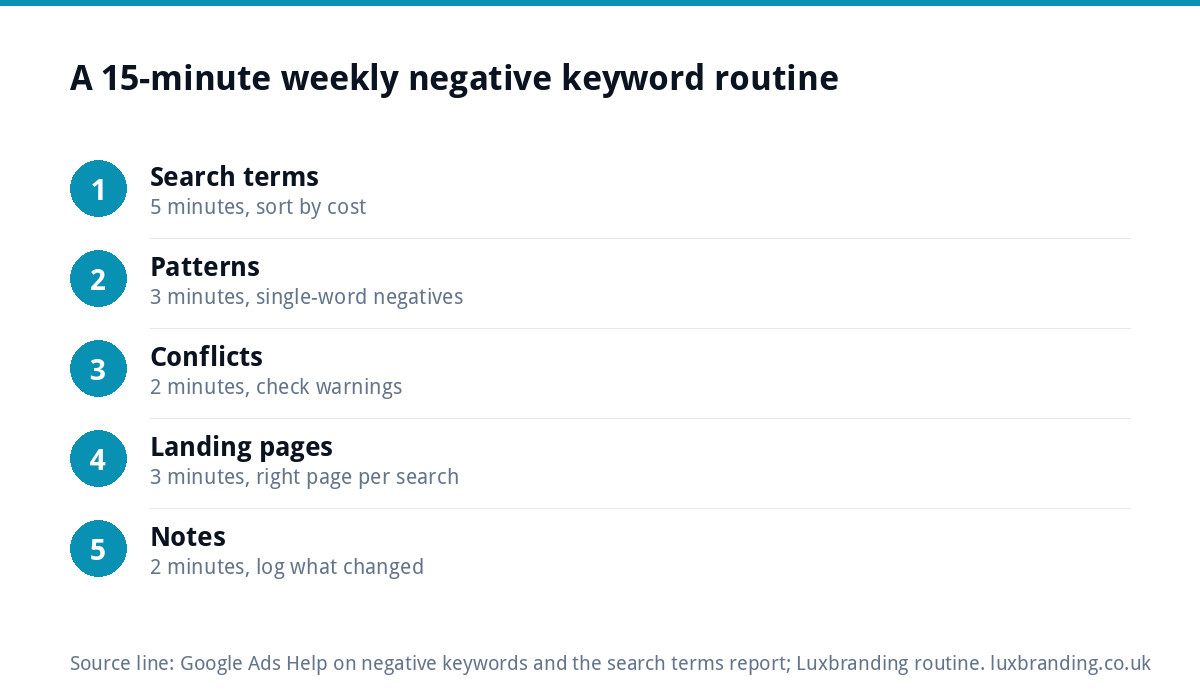
A 15-minute weekly routine
Once the starter list is in place, the job becomes a short weekly habit rather than a project.
- Search terms (5 minutes): sort by cost and add new negatives.
- Patterns (3 minutes): look for repeated words and turn them into single-word negatives.
- Conflicts (2 minutes): check Google’s warnings for negatives that block your own keywords.
- Landing pages (3 minutes): check the searches that did convert went to the right page.
- Notes (2 minutes): write down what you added and why, so you can undo it later.
Done every week, this keeps most of the budget on searches that can become work.
When negatives are not the problem
Negative keywords fix irrelevant clicks. They do not fix relevant clicks that fail to enquire. If your search terms look right but the phone still does not ring, look elsewhere:
- The page the ad sends people to. A homepage that does not mention the service searched for loses people quickly. A focused landing page for the service you advertise usually converts better; ours is £199.
- Conversion tracking. If enquiries are not being recorded, Google cannot learn which searches work.
- Local presence. Many local customers check your Google Business Profile before they ring. Our Google Business Profile setup and optimisation is £199.
- Organic search. If paid clicks are expensive in your area, the long-term answer is often ranking for the same searches. Our free SEO audit shows where you stand.
Getting help with Google Ads
If you would rather someone else built the negative lists, structured the account and watched the search terms each week, our Google Ads campaign management can take the account off your hands. Every price we charge is on our pricing page, and if search engine optimisation is the better long-term route, our SEO service is £249 a month. Whichever route you choose, a well-kept negative keyword list is the first thing to put in place, because every pound it saves goes back into clicks that can become customers.
Get the UK SEO DIY Audit Checklist (free)
A 32-point checklist UK SMEs can run against their own website in an afternoon. Surfaces the quick wins before paying for a paid audit.
No spam. UK GDPR compliant. We only use your email to send this resource, unless you tick the box to hear from us.
Frequently asked questions
What are negative keywords in Google Ads? +
Negative keywords are words or phrases that stop your ad showing when they appear in a search. If you add the word jobs as a negative, your ad will not show for searches such as plumbing jobs near me. They cost nothing to add and they start working as soon as you save them.
Which negative keywords should every small business add? +
Start with five groups: jobs and careers, training and courses, DIY and how-to searches, products or services you do not offer, and places outside your area. Put them in a shared negative keyword list applied to every campaign, then add new ones from the search terms report each week.
Should I add free as a negative keyword? +
Only with care. Many customers search for a free quote or free survey before booking, so blocking the single word free can switch off good searches. Add phrases such as free download, for free or free template instead, and keep free quote searches open.
How often should I check the search terms report? +
Weekly for an active account, or monthly if your spend is very low. Sort by cost, block searches that could never become customers, and look for repeated words you can block with a single negative. Fifteen minutes a week is usually enough for a small account.
Can negative keywords block good customers? +
Yes. A broad negative such as cheap or a town name can block searches you want. Before saving, ask whether a real customer could type a search containing that word. If so, use phrase or exact match, or put the negative only on the ad group where it belongs.