
Quick answer
For most small business sites, Gutenberg, the free block editor built into WordPress, is the best of the three: no licence, lighter pages and no lock-in. Choose Elementor or Divi only if you want full drag-and-drop design yourself and accept a yearly licence and heavier pages. Our £499 custom sites use none of them.
All three let you edit pages without writing code, but they make different trade-offs on cost, speed, flexibility and how hard it is to leave later. This guide compares them head to head for a small UK business, with a table for each situation and the questions to ask before you commit.
The three editors in one paragraph each
Gutenberg is the WordPress block editor. WordPress’s own documentation on the block editor explains that it became the default editor with WordPress 5.0 in December 2018. Pages are built from blocks: paragraphs, headings, images, buttons, columns and more. It is free and maintained as part of WordPress itself.
Elementor is a page builder plugin with a visual drag-and-drop editor. There is a free version, and the paid plans add more widgets, a theme builder and forms. At the time of writing, November 2026, Elementor’s pricing page lists paid plans starting from $60 a year, priced in US dollars.
Divi is a theme and visual builder from Elegant Themes. It has no free version. At the time of writing, Elegant Themes’ pricing page lists Divi at $89 billed yearly or $249 as a one-off lifetime payment, both covering unlimited websites. Prices change, so check before you buy.
Head to head
| Gutenberg | Elementor | Divi | |
|---|---|---|---|
| Cost | Free, part of WordPress | Free version; paid plans yearly | Yearly or lifetime licence |
| Editing style | Blocks, edited in place | Visual drag and drop | Visual drag and drop |
| Design freedom | Good, depends on the theme | Very high | Very high |
| Page weight | Lightest of the three | Heavier, extra scripts and styles | Heavier, extra scripts and styles |
| Learning curve | Gentle for text and images | Moderate, many settings | Moderate, many settings |
| Lock-in if you switch | Low, content stays as standard blocks | High, layouts depend on the plugin | High, layouts depend on the builder |
| Updates to manage | Comes with WordPress | Plugin plus add-ons | Theme plus builder |
Cost: the licence is not the whole bill
Gutenberg costs nothing extra. Elementor and Divi look cheap per year, but the real cost tends to grow in three ways.
- Renewals: a yearly licence is a running cost for as long as the site exists. Letting it lapse usually means no updates, which becomes a security question.
- Add-ons: both have large markets of third-party add-on packs. Each one adds another licence and another plugin to keep updated.
- Exchange rates: both price in US dollars, so the sterling cost moves with the exchange rate.
Divi’s lifetime option removes the renewal, which makes it attractive to designers who build many sites. For a single small business site, the difference between the three is less about the licence and more about speed and lock-in.
Speed: why the builders weigh more
Visual builders need extra code to make drag-and-drop layouts work: stylesheets, scripts and nested containers around every element. Both builders have worked to reduce this over recent versions, but a page built with a heavy builder still tends to carry more code than the same page built with blocks.
That matters because most small business visitors arrive on a phone, often on mobile data. A heavier page takes longer to show anything useful, and slow pages lose enquiries. Our guide to website speed for small businesses explains which delays matter most. If you already have a builder site that drags, our speed optimisation is £99.
Lock-in: the question nobody asks at the start
This is the biggest practical difference, and it only shows when you try to leave.
Gutenberg stores content as standard WordPress blocks. If you change theme, your text, images and headings stay where they are; the styling may change, but nothing breaks.
Elementor and Divi store layouts in their own formats. If you deactivate the builder, pages can lose their layout, and in some cases fill with fragments of builder code. Rebuilding those pages in another tool is usually manual work, page by page. Before choosing a builder, ask yourself whether you are happy to stay with it for the life of the site.
Gutenberg is not the bare editor it once was
Many people still judge the block editor by its first versions, which were plain next to the visual builders. It has moved on. Block patterns give you ready-made sections such as a hero, a row of services or a testimonial strip that you can drop in and edit. Columns, groups and spacing controls handle most layouts a small business site needs. With a block theme, the site editor lets you change headers, footers and templates in the same way.
It is still less free-form than a builder: you arrange blocks rather than dragging elements anywhere on the canvas. For a business whose pages follow a steady structure, that limit keeps the site consistent, which is usually what you want. For someone who enjoys designing a new landing page every week, a builder will feel more natural.
Which to choose, by situation
| Your situation | Best fit | Why |
|---|---|---|
| You mainly update text, photos and blog posts | Gutenberg | Simple, free, fast, no lock-in |
| You want to design new page layouts yourself, often | Elementor | Large widget library, free version to try first |
| You build several sites and want one licence | Divi | Unlimited sites on one licence, lifetime option |
| A designer builds it and you only edit content | Gutenberg or a custom theme | You get a fast site and simple editing |
| Speed and search rankings matter most | Gutenberg or hand-coded | Least extra code on each page |
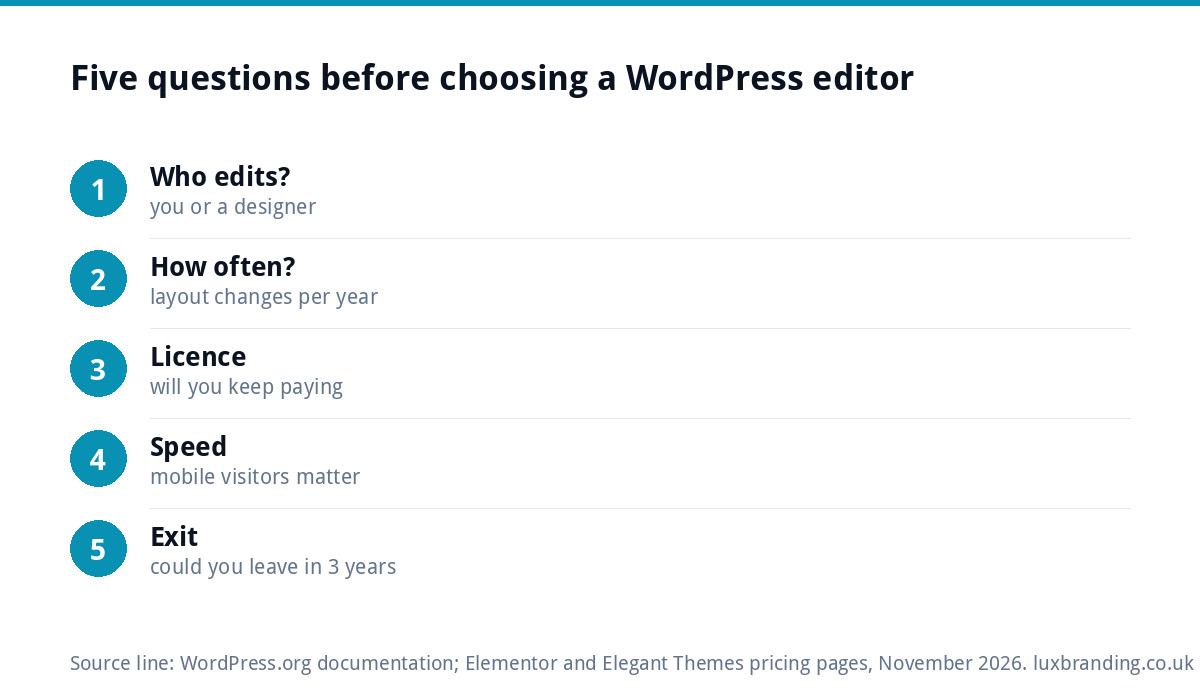
Five questions before you commit
- Who will edit the site day to day? If it is you, and you only change text and photos, you do not need a full builder.
- How often will page layouts change? Most small business sites keep the same layout for years. Builders earn their keep when layouts change often.
- Will you keep paying the licence? A builder you stop paying for is a builder you stop updating.
- How fast does the site need to be on a phone? If local search and mobile visitors matter, lighter is better.
- Could you leave in three years? Picture moving to a new designer or theme, and check what would break.
Moving away from a builder: what it involves
If you already have an Elementor or Divi site and want to leave, plan it as a rebuild rather than a switch. In practice it goes like this:
- List every page and post, and note which ones actually get visitors.
- Copy the text and images out before anything is deactivated.
- Build the new theme or block layouts on a staging copy, not the live site.
- Rebuild the pages that matter; merge or retire the ones nobody visits.
- Keep the same page addresses, or redirect any that change, so search rankings carry over.
A five-page brochure site is a modest job. A site with hundreds of builder-made posts is a bigger one, which is the strongest argument for thinking about lock-in at the start.
What we use, and why
We build our custom WordPress websites by hand, without page builders: no Elementor, Divi or WPBakery. The price is £499 for up to 8 pages, with custom design, a mobile-first build, an SEO foundation, contact forms connected to your inbox and a written walkthrough of how to edit your content. You own the code and can host anywhere.
The reason is the trade-off in the tables above. A hand-built theme carries only the code your site needs, so it is quick, and there is no third-party builder to renew or get locked into. You still edit your own text and images in WordPress; you just cannot drag the whole layout around, which for most small businesses is a feature rather than a loss.
If you struggle to make changes on your current site, our article on why you cannot update your own website covers the usual causes. If you are still choosing a platform, our WordPress vs Wix vs Squarespace guide is the step before this one.
Keeping whichever you choose healthy
Whichever editor you settle on, the site needs looking after: WordPress updates, plugin and builder updates, backups and security monitoring. Builders add more moving parts to that list, so the maintenance matters more, not less. Our WordPress maintenance guide covers what to do and how often, and our website management and hosting does it for £20 a month with UK hosting, SSL, daily backups, security monitoring and automatic updates. All our prices are on the pricing page.
Get the UK Website Project Brief Template (free)
A two-page template for briefing any UK web designer: sitemap, integrations, audience and deliverables. Cuts revision rounds in half.
No spam. UK GDPR compliant. We only use your email to send this resource, unless you tick the box to hear from us.
Frequently asked questions
Is Gutenberg better than Elementor? +
For most small business sites, yes. Gutenberg is free, built into WordPress, produces lighter pages and keeps your content as standard blocks if you change theme. Elementor gives more drag-and-drop design freedom, which suits people who redesign layouts often, but it adds code, a licence for the paid features and lock-in.
Is Divi or Elementor easier for beginners? +
Both are visual drag-and-drop builders with a moderate learning curve, because each offers a large number of settings. Elementor has a free version you can try first; Divi does not. If you only plan to change text and photos, the WordPress block editor is simpler than either.
Do page builders slow down a website? +
They tend to add weight. Visual builders load extra stylesheets and scripts and wrap elements in nested containers so drag-and-drop layouts work. Both have improved, but the same page usually carries more code than one built with blocks or a hand-coded theme, which can slow mobile loading.
What happens if I stop using Elementor or Divi? +
Pages built with them can lose their layout when the builder is deactivated, and some may show leftover builder code. Rebuilding is usually manual, page by page. Content built in the WordPress block editor stays as standard blocks, so a theme change restyles it without breaking it.
Does Luxbranding build sites with page builders? +
No. Our custom WordPress websites are hand-coded without Elementor, Divi or WPBakery. The price is £499 for up to 8 pages, including custom design, a mobile-first build, an SEO foundation and a written walkthrough. You can still edit your own text and images, and you own the code.