
Quick answer
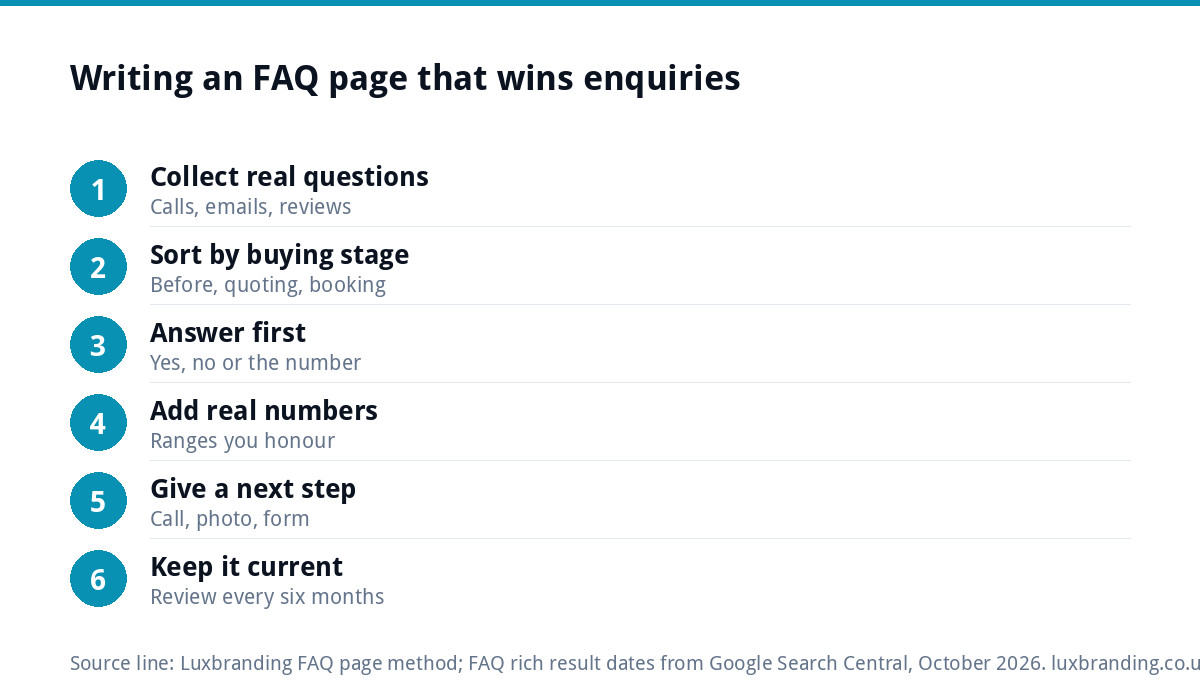
Build your FAQ page from the questions customers really ask on the phone, by email and in reviews, not the ones you wish they asked. Answer each in its first sentence, give a price range or timescale wherever you can, group questions by buying stage, and end every section with a clear way to enquire.
Done well, an FAQ page removes the doubts that stop people getting in touch and saves you repeating the same answers on the phone. This guide gives you a six-step method, examples of weak and strong answers, and what changed in 2026 for FAQ pages in Google.
Why most FAQ pages fail
The typical small-business FAQ page has eight questions nobody asked, written to show the business in a good light. “Why should I choose you?” “Are you reliable?” “Do you offer quality workmanship?” Customers skip them because they already know what the answer will be.
The other failure is the opposite: a page of real questions with answers so cautious they say nothing. “How much does a new kitchen cost? Every kitchen is different, so please contact us for a quote.” That answer is honest, but it sends the visitor straight back to Google to find someone who will give them a rough figure.
A good FAQ page sits between those two. It answers real questions, directly, with enough detail that the reader feels ready to get in touch.
Step 1: collect the questions people actually ask
The Nielsen Norman Group, which studies how people use websites, makes the point plainly in its article on why FAQs still deliver value: questions should echo the real concerns people contact you about, and invented questions should be avoided.
Spend a week collecting. Good sources:
- Phone calls: jot down every question in a notebook or on your phone.
- Your email inbox and messages: search for question marks in enquiries.
- Reviews, yours and competitors’: what did customers worry about, or praise you for clearing up?
- Quote visits: what do people ask once you are standing in their kitchen?
- Your Google Business Profile questions and comments.
Most businesses end up with fifteen to thirty real questions. Merge the duplicates, and you have your list.
Step 2: sort the questions by buying stage
A long unsorted list is hard to scan. Group questions by where the customer is in their decision, so each person finds their question quickly.
| Stage | Typical questions (trades example) | What the answer must do |
|---|---|---|
| Before getting in touch | Do you cover my area? Roughly how much? How soon can you start? | Give ranges and facts so they feel safe enquiring |
| Quoting | Is the survey free? Is the quote fixed? What is included? | Remove the fear of hidden costs |
| Booking | Do you take a deposit? How do I pay? What if I need to rearrange? | Make the commitment feel low-risk |
| During the job | Do I need to move furniture? Will you tidy up? Can I stay at home? | Set expectations so the job runs smoothly |
| After the job | Is it guaranteed? Who do I call if something goes wrong? | Show you stand behind your work |
If you only have time for one section, write the first. Those are the questions that decide whether someone contacts you at all.
Step 3: answer in the first sentence
Write every answer so the first sentence would work on its own. People skim FAQ pages, often on a phone, and many read only the opening line before moving on.
Start with “Yes”, “No”, a number, or the direct answer. Then add the detail, the exceptions and the reasons. “Do you cover Watford? Yes, we cover Watford and everywhere within about twenty miles, including St Albans and Hemel Hempstead.” Compare that with a paragraph about your history that mentions Watford in the fourth line.
Step 4: put real numbers in
Price is usually the most-asked question and the least-answered one. You do not have to publish a full price list, but you can almost always give a range, a typical figure or what affects the price.
| Weak answer | Strong answer |
|---|---|
| “Prices vary, please contact us.” | “Most bathroom refits we quote fall between [range]. The main things that move the price are tiling, moving pipework and the fittings you choose.” |
| “We’ll start as soon as possible.” | “We usually book new jobs [timescale] ahead. Emergency repairs are prioritised.” |
| “We offer a full guarantee.” | “Workmanship is guaranteed for [period]. Parts carry the manufacturer’s warranty.” |
| “We cover the local area.” | “We cover [towns] and postcodes [list]. Further afield, ask and we’ll tell you honestly.” |
Fill the brackets with figures you can stand behind. A range you honour beats a vague answer every time. Our own pricing page is an example of publishing fixed prices openly, so visitors can decide before they get in touch.
Step 5: give every section a next step
An FAQ page that answers a doubt and then stops wastes the moment. At the end of each group of questions, add a short line and a way to act: “Still got a question? Call us on [number] or send a photo of the job.” Keep the phone number tappable on mobile.
Link answers to deeper pages where it helps. A question about a specific service should link to that service page, and a question about price can link to a fuller cost guide. That keeps the FAQ answers short while giving readers somewhere to go next.
Step 6: keep it current
An FAQ page with last year’s prices or a service you stopped offering does more harm than no FAQ page at all. Review it every six months, and whenever you change prices, areas or policies. Each time a new question comes up on the phone more than twice, add it.
It also helps to remove questions nobody asks any more. If a worry has been answered elsewhere on the site, or a policy has changed, take the question out rather than letting the page grow forever. A shorter page of live questions is easier to scan than a long archive.
If updating your site is a chore, that review never happens. Our guide for owners who cannot update their own website covers the options for regaining control.
FAQ page or FAQs on every service page?
Both, used for different jobs. A central FAQ page answers the general questions: areas, payment, guarantees, how quoting works. Questions specific to one service belong on that service’s page, close to the decision, where the reader is already weighing it up.
Avoid copying the same questions word for word onto every page. Each service page should have answers specific to that service, and the central page should handle the rest. If you run adverts to a single offer, a focused landing page can carry its own short FAQ section built around that one action.
What changed for FAQ pages in Google
For years, FAQ markup could make your questions appear as expandable dropdowns in Google results. That has gone. Google’s Search documentation updates record that in September 2023 the feature was limited to well-known, authoritative government and health websites, and that from 7 May 2026 FAQ rich results no longer appear in Google Search, with the documentation removed in June 2026.
So do not write an FAQ page to win a search feature. Write it to answer people. Google’s guidance on helpful, people-first content asks whether content is created primarily to help people rather than to attract search visits. Clear, specific answers to real questions fit that description and still give your pages useful words that match how people search.
Mistakes to avoid
- Marketing questions dressed up as FAQs. “Why are we the best?” is not a question anyone asks.
- Answers longer than the service page. Keep most answers to two to four sentences and link out for more.
- Hiding the FAQ page. Link it from the main menu or footer and from relevant service pages.
- Accordions that hide everything. Collapsed answers are fine for long pages, but make sure the questions themselves are visible and readable.
- Legal-sounding hedging. If an answer needs a condition, state it plainly in one sentence.
Getting it built
Write the questions and answers in a document first, using the six steps. Then run the finished site through our free SEO audit and the website launch checklist before it goes live.
A well-planned FAQ page fits within our custom WordPress website, which is £499 for up to eight pages and includes a written walkthrough so you can update answers yourself. If you would rather someone else wrote the words, our content and blog writing service can help. Order online or email us at support@luxbranding.co.uk.
Get the UK Website Project Brief Template (free)
A two-page template for briefing any UK web designer: sitemap, integrations, audience and deliverables. Cuts revision rounds in half.
No spam. UK GDPR compliant. We only use your email to send this resource, unless you tick the box to hear from us.
Frequently asked questions
What questions should go on an FAQ page? +
The questions customers really ask on the phone, by email, at quote visits and in reviews. Collect them for a week, merge duplicates, then sort them by buying stage: before getting in touch, quoting, booking, during the job and afterwards. Leave out marketing questions such as why choose us, which nobody actually asks.
How long should FAQ answers be? +
Most answers work best at two to four sentences, with the direct answer in the first sentence. People skim FAQ pages, often on phones, and many read only the opening line. If a topic needs more, give a short answer and link to the service page or guide that covers it in full.
Should I put prices in my FAQ page? +
Where you can, yes. Price is usually the most-asked question, and an answer that only says contact us sends people elsewhere. A typical range, a starting figure or a clear list of what moves the price helps visitors decide to enquire, as long as the figures are ones you honour.
Does FAQ schema still show in Google? +
No. Google's documentation updates record that FAQ rich results were limited to authoritative government and health sites in September 2023, and that from 7 May 2026 they no longer appear in Google Search. Write your FAQ page to answer people clearly rather than to win a search feature.
Can Luxbranding build a website with an FAQ page? +
Yes. An FAQ page fits within our custom WordPress website, which is £499 for up to eight pages and includes custom design, a mobile-first build, an SEO foundation and a written walkthrough so you can update answers yourself. Order online or email support@luxbranding.co.uk with your page list.