
Quick answer
Most small business websites do fine on Cloudflare’s Free plan, which costs £0 and includes the CDN, universal SSL and unmetered DDoS protection. At the time of writing, Pro is listed at $20 a month billed annually and adds lossless image optimisation and ticket support. Business, at $200 a month, adds an uptime SLA.
Cloudflare sits between your website and your visitors, handling security and serving copies of your pages from data centres close to the people asking for them. Its free plan is generous enough that many small firms wonder what the paid plans are actually for. This guide compares the plans in plain English, explains the WordPress add-on worth knowing about, flags the setting that breaks sites, and helps you decide whether to pay at all.
What Cloudflare does for a small website
When you put a site behind Cloudflare, your domain’s traffic goes through Cloudflare’s network before it reaches your hosting. That gives you three main things:
- A content delivery network (CDN). Images, styles and scripts are cached on servers around the world, so they load quickly wherever the visitor is.
- Security. Cloudflare filters attack traffic and bad bots before they reach your server.
- SSL. Visitors get an HTTPS connection even if your setup behind the scenes is basic, although that comes with a catch we cover below.
For a typical trades or local service business with a UK audience, the speed gain from the CDN is real but modest, because a good UK host is already close to UK visitors. The security filtering is often the bigger benefit.
The plans side by side
These figures come from Cloudflare’s network and CDN plans page at the time of writing, November 2026. Cloudflare prices in US dollars and changes its plans from time to time, so check the page before you buy.
| Plan | Listed price | Key additions | Support |
|---|---|---|---|
| Free | $0 a month | CDN, universal SSL, unmetered DDoS protection, web application firewall with free managed ruleset | Community forum and documentation |
| Pro | $20 a month billed annually, $25 monthly | Lossless image optimisation, APO included, more rules | Tickets and community |
| Business | $200 a month billed annually, $250 monthly | 100% uptime SLA, PCI DSS 4.0 compliance features | Tickets, chat and community |
| Contract (Enterprise) | Custom, billed annually | Network prioritisation, highest rule limits, enhanced SLA credits | 24/7 tickets, chat and phone |
What the Free plan already covers
The striking thing about Cloudflare’s plans page is how much sits in the free column. Unmetered DDoS protection, universal SSL and the web application firewall with a free managed ruleset are listed on every plan, including Free. You also get the core CDN and a set of configurable rules.
For a five to fifteen page site that gets its enquiries by phone and form, that is usually everything you need from Cloudflare. If someone has told you that you must upgrade to be “protected”, ask exactly which feature on the paid plan they mean.
What Free does not give you is anyone to talk to. Support is the forum and the documentation. If you are not comfortable changing DNS settings yourself, the plan matters less than having a developer or host who knows the setup.
What Pro adds and who it is for
Pro’s main additions for a small business are lossless image optimisation, a larger allowance of rules, ticket support and the WordPress add-on described below. It suits:
- Image-heavy sites, such as photographers, kitchen and bathroom fitters or landscapers with large project galleries.
- WordPress sites that would benefit from APO and would otherwise pay for it as an add-on.
- Owners who want to be able to raise a support ticket rather than search a forum.
Because Cloudflare bills in US dollars, the amount on your card statement will move with the exchange rate, and some business bank cards add a foreign transaction fee on top. Budget a little above the listed figure. If your images are already properly sized and compressed, the image optimisation adds less. Fixing images at source is usually the better first step, as our guide to website speed for small businesses explains.
Business and Contract: rarely needed for a small firm
The Business plan’s headline additions are a 100% uptime SLA with service credits, PCI DSS compliance features and chat support. Contract plans add round-the-clock phone support and network prioritisation.
These are aimed at businesses where an outage costs serious money by the minute, or that have specific compliance obligations. A local business taking payments through Stripe or PayPal normally relies on the payment provider’s own compliance for card handling, so the Business plan is rarely the right spend. If you think it might be, that is a conversation to have with whoever looks after your payments and hosting.
APO for WordPress: the add-on worth knowing
Automatic Platform Optimization (APO) is Cloudflare’s WordPress-specific feature. According to Cloudflare’s APO documentation, it lets Cloudflare serve your entire WordPress site from its edge network, and you must use the Cloudflare for WordPress plugin to start using it.
The plans page lists APO as a $5 a month add-on on the Free plan and includes it with Pro and above. For a WordPress site on modest hosting, that can be one of the cheapest meaningful speed upgrades available. Be careful on shops and membership sites: anything that shows different content to logged-in users needs testing to make sure baskets and account pages stay live.
The SSL setting that catches people out
Cloudflare offers several SSL modes. Its SSL modes documentation explains that in Flexible mode, traffic between visitors and Cloudflare is encrypted but traffic from Cloudflare to your server is not. Full mode encrypts both legs without checking the server’s certificate, and Full (strict) also validates it.
Cloudflare strongly recommends Full or Full (strict) wherever possible. Flexible mode is also a common cause of WordPress redirect loops, where the site keeps bouncing between http and https. If your hosting has its own SSL certificate, and most decent hosting does, use Full (strict). If your site shows a security warning after any of this, our guide on a website showing “not secure” walks through the checks.
When Cloudflare will not fix a slow site
Cloudflare speeds up delivery. It does not fix what is being delivered. If your homepage carries several megabytes of oversized photos, a page builder’s worth of scripts and a slider, Cloudflare will deliver all of that a little faster, but the page will still be heavy.
Equally, Cloudflare does not make slow hosting fast for pages it cannot cache, such as the checkout on a shop or the admin area. Fix the site and the hosting first, then add Cloudflare as a finishing layer. A useful test is to run your key pages through PageSpeed Insights before and after switching Cloudflare on. If the score barely moves, the bottleneck is in the site itself, not in how it is delivered. Our website speed optimisation service is £99 one-off and tackles the site-side causes.
Which plan by situation
| Your situation | Sensible choice |
|---|---|
| Brochure site for a trade or local service | Free |
| WordPress site on modest hosting, mostly static pages | Free plus APO, or Pro |
| Image-heavy portfolio or gallery site | Pro, after fixing image sizes at source |
| Small online shop | Free or Pro, with checkout pages tested carefully |
| Site under repeated bot or login attacks | Free with firewall rules first; Pro if you need more rules |
| Business with strict uptime or compliance obligations | Business, after advice from your hosting and payments people |
Setting it up without breaking anything
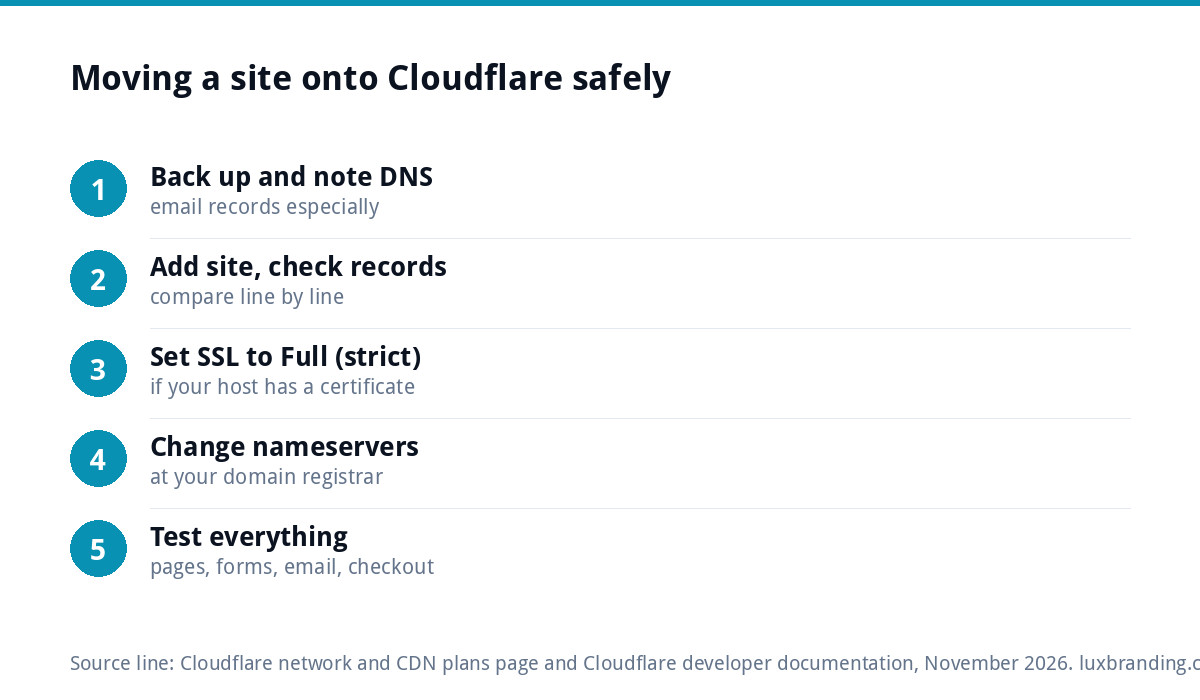
- Back up the site and note your current DNS records. Email records in particular need to come across exactly.
- Add the site to Cloudflare and check the imported records. Compare them line by line with your current ones.
- Set SSL to Full (strict) if your host provides a certificate.
- Change the nameservers at your domain registrar to the pair Cloudflare gives you.
- Test everything once it switches. Pages, forms, email sending and receiving, and checkout if you have one.
The most common casualty of a Cloudflare move is business email, because a missing mail record goes unnoticed until customers say their messages are bouncing.
Where we fit
If you would rather not touch DNS at all, our website management and hosting plan is £20 a month and covers UK hosting, SSL, daily backups, security monitoring, automatic updates and up to three business email mailboxes. For the wider security picture, see our WordPress security guide. All our prices are on the pricing page; order online or email us at support@luxbranding.co.uk.
Get the UK Website Project Brief Template (free)
A two-page template for briefing any UK web designer: sitemap, integrations, audience and deliverables. Cuts revision rounds in half.
No spam. UK GDPR compliant. We only use your email to send this resource, unless you tick the box to hear from us.
Frequently asked questions
Is Cloudflare's free plan good enough for a small business? +
For most small business websites, yes. Cloudflare's plans page lists the CDN, universal SSL, unmetered DDoS protection and the web application firewall with a free managed ruleset on the Free plan. What you do not get is direct support, so it helps to have a developer or host who understands the setup.
What does Cloudflare Pro add over Free? +
At the time of writing, Pro adds lossless image optimisation, a larger allowance of rules, ticket support and Automatic Platform Optimization for WordPress, which is otherwise a paid add-on. It is listed at $20 a month billed annually or $25 monthly. It suits image-heavy sites and WordPress sites that would benefit from APO.
Will Cloudflare make my website faster? +
It can help, mainly by serving images, styles and scripts from nearby data centres and filtering bad traffic. It will not fix a heavy site: oversized images, page builders and slow hosting still slow pages that Cloudflare cannot cache. Fix the site first, then add Cloudflare as a finishing layer rather than a cure.
Which Cloudflare SSL mode should I use? +
Use Full (strict) if your hosting has its own SSL certificate, which most decent hosting does. Cloudflare's documentation says Flexible mode leaves traffic between Cloudflare and your server unencrypted, and it strongly recommends Full or Full (strict) wherever possible. Flexible mode is also a common cause of WordPress redirect loops.
Can Cloudflare break my business email? +
It can if your mail records are not copied across correctly when you move your DNS to Cloudflare. Before changing nameservers, note every existing DNS record, then compare the imported list line by line. After the switch, send and receive test emails straight away so a missing record is caught before customers notice.