Quick answer
For most small business sites, a good block theme and WordPress’s own Site Editor are enough, with no page builder needed. Add a builder such as Elementor only if you need layouts the editor cannot make and will keep paying its licence. A custom build from us (£499) uses neither, so editing stays simple and the site stays fast.
This guide explains what each option actually is, what the built-in editor can now do, the real reasons people still add a builder, and five questions that settle it for your site.
Theme, block theme, page builder: what each one is
The terms overlap, which is half the confusion.
- A theme controls how a WordPress site looks: layout, fonts, colours, header and footer. Every site has one.
- A classic theme is built with PHP templates and uses the older Customizer and widget areas for settings. You edit content in the block editor, but the header, footer and templates are fixed by the theme’s code.
- A block theme uses blocks for everything. The WordPress documentation on block themes says they use blocks for all parts of a site, including navigation menus, header, content and footer, so you can change those parts without switching themes.
- A page builder is a plugin, such as Elementor, Divi or WPBakery, that replaces or sits on top of the WordPress editor with its own drag-and-drop system for designing pages.
So the real choice for most owners is between a block theme using WordPress’s own tools, and a theme plus a page builder plugin.
What the built-in editor can do now
A few years ago, page builders existed because the standard editor could not do much beyond text and images. That has changed. The Site Editor lets you design the entire site, including header, footer and everything in between, with blocks. It is only available with a block theme.
With a block theme you can:
- Edit the header, footer and navigation visually.
- Set site-wide colours and fonts once in Styles, then apply them everywhere.
- Build columns, groups, cover images, buttons and galleries with core blocks.
- Save reusable sections as patterns, such as a call-to-action strip or a testimonial row, and drop them into any page.
- Create custom templates for particular page types.
For a typical trades or small business site of five to fifteen pages, that covers almost everything you will ever need to change yourself.
Block theme vs page builder compared
| Question | Block theme + Site Editor | Theme + page builder |
|---|---|---|
| Extra cost | None beyond the theme | Pro licences are usually a yearly subscription |
| Learning curve | Moderate; it is WordPress’s own editor | Moderate; each builder has its own interface |
| Design freedom | Good, within the theme’s styles | Very high, pixel by pixel |
| Page speed | Usually lighter, less code loaded | Often heavier, extra scripts and styles |
| Consistency | Strong, styles are set globally | Easy to drift, each page styled separately |
| Leaving later | Content stays as standard blocks | Content is tied to the builder’s own format |
| Updates to manage | WordPress and the theme | WordPress, the theme, the builder and its add-ons |
The real reasons people still add a builder
Page builders are not bad software. There are honest reasons to use one:
- Complex layouts. Overlapping elements, unusual grids or animation that core blocks cannot do without custom code.
- Familiarity. If you or your team already know Elementor well, that knowledge has value.
- Ready-made templates. Builders come with libraries of page designs, which can speed up a DIY build.
- Marketing add-ons. Pop-ups, forms and landing page tools bundled in the Pro versions.
Weigh those against the costs. At the time of writing, November 2026, Elementor’s pricing page lists Pro plans starting from $60 a year, in US dollars before tax, and says subscriptions renew at list price on their billing cycle. Prices change, so check before you buy.
Five questions to decide
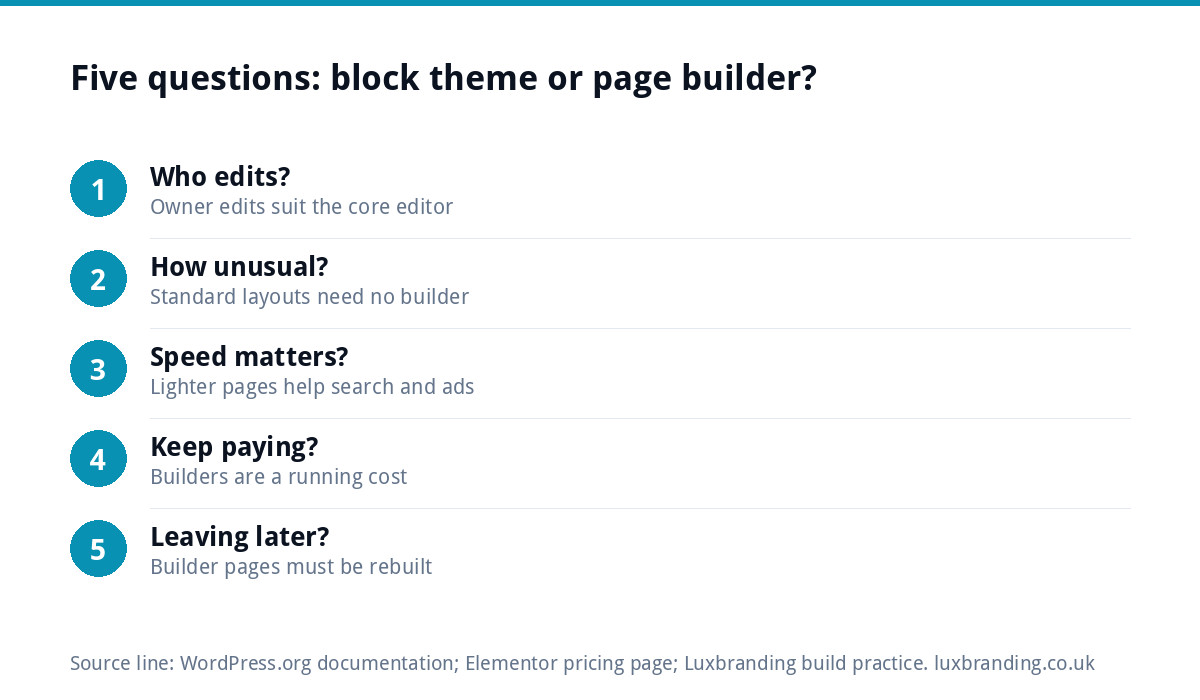
- Who will edit the site day to day? If it is you, changing text, photos and the odd new page, the block editor is enough. If it is a designer building new layouts weekly, a builder may save them time.
- How unusual is the design? A clean, professional layout fits core blocks. A highly animated, magazine-style design may need a builder or custom code.
- How much does speed matter? If you rely on Google search or ads, lighter pages help. Builders add weight that has to be managed.
- Will you keep paying? A builder licence is a running cost for the life of the site. If the licence lapses, updates and support stop.
- Could you move away later? Pages made in a builder are stored in its own format. Switching later usually means rebuilding those pages.
If most of your answers point to simple editing, standard layouts and low running costs, choose a well-made block theme and leave the builder out.
Matching the tool to the job
Different kinds of site point to different answers. Use this as a starting point rather than a rule.
| Type of site | Sensible choice | Reason |
|---|---|---|
| Brochure site for a trade, edited by the owner | Block theme, no builder | Simple edits, fewer updates, lighter pages |
| One-page site or a single landing page | Block theme or hand-coded page | Too small to justify a builder licence |
| Marketing site where a designer adds new campaign pages weekly | A builder can be justified | Speed of building outweighs the running cost |
| Online shop on WooCommerce | Block theme built for the shop | Shop pages are templates, not drag-and-drop layouts |
| Existing builder site that works well | Keep it until the next redesign | Rebuilding working pages is rarely worth it on its own |
Whatever you choose, ask your web designer two questions before work starts: which plugins the site will depend on, and what each one costs per year. A good answer lists them plainly. A vague answer is a warning sign, because those plugins become your running costs and your maintenance list for as long as the site exists.
A worked example: a joinery firm’s site
A three-person joinery firm in Sheffield wants a site with a home page, five service pages, a projects gallery, an about page and a contact form. The owner will update projects every month and change prices once a year.
With a block theme, each service page uses the same saved pattern: a hero photo, a short introduction, a list of what is included, three project photos and a call-to-action strip. Adding a new project is a matter of duplicating a page and swapping the photos and text. Nothing on the site needs a builder, and there is one less plugin to update and pay for.
If the same firm later wanted an animated, scroll-triggered showcase for a large commercial project, that single page could be custom-built rather than adding a builder to the whole site for one effect.
If your current site already uses a builder
There is no need to panic or rebuild overnight. Keep the builder and its add-ons updated, remove any you do not use, and keep its licence active for security updates. Watch for the signs that it is holding you back: slow pages on mobile, editing that feels fragile, or pages that break after updates. Our guide to not being able to update your own website covers those situations, and the WordPress maintenance guide explains the routine.
When the time comes for a redesign, that is the moment to leave the builder behind, rather than paying twice for a half-way migration.
Speed and maintenance in practice
Every plugin is code that loads and code that needs updating. A builder plus its add-ons often brings extra stylesheets, scripts and font files to every page. That can be managed with care, but a lighter site starts ahead. Our guide to website speed for small businesses explains why that matters for search and enquiries, and our guide to WordPress security explains why fewer plugins means fewer things that can go wrong.
How we build instead
Our custom WordPress websites are hand-coded with no page builders: no Elementor, Divi or WPBakery. They start at £499 for up to 8 pages, include a mobile-first build, an SEO foundation and a written CMS walkthrough, and you own the code with no platform lock-in. You edit text and images in the normal WordPress editor without being able to break the layout. If you would rather not handle updates yourself, our Website Management & Hosting is £20 a month. Every price is on our pricing page.
Get the UK Website Project Brief Template (free)
A two-page template for briefing any UK web designer: sitemap, integrations, audience and deliverables. Cuts revision rounds in half.
No spam. UK GDPR compliant. We only use your email to send this resource, unless you tick the box to hear from us.
Frequently asked questions
Do I need a page builder for WordPress? +
Usually not for a small business site. A block theme with WordPress's own Site Editor lets you edit headers, footers, page layouts, colours and fonts with blocks, at no extra cost. A page builder makes sense for complex, highly custom layouts or if your team already knows one well and will keep paying for the licence.
What is the difference between a block theme and a classic theme? +
A block theme uses blocks for every part of the site, including the header, footer and navigation, and works with the Site Editor. A classic theme is built with PHP templates and uses the older Customizer and widgets for settings. Classic themes do not work with the Site Editor.
Do page builders slow down a website? +
They often add extra stylesheets, scripts and fonts to every page, which can make pages heavier, especially on mobile. Careful setup can reduce this, but a site built with core blocks or hand-coded templates usually starts lighter. If you rely on search or ads, speed is worth weighing in the decision.
What happens if I stop paying for my page builder licence? +
Builders such as Elementor sell Pro features on a subscription. If it lapses, you generally lose access to updates and support, which matters for security. Pages built with the builder stay in its format, so moving away later usually means rebuilding those pages rather than simply switching off the plugin.
Does Luxbranding use page builders? +
No. Our custom WordPress websites are hand-coded with no Elementor, Divi or WPBakery. They start at £499 for up to 8 pages, include a written CMS walkthrough so you can edit text and images yourself, and you own the code with no platform lock-in. Every price is on our pricing page.