
Quick answer
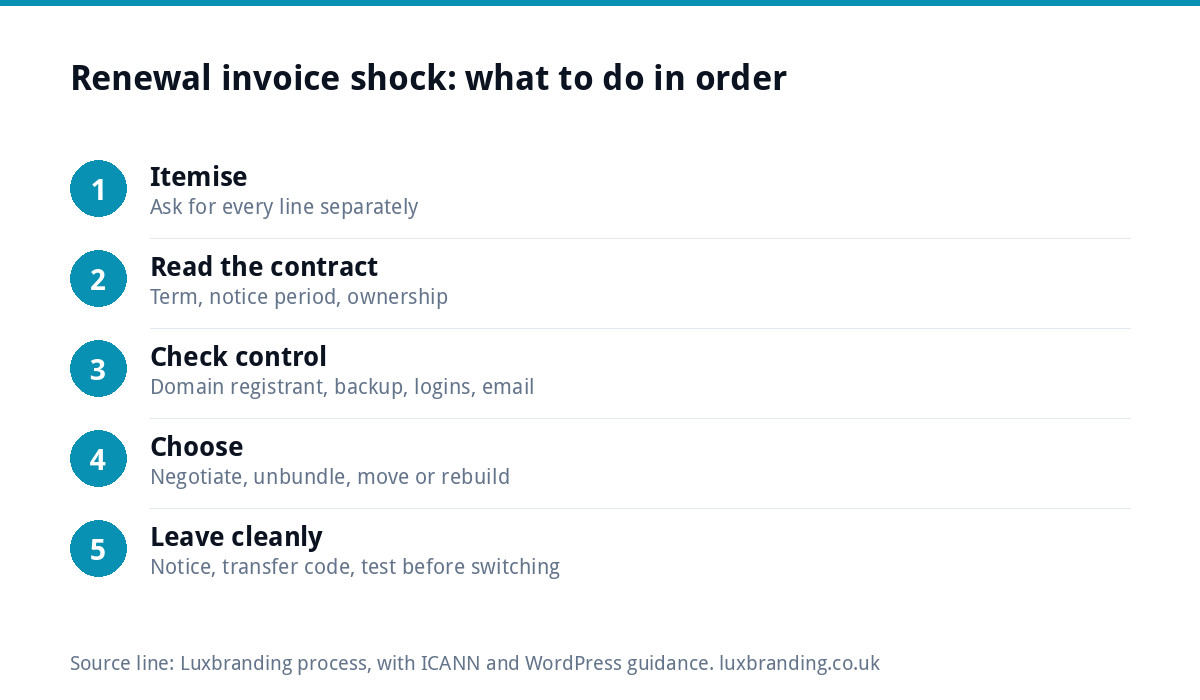
If your web company’s renewal invoice has jumped, do not pay or cancel on the spot. Ask for an itemised breakdown, check your contract’s notice period, confirm you control your domain and can get a full backup, then choose: negotiate, drop the extras you do not use, or move. For comparison, our hosting and management plan is £20 a month.
This guide is for the moment the invoice lands. If you want to judge whether your designer’s prices are fair in general, our guide to spotting a web designer who is overcharging covers the benchmarks; here we stick to what to do next.
Why renewal invoices jump
Most renewal shocks have one of four causes, and knowing which one you are dealing with changes the answer.
- The introductory price ended. Year one was discounted and year two is the “standard” rate. Common with hosting and domains.
- Bundling. Hosting, domain, email, SSL, “maintenance” and “support” are rolled into one figure, so you cannot see what any part costs.
- A price rise. The company has raised prices across the board, sometimes with notice buried in an email you never opened.
- Auto-added extras. A security add-on, a premium SSL certificate or extra storage has been added to your account.
None of these is necessarily dishonest. But you are entitled to know what you are paying for before you pay it again.
Step 1: ask for an itemised breakdown
Reply to the invoice politely and ask for each line separately, with what it includes. Then compare each line with what it should cover.
| Line on the invoice | What it should cover | Question to ask |
|---|---|---|
| Hosting | Server space, uptime, basic security | Is this shared hosting or a dedicated server, and where is it? |
| Domain renewal | One year of your web address | Who is listed as the registrant: me or you? |
| SSL certificate | The padlock and https | Is this a paid certificate, and why not a free one? |
| Mailboxes on your domain | How many mailboxes, and how much storage each? | |
| Maintenance or care plan | Updates, backups, fixes | What was actually done last year, and how often are backups taken? |
| Support | Your changes and questions | How many hours or changes are included? |
The SSL line is often the easiest saving. A padlock does not have to be expensive: Let’s Encrypt, a non-profit certificate authority, states that anyone who owns a domain can get a trusted certificate at zero cost, and many hosts include one. Paid certificates have their place, but a small brochure site rarely needs one.
Step 2: read your contract before you reply
Find your original agreement, terms or welcome email and look for three things:
- The term. Is it rolling monthly, annual, or a fixed term such as 24 months?
- The notice period. Some contracts need written notice a set number of days before the renewal date, and miss it and the next term starts automatically.
- Ownership. Who owns the design, the content and the code, and is there a fee to release them?
If you have missed the notice window, you may be committed to another term. Do not stop paying an invoice you owe; negotiate instead, and set a reminder for next year’s notice date the same day.
Step 3: check what you actually control
Before you threaten to leave, make sure you can. This is where many small businesses discover they are more tied in than they thought.
- Your domain. Look up who is named as the registrant. For .com and similar domains, the ICANN guidance for domain name holders says you have the right to move registrars, and your registrar must provide the transfer code within five calendar days of your request.
- A full backup. The WordPress guidance on site backups is clear that you need both the database and the files to restore a site. Ask for both, not just a zip of “the website”.
- Your email. If your mailboxes live on the same account, moving the site without planning the email can cut off your inbox.
- Logins. An administrator login to the website itself, not just an editor account.
Our UK domain names guide explains registrants and registrars in more depth.
Your four options
| Option | Best when | Watch out for |
|---|---|---|
| Pay and negotiate | The service is good and the rise is modest | Agreeing a discount that lapses again next year |
| Unbundle | You are paying for extras you do not use | Losing backups or updates you did need |
| Move hosting only | You own the site and domain and can get a backup | Email and DNS settings during the move |
| Rebuild elsewhere | The site is on a system you cannot take with you, or is dated anyway | Losing page addresses that rank on Google |
Pay and negotiate
If the company has looked after you well, a polite conversation often works. Say you have had the invoice, you value the service, and you are comparing options because the price has moved. Ask whether they can hold last year’s rate or remove items you do not use. Get any agreement in writing, including what happens next year.
Unbundle
You may not need a paid SSL certificate, extra storage or a support bundle you never use. Dropping them can bring the bill down without moving anything. Keep backups and updates, though: those are the parts that protect you.
Move the hosting
If you own the site and domain, moving to another host is usually straightforward with the right order: back up, set up the new hosting, copy the site, test it, then switch the domain over. Our guide to website hosting costs in the UK shows what different types of hosting normally cost, so you know what a fair replacement looks like.
Rebuild
Some sites cannot be moved, because they run on the web company’s own system. If that is your situation, the renewal fee is really the price of staying put, and a rebuild may cost less over two or three years than continuing to renew.
A worked example
Say a roofing firm receives a renewal invoice that has risen sharply on last year. The itemised version shows hosting, a domain, a paid SSL certificate, two mailboxes and a “care plan”. They ask what the care plan included last year, and the answer is plugin updates and a monthly backup. They find their own business is named as the domain registrant, so they have a choice. They decide to move to a plan with daily backups, a free certificate and email included, give notice in writing, and book the switch for a quiet week.
How to leave without breaking anything
- Give notice in writing, referring to the contract clause.
- Ask for the domain transfer code, a full backup (database and files) and admin logins.
- Set up the new hosting and email before the old ones are switched off.
- Copy and test the site on the new host using a temporary address.
- Switch the domain’s settings, then check the site, forms and email the same day.
- Keep the old account until everything has run smoothly for a week.
If what you are paying for is mostly maintenance, our guide to website maintenance costs sets out what that work involves.
Before you sign the next agreement
Whether you stay or move, use this renewal as the moment to fix the terms for good. Ask any web company, including us, these questions before you agree to anything:
- Will my business be named as the domain registrant, with my email as a contact?
- Can I have a full backup, database and files, whenever I ask, without a release fee?
- Is the price fixed for the term, and how much notice will you give of any change?
- Is the contract rolling or fixed, and how much notice do I need to give to leave?
- Which lines on the invoice are optional, and what happens if I drop them?
- Who owns the design and the code if I leave?
A good provider answers all six in a short email. If the answers are vague, that is your answer about next year’s renewal too. Keep the reply with your contract, and put the next notice date in your diary straight away, so the next invoice is a decision rather than a surprise.
What we charge, for comparison
Our Website Management and Hosting plan is £20 a month, which is £240 a year. It includes UK hosting, SSL, daily backups, security monitoring, automatic updates and up to three business email mailboxes. Details are on the website management and hosting page, and all our prices are on our pricing page.
If your site cannot leave its current platform, our Custom WordPress Website is £499 one-off for up to eight pages, hand-coded, and you own the code and can host it anywhere. That last part is the point: whoever hosts your next site, make sure you can walk away from them.
Get the UK Website Project Brief Template (free)
A two-page template for briefing any UK web designer: sitemap, integrations, audience and deliverables. Cuts revision rounds in half.
No spam. UK GDPR compliant. We only use your email to send this resource, unless you tick the box to hear from us.
Frequently asked questions
Why has my website renewal fee gone up so much? +
Usually one of four reasons: an introductory price has ended, several services are bundled into one figure, the company has raised prices, or extras such as a paid SSL certificate or storage were added to your account. Ask for an itemised invoice so you can see which it is before deciding anything.
Can I refuse to pay a website renewal invoice? +
Check your contract first. If you are inside a fixed term or missed the notice period, you may owe the renewal. Do not simply stop paying; negotiate instead and give written notice for the next renewal date. If you are on a rolling contract and gave notice in time, you can usually leave.
Do I need to pay for an SSL certificate? +
For most small business websites, no. Let's Encrypt is a non-profit that issues trusted certificates at zero cost to anyone who owns a domain, and many hosts include a certificate in their plans. Paid certificates are mainly for specific business needs. Ask your web company why yours is a separate paid line.
What do I need from my old web company before I leave? +
The domain transfer code, or confirmation that you are the registrant, a full backup including the database and the files, an administrator login to the website, and your email settings. Get these before you give the final go-ahead to switch, and keep the old account running until the new setup is tested.
How much should website hosting and management cost? +
It depends on the site, but you should be able to see what each part costs. Our Website Management and Hosting plan is £20 a month and includes UK hosting, SSL, daily backups, security monitoring, automatic updates and up to three business email mailboxes.