
Quick answer
PPC (pay-per-click) advertising means you pay each time someone clicks your ad, rather than paying for the space. On Google Ads you set a maximum bid and a daily budget; an auction decides whether your ad shows, weighing your bid and the quality of your ad and landing page. You often pay less than your maximum bid.
PPC is the fastest way for a new or local business to appear at the top of Google for searches like “emergency plumber near me”. It is also the fastest way to spend money without results if it is set up badly. This guide explains how PPC works, what decides the price of a click, how to set a budget and when it makes sense for a small UK business.
How pay-per-click works
With PPC you choose the searches or audiences you want to reach, write an ad and send people to a page on your website. You are charged when someone clicks. Google’s help page on bidding and the ad auction explains that when you set your bid, you are telling Google Ads the maximum amount you are willing to pay for a click, and that what you actually pay is often less.
The model is the same idea across most platforms: you compete in an auction for attention, and you pay for the response rather than the impression. The main PPC platforms for UK small businesses are:
- Google Search ads: text ads shown above and below Google search results
- Google Performance Max and Display: ads across Google’s network, including YouTube and partner sites
- Microsoft Advertising: ads on Bing and Microsoft partner sites
- Meta (Facebook and Instagram): ads shown in feeds and stories, targeted by audience rather than search
- LinkedIn: ads aimed at job titles, industries and company sizes, mainly for business-to-business offers
What decides the price of a click
You do not set the price; the auction does. Google’s page on Ad Rank lists what it weighs:
| Factor | What it means | What you control |
|---|---|---|
| Your bid | The most you will pay for a click | Set per campaign or let a bid strategy set it |
| Ad and landing page quality | How relevant and useful your ad and page are | Tight ads and a page built for the search |
| Ad Rank thresholds | Minimum quality needed to show at all | Improve quality to clear the bar |
| Search context | Location, device and time of the search | Location and schedule settings |
| Assets and formats | Expected impact of sitelinks, calls and other extras | Add relevant assets |
The practical lesson is in Google’s own wording: higher quality ads can often lead to lower costs per click, and a well-targeted advertiser can outrank a competitor bidding more. A small business with a sharp ad and a focused page can beat a national firm with a bigger budget on local searches.
PPC terms you will see in reports
PPC dashboards are full of abbreviations. These are the ones that matter for a small business:
- Impression: your ad was shown once. Impressions cost nothing on a pay-per-click campaign.
- CPC (cost per click): what you paid, on average, for each click.
- CTR (click-through rate): the share of people who saw the ad and clicked it. A low CTR usually means the ad does not match the search.
- Conversion: the action you actually want, such as a call, a form or a booking. This needs tracking set up.
- Cost per conversion: total spend divided by conversions. This is the number to judge a campaign on.
- Search terms: the real searches that triggered your ad, which are often looser than the keywords you chose.
- Negative keywords: words that stop your ad showing, such as “free” or “jobs”.
Setting a PPC budget
Google Ads works on an average daily budget per campaign. Google’s budget guidance says that if you are working with a monthly budget, divide it by 30.4 to get the daily figure. You can change the daily budget at any time.
Here is a worked example with illustrative numbers (your own costs per click will differ by trade and area):
| Line | Illustrative figure |
|---|---|
| Monthly ad budget | £300 |
| Daily budget (£300 divided by 30.4) | About £9.87 |
| Assumed average cost per click | £2.50 |
| Clicks a month | About 120 |
| Assumed enquiry rate from those clicks | 8 in 100 |
| Enquiries a month | About 10 |
The point of the example is the chain, not the numbers. If the page converts 4 in 100 instead of 8, the same budget buys half the enquiries. That is why the landing page matters as much as the ads.
PPC versus SEO
PPC and SEO both put you on Google, but they behave differently. PPC switches on in days and stops the moment you stop paying. SEO takes months to build but keeps working without a cost per click. Most small businesses do best with PPC to fill the diary now and SEO to reduce reliance on ads over time. Our guide to how much SEO costs in the UK covers the other side of that decision, and if your site does not appear at all in normal results, start with why your website is not showing on Google.
When PPC makes sense for a small business
PPC is a good fit when:
- People search for what you do with clear intent, such as “boiler repair Leicester” or “same day locksmith”
- One new customer is worth far more than a few clicks
- You can answer the phone or reply quickly when leads arrive
- You have a page on your site that matches the search and makes contacting you easy
It is a poor fit when nobody searches for your product yet, when margins are tiny, or when your website is slow, unclear or missing a phone number.
The landing page decides the result
Sending paid clicks to a generic homepage is the most common way small businesses waste PPC money. A good landing page matches the ad’s promise, states the service and area in the first screen, shows proof such as photos of real work and reviews, and makes the call or form impossible to miss on a phone. Our Landing Page Design is £199 and is built for exactly this job: one service, one action, fast on mobile.
Common PPC mistakes
- Broad targeting. Showing ads to the whole country when you work within 20 miles.
- No negative keywords. Paying for searches such as “jobs”, “course” or “free”.
- No conversion tracking. Without it you cannot tell which keywords produce calls.
- Ads running when nobody answers. Schedule ads for the hours you can respond.
- Judging too early. A week of data rarely tells you much; review over a month.
- Homepage traffic. Send each campaign to a page built for that service.
How to tell if PPC is working
Clicks are not the goal. Judge a campaign on what an enquiry costs you and what those enquiries turn into. A simple monthly check works for most small businesses:
- Total spend for the month.
- Number of tracked calls and forms from ads.
- Spend divided by enquiries, giving your cost per enquiry.
- How many of those enquiries became paid work, and what that work was worth.
If a job is worth several hundred pounds and an enquiry costs a fraction of that, the campaign is earning its keep even if the click price looks high. If you cannot answer step two, fix tracking before changing anything else.
Running it yourself or getting help
You can run Google Ads yourself, and plenty of trades do. The time cost is real, though: keyword research, ad writing, negative keyword lists, conversion tracking and weekly checks. If you would rather hand it over, our Google Ads management starts from £199 a month with no markup on your ad spend and conversion tracking included. For audience-based ads, our Facebook and Instagram ads management also starts from £199 a month. If you want PPC and organic working together, our monthly SEO is £249 a month. Every price is on our pricing page.
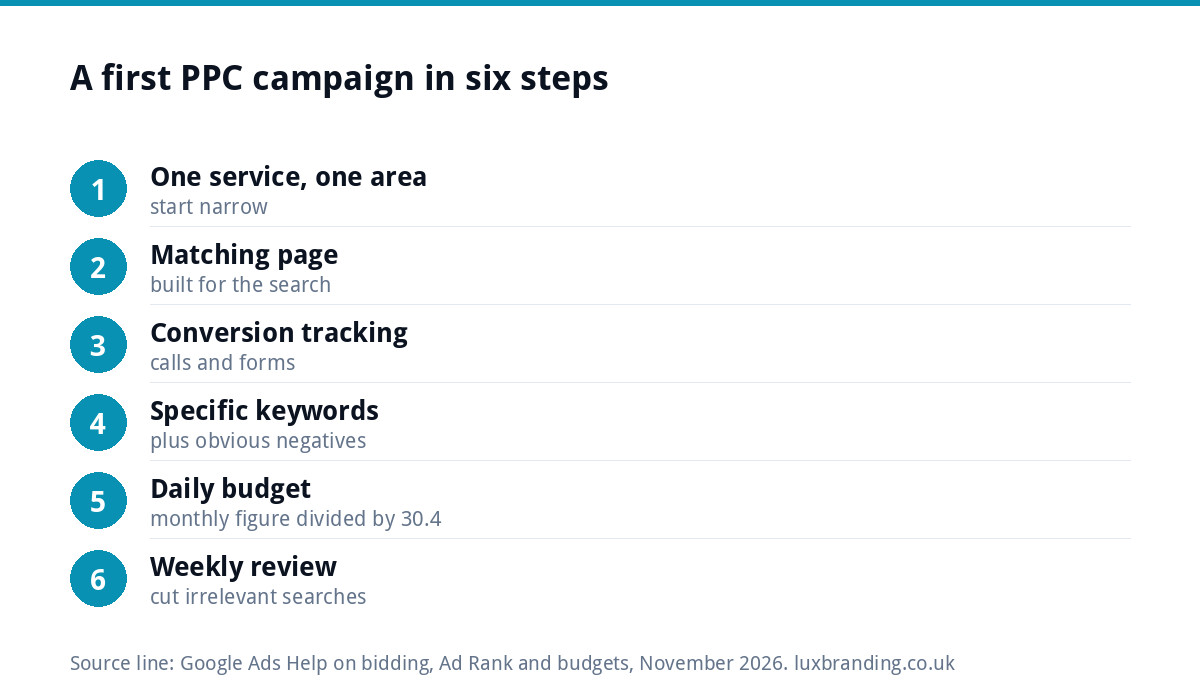
A simple first campaign plan
- Pick one profitable service and one area.
- Build or choose a page that matches it.
- Set up conversion tracking for calls and forms.
- Choose a small set of specific keywords and add obvious negatives.
- Set a daily budget you could lose for a month without worry.
- Review search terms weekly and cut anything irrelevant.
Start narrow, prove it works, then widen. That order protects your budget and gives you clean data on what a customer costs you.
Get the UK SEO DIY Audit Checklist (free)
A 32-point checklist UK SMEs can run against their own website in an afternoon. Surfaces the quick wins before paying for a paid audit.
No spam. UK GDPR compliant. We only use your email to send this resource, unless you tick the box to hear from us.
Frequently asked questions
What does PPC stand for? +
PPC stands for pay-per-click. It is a type of online advertising where you pay each time someone clicks your ad rather than paying a fixed fee for the space. Google Ads, Microsoft Advertising, Meta and LinkedIn all run bid-based auctions, and the price of each click depends on your bid, competition and the quality of your ad.
How much does PPC cost for a small business? +
You decide the budget. Google Ads works on an average daily budget, and Google suggests dividing a monthly budget by 30.4 to get the daily figure. The cost per click varies by trade, area and competition, so start with an amount you could spend for a month without worry, then judge it by enquiries rather than clicks.
Do I pay the full bid for every click? +
Not always. Google says your bid is the maximum you are willing to pay for a click, and what you actually pay is often less. Higher quality ads and landing pages can often lead to lower costs per click, which is why a focused ad and page can beat a competitor who simply bids more.
Is PPC better than SEO? +
Neither is better in every case. PPC can bring enquiries within days but stops when you stop paying. SEO takes months to build but keeps bringing traffic without paying per click. Many small businesses use PPC to fill the diary now while SEO grows, then reduce ad spend as organic rankings improve.
Can Luxbranding manage my PPC? +
Yes. Our Google Ads management starts from £199 a month, with no markup on your ad spend and conversion tracking included. Facebook and Instagram ads management also starts from £199 a month. If your ads need a dedicated page to send clicks to, our Landing Page Design is £199. All prices are on our pricing page.