
Quick answer
WooCommerce can sell digital downloads without extra plugins: mark the product as virtual and downloadable, upload the file, set a download limit and expiry, and choose a secure delivery method rather than “Redirect only”. Add a checkout tick box for the consumer cancellation rules, and check the VAT rules before selling to customers in the EU.
Digital products suit a lot of small UK businesses: a joiner selling garden-room plans, a bookkeeper selling spreadsheet templates, a personal trainer selling a 12-week programme, a photographer selling presets. There is no stock and no postage, and the product can sell while you are on a job. This guide covers the setup on WordPress, how to keep files secure, how customers get access after paying, and the two legal points UK sellers most often miss.
What sells well as a digital download
The best digital products package knowledge you already use every day. Good examples for small businesses include:
- PDF guides, checklists and how-to manuals.
- Templates: quotes, invoices, risk assessments, spreadsheets, social media graphics.
- Plans and drawings, such as shed bases, planters or garden furniture.
- Photo presets, stock photos, illustrations or printable art.
- Audio or video files, such as a training session or a guided routine.
Anything that needs ongoing access, such as a course released week by week or a members’ library, is better treated as a membership site than a one-off download. That is a bigger build with logins and permissions.
Your options for selling downloads
| Route | Good for | Watch out for |
|---|---|---|
| WooCommerce on your own WordPress site | Full control, your branding, physical and digital products together | You manage hosting, updates and file security |
| Shopify with a digital downloads app | Shops already on Shopify | Monthly plan plus any app costs; less flexible content |
| Marketplaces | Testing demand with an existing audience | Fees per sale, rules you do not set, and the customer belongs to the marketplace |
| Membership or course platform | Ongoing access, drip-fed lessons | Monthly fees; usually separate from your main website |
If you already run WordPress, adding downloads through WooCommerce is usually the simplest and cheapest long-term route. Our Shopify vs WooCommerce comparison covers the platform choice in more depth.
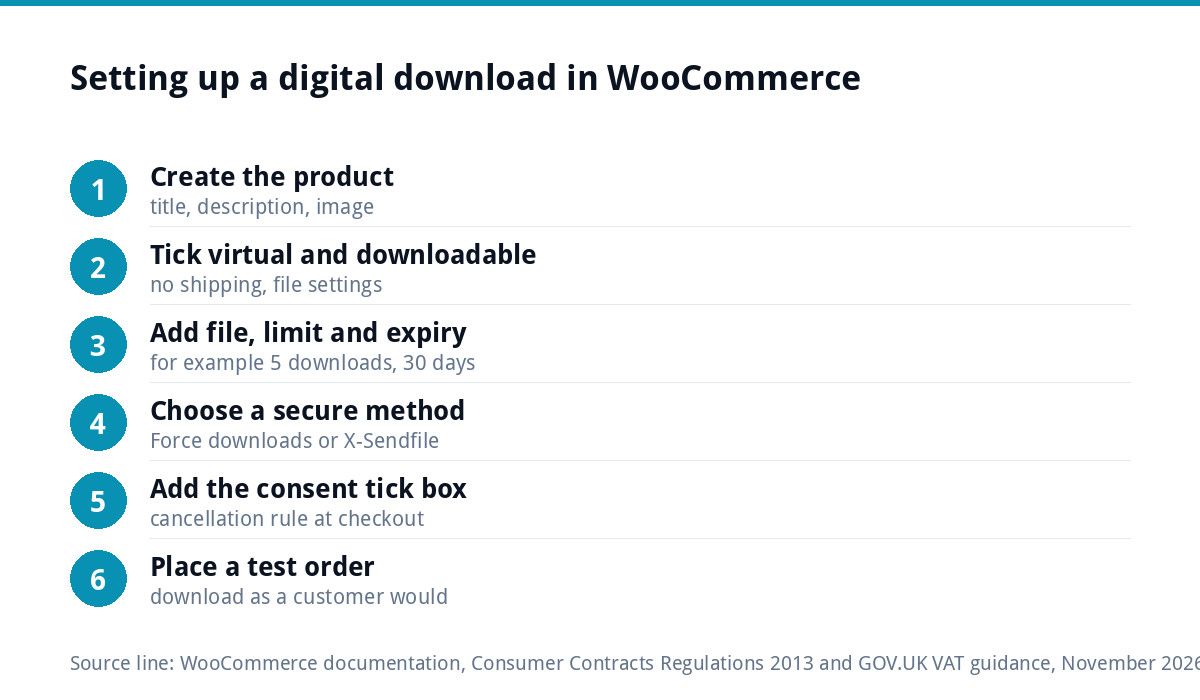
Setting up a downloadable product in WooCommerce
- Create a product and give it a clear title, description and image, exactly as you would a physical product.
- Tick “Virtual” so no shipping is charged, and tick “Downloadable” to reveal the file settings.
- Add the file. Upload it or link to it, and give it a sensible name the customer will recognise.
- Set a download limit, such as five downloads, so a single purchase cannot be shared endlessly.
- Set a download expiry, such as 30 days, after which the link stops working.
- Write a “what you get” section listing the file type, size, number of pages and any licence terms.
- Place a test order using a payment gateway’s test mode, and download the file as a customer would.
Choosing the file download method
This is the setting most people never look at, and it decides whether your files can be shared freely. WooCommerce’s documentation on digital and downloadable product handling describes three methods:
| Method | How it works | Security | Notes |
|---|---|---|---|
| Force downloads | Files are delivered through PHP, which prevents direct linking | Good | Very large files on a weak server may time out |
| X-Accel-Redirect / X-Sendfile | The web server delivers the file directly | Good | Best for large files; the server must support it |
| Redirect only | The customer is sent straight to the file address | Poor | WooCommerce calls it insecure: anyone with the link can download |
Use Force downloads or X-Accel-Redirect/X-Sendfile. Ask your host which one their servers support; the faster option matters if you sell video or large design files.
When customers get access
WooCommerce has a setting to grant access to downloadable products after payment. According to the same documentation, with it switched on, customers can download while the order is still Processing. Without it, they only get access when the order is marked Complete. Products that are both virtual and downloadable are completed automatically, but downloadable-only products need you to complete the order by hand.
In practice: mark digital products as both virtual and downloadable, switch on access after payment, and buy one yourself to confirm the download link appears on the thank-you page and in the order email.
Protecting your files
- Keep download limits and expiry dates sensible: generous enough for a customer who changes device, tight enough to discourage sharing.
- Never put the file in a public folder or paste its direct address into a page.
- State the licence plainly: personal use, single business use, or no resale.
- Add your business name and website inside PDFs and templates, so a shared copy still points back to you.
- Keep your own master copies offline as well as on the server, so a hosting problem never costs you the product.
Presenting a digital product so it sells
A download has one disadvantage against a physical product: the buyer cannot pick it up. The product page has to do that job instead. Show what is inside, not just the cover: a few sample pages, a screenshot of the spreadsheet in use, a short video flicking through the plans. List exactly what the buyer gets, in which file formats, and what software they need to open it. A template that only works in Excel will annoy someone who uses Google Sheets.
Explain who it is for and who it is not for, which reduces disappointed buyers. Add a short FAQ covering how the download arrives, how long the link lasts and what to do if it fails. Finally, make sure the product looks like it comes from the same business as everything else you do: consistent covers, fonts and colours across a range make a set of downloads look like a product line rather than a collection of files.
The 14-day cancellation rule for digital content
Consumers buying online in the UK normally have 14 days to cancel. Digital downloads are different, but only if you handle checkout properly. Under regulation 37 of the Consumer Contracts Regulations 2013, you must not start supplying digital content that is not on a physical medium during the cancellation period unless the consumer has given express consent and acknowledged that they will lose the right to cancel. Once both happen and the download begins, the right to cancel ends.
The usual way to do this is a required tick box at checkout, with wording such as: “I agree that the download starts immediately and I understand I will lose my right to cancel once it does.” Keep the wording visible in the order confirmation too. This is not legal advice; take advice if your products or customers are unusual.
VAT on digital downloads
HMRC treats automatically delivered digital products as e-services. GOV.UK’s guidance on VAT for digital services to private consumers lists e-books and other digitised documents such as PDF files among the examples, and explains that a sale counts when the content downloads automatically, but not when there is a lot of manual work, such as a PDF emailed by hand.
The key point for small sellers is the EU. For business-to-consumer digital services, the guidance says the place of supply is where the consumer is located, and a UK business supplying EU consumers must either register for the Non-Union VAT MOSS scheme in an EU member state or register for VAT in each EU country it supplies. Many small UK sellers simply restrict digital sales to UK customers until volumes justify the paperwork. Prices change and so do rules, so check the current guidance before you launch.
Hosting, file size and speed
Large files put load on your server every time someone downloads. A few PDFs are no problem on ordinary hosting, but video courses or large design bundles may need a host that supports efficient file delivery, or files stored with a dedicated storage service. Our website hosting cost guide explains what different levels of hosting include, and our website management and hosting is £20 a month with UK hosting, daily backups and security monitoring.
Getting a shop built for digital products
If you want downloads sold properly from your own site, our e-commerce website is £499 one-off for up to 20 products on WooCommerce or Shopify, with Stripe and PayPal. Digital and physical products can sit in the same shop. If you already have traffic but no sales, read why an online store gets visits but no sales first. For budgets and running costs, see the e-commerce website cost guide, and all our prices on the pricing page.
Get the UK Website Project Brief Template (free)
A two-page template for briefing any UK web designer: sitemap, integrations, audience and deliverables. Cuts revision rounds in half.
No spam. UK GDPR compliant. We only use your email to send this resource, unless you tick the box to hear from us.
Frequently asked questions
Do I need a plugin to sell digital downloads on WordPress? +
Not if you use WooCommerce, which handles downloadable products itself. Mark the product as virtual and downloadable, upload the file, and set a download limit and expiry. Extra plugins are only needed for things like memberships, drip-fed courses or licence keys. Keep the plugin count low, because every addition is something else to update.
How do I stop people sharing my digital downloads? +
Use WooCommerce's Force downloads or X-Accel-Redirect/X-Sendfile method rather than Redirect only, which WooCommerce describes as insecure. Set a download limit and an expiry period, never place files in public folders, state the licence clearly and put your business name inside the file. You cannot stop every share, but you can make it inconvenient.
Can customers cancel a digital download purchase? +
Under the Consumer Contracts Regulations, a consumer loses the 14-day right to cancel digital content once they have given express consent to immediate supply, acknowledged they will lose the right, and the download has started. A required checkout tick box with clear wording is the usual way to collect both. Without it, the normal cancellation rights apply.
Do I charge VAT on digital downloads sold to EU customers? +
For business-to-consumer digital services, GOV.UK guidance says the place of supply is where the consumer is located. A UK business supplying EU consumers must register for the Non-Union VAT MOSS scheme in an EU member state or register in each EU country it supplies. Many small sellers restrict digital sales to the UK at first.
Why can my customer not download the file after paying? +
Usually the order is not yet Complete. Unless access after payment is switched on, WooCommerce only releases downloads on completed orders. Products marked both virtual and downloadable complete automatically, but downloadable-only products need completing by hand. Also check the download limit has not been reached and the link has not expired.