
Quick answer
Remarketing shows ads to people who have already visited your website. A tag or pixel on your site adds visitors to an audience list, with their consent, and Google or Meta then shows them your ads as they browse, search or scroll. For small businesses it works best on high-value services, where people compare quotes over days or weeks.
This guide explains how remarketing works in plain English, which audiences to build first, the consent rules, how big your site needs to be before it is worth it, and the mistakes that turn a useful reminder into an annoyance.
How remarketing works
Most people do not enquire on their first visit. They look at your site, then at two competitors, then get distracted by work or the school run. Remarketing is a way of staying in front of them while they decide.
- A tag goes on your website. Google uses the Google tag; Meta uses the Meta Pixel.
- Visitors who accept cookies are added to an audience. You choose the rules, such as “visited the boiler installation page” or “added to basket but did not buy”.
- You run ads aimed only at that audience. They see your ads on websites, YouTube, Google Search, Facebook or Instagram.
- People drop off the list after a set period unless they visit again.
Google now calls these lists data segments. Its help page on data segments describes using your data to re-engage people who have previously interacted with your business, including showing ads to past visitors as they do follow-up searches on Google after leaving your website.
Is it worth it for a small business?
It depends on two things: how many visitors you get, and how long customers take to decide.
- Visitor numbers. Google’s guide to setting up data segments says only segments with more than 100 active users are eligible to run ads. A site with a few hundred visitors a month may struggle to fill narrow lists.
- Decision time. A kitchen, extension, wedding, solar installation or new website takes weeks to decide. Remarketing suits those. An emergency locksmith call is decided in minutes, so remarketing adds little.
- Value of a customer. The higher the job value, the more it is worth reminding people who were already interested.
Where remarketing ads appear
| Platform | Where the ads show | Suits |
|---|---|---|
| Google Display | Banner ads on websites and apps in Google’s network | Visual reminders, broad reach |
| Google Search | Your search ads, adjusted for past visitors who search again | Winning the second search, often the one that converts |
| YouTube | Video ads before or during videos | Showing finished work, brand trust |
| Facebook and Instagram | Feed, Stories and Reels | Local services, shops, anything visual |
Consent comes first
In the UK, remarketing tags store or read information on a visitor’s device, so they normally need consent through your cookie banner. The amended rules in PECR Schedule A1, in force since 5 February 2026, include an exception for collecting statistics to improve a website, but advertising is a different purpose and does not fit it. In practice:
- Load remarketing tags only after a visitor accepts marketing or advertising cookies.
- Explain remarketing in your privacy notice and cookie policy.
- Expect your audiences to be smaller than your visitor numbers, because some people decline.
This is a summary, not legal advice. If you are unsure whether your banner is set up properly, ask whoever built the site to check it before you start.
The audiences to build first
Start with a handful of simple lists. You can always get more detailed later.
| Audience | Rule | Ad message |
|---|---|---|
| Service page visitors | Viewed a specific service page | Show that service: photos, reviews, a clear offer |
| Quote page drop-outs | Visited the contact or quote page but did not submit | Reassurance: guarantees, how quoting works, a phone number |
| Basket abandoners (shops) | Added to basket, no purchase | The product they left, delivery information |
| All visitors | Any page in the last 30 days | General brand reminder, best work |
| Converters (exclude) | Reached the thank-you page | Exclude them so you stop paying to chase existing customers |
The exclusion list is the one most small accounts forget, and it is the quickest saving. Nobody wants ads for a boiler they bought last week.
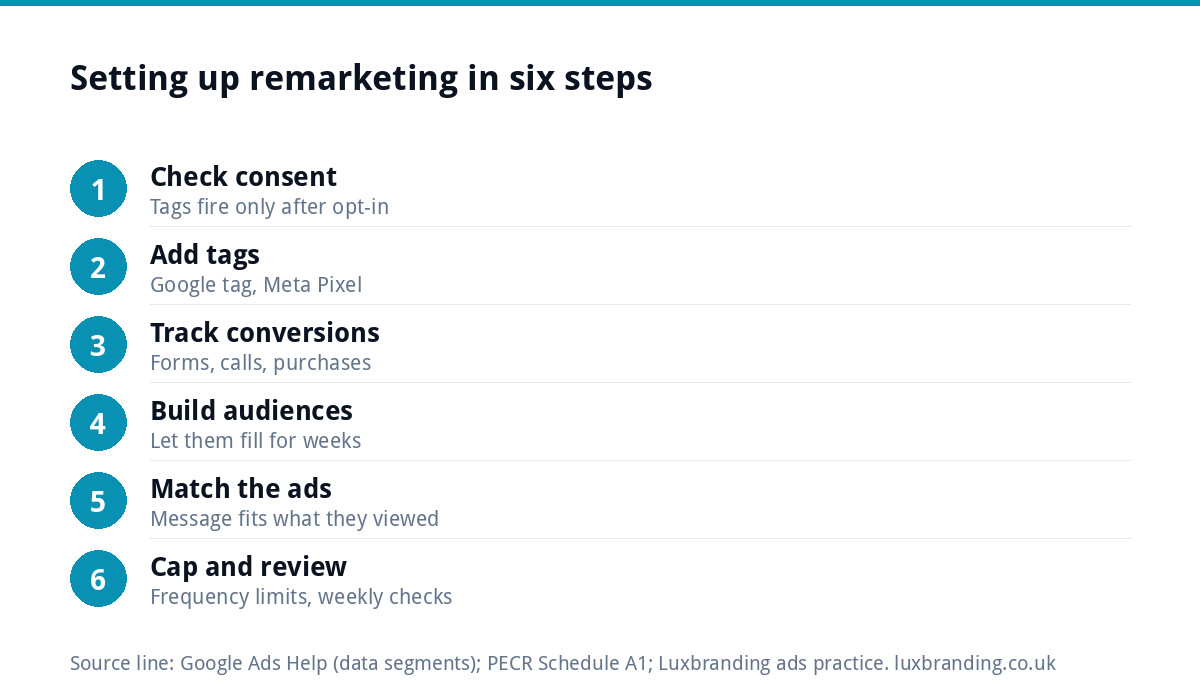
Setting it up in six steps
- Check your cookie banner so marketing tags fire only with consent.
- Add the Google tag and, if you use Meta, the Meta Pixel to every page, once each.
- Track conversions: form submissions, calls from the site, purchases, thank-you pages.
- Create your audiences from the table above, and let them fill for a few weeks.
- Build ads for each audience with a message that matches what they looked at.
- Set frequency limits and a small budget, then review weekly for the first month.
Ads that remind, not stalk
Remarketing has a reputation for following people around the internet with the same advert. Avoid that by:
- Capping frequency, so the same person does not see you a dozen times a day.
- Rotating creative, with new photos of real jobs every few weeks.
- Keeping list durations sensible: a few weeks for a boiler repair, longer for an extension.
- Saying something new. Show reviews, a finished project or your guarantee, not just the same headline they already ignored.
Consistent, well-designed ads matter here, because people are seeing you more than once. Our social media design service covers templates you can reuse for ad creative.
Budget and how to judge it
Remarketing audiences are small by nature, because they only contain people who have already visited. That means remarketing usually needs a fraction of the budget of your main campaigns, and spending more than the audience can absorb simply shows the same people the same ads more often.
A sensible way to start:
- Fund your main campaigns first. Remarketing can only remind people you have already attracted. If search or social is not bringing visitors, fix that before adding a reminder layer.
- Start small and watch frequency. If people are seeing your ads many times a week, the budget is bigger than the list can use.
- Judge on enquiries from returning visitors, using the conversion tracking you set up, not on clicks or impressions.
- Give it a full sales cycle. If customers usually take three weeks to decide, judge remarketing after at least that long, not after three days.
Remarketing also works alongside email. If someone has enquired and agreed to hear from you, a well-timed follow-up email often does the same job for nothing. Ads are for the people you cannot email, which is most of your visitors.
A worked example: a bathroom fitter in Kent
A bathroom fitter gets most enquiries from Google Ads. Visitors often look at the gallery, leave, and come back days later. He sets up three audiences: gallery visitors, quote page drop-outs and past enquirers to exclude. Gallery visitors see Instagram and Facebook ads with before-and-after photos and a short customer quote. Quote page drop-outs see a search ad when they search again, with a headline about free, fixed written quotes. Enquirers who already submitted the form are excluded everywhere.
The result he watches is not clicks but enquiries from people who had visited before, tracked through his thank-you page. He reviews the ads monthly and swaps in new project photos as jobs finish.
Because his audiences are small, the remarketing budget is a modest slice of his total spend, and he raises it only when the lists grow.
Mistakes that waste remarketing budget
- Running remarketing with no conversion tracking, so you cannot tell whether it works.
- Showing ads to customers who already bought.
- Sending remarketing clicks to the home page instead of the page they looked at.
- Lists so narrow they never reach the minimum size.
- Judging remarketing on click-through rate alone; its job is to bring people back to enquire.
If visitors are coming back but still not buying, the problem may be the site rather than the ads. Our guide to a store with traffic but no sales helps find where they drop out, and a focused landing page (£199) often fixes it.
Getting it set up for you
We set up remarketing as part of our ads management. Google Ads management is from £199 a month and Meta ads management is from £199 a month, with your ad spend paid directly to the platform and no markup on it. We build the audiences, exclusions, tracking and ads, and report on enquiries rather than impressions. Every price is on our pricing page.
Get the UK SEO DIY Audit Checklist (free)
A 32-point checklist UK SMEs can run against their own website in an afternoon. Surfaces the quick wins before paying for a paid audit.
No spam. UK GDPR compliant. We only use your email to send this resource, unless you tick the box to hear from us.
Frequently asked questions
What is remarketing? +
Remarketing, also called retargeting, shows ads to people who have already visited your website. A tag such as the Google tag or Meta Pixel adds consenting visitors to audience lists, and you then run ads aimed only at those lists on Google, YouTube, Facebook or Instagram while they are still deciding.
How many visitors do I need for remarketing? +
Google says only data segments with more than 100 active users are eligible to run ads, so very narrow lists on small sites may never fill. Remarketing is usually worth testing once your site gets a steady flow of visitors each month, especially for high-value services where people take time to decide.
Does remarketing need cookie consent in the UK? +
Normally, yes. Remarketing tags store or read information on visitors' devices for advertising, which falls outside the statistics exception added to PECR in February 2026. Load the tags only after visitors accept marketing cookies, and explain remarketing in your privacy notice and cookie policy.
How do I stop remarketing ads annoying people? +
Cap how often each person sees your ads, rotate new creative every few weeks, keep list durations sensible for your sales cycle and exclude people who have already enquired or bought. Show something new each time, such as reviews or finished projects, rather than repeating an ad they already ignored.
Can Luxbranding run my remarketing? +
Yes. Remarketing is part of our ads management. Google Ads management is from £199 a month and Meta ads management is from £199 a month, with your ad spend paid directly to the platform and no markup. We build the audiences, exclusions, tracking and ads, and report on enquiries.