Quick answer
A dieline is the flat, unfolded outline of your box or label that shows the printer where to cut, crease and glue. It normally comes from your packaging manufacturer, sits on its own layer in a vector file, and never prints. Your artwork is placed over it with bleed past every cut line and text kept inside the safe area.
If you are launching a product, a dieline is the first technical file you will meet, and the one that causes most reprints when it is misunderstood. This guide explains the lines, where the file comes from, how artwork sits on it, and the checks to make before you approve a print run. It is written for small brands: candle makers, food producers, cosmetics start-ups and anyone ordering their first printed mailer box.
What a dieline actually is
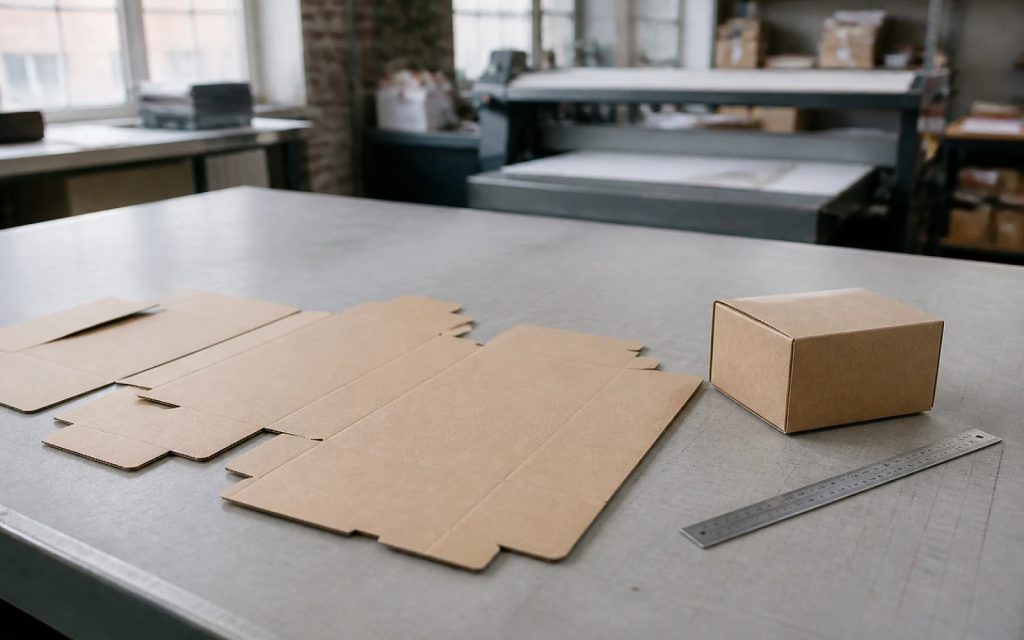
Packaging is printed flat and then cut out with a steel cutting die, which is where the name comes from. The dieline is the drawing of that die: every edge that will be cut, every line that will be creased so it folds, every flap that will be glued. It is the map that connects your design to the physical box.
Think of it as a sewing pattern. The fabric (your printed artwork) can be any design you like, but it has to be laid out on the pattern so the pieces join up when assembled. Put the front of the box on the wrong panel and the product name ends up on the base.
The lines on a dieline
Each printer has its own conventions for colour and line style, so always read the key on the file you receive. These are the elements you will usually find:
| Element | What it means | Commonly shown as |
|---|---|---|
| Cut line | Where the die cuts through the board | Solid line, often in a named spot colour |
| Crease or fold line | Where the board is scored so it folds cleanly | Dashed line, sometimes a different colour |
| Perforation | A tear-off strip or easy-open feature | Dotted or dash-dot line |
| Glue area | Where flaps are fixed; keep ink and varnish off if instructed | Hatched or shaded panel |
| Bleed | Artwork extended past the cut so no white edge shows | Outer guide line beyond the cut |
| Safe area | Zone where text and key graphics are protected from trimming | Inner guide line inside the cut |
Where your dieline comes from
In most cases, the company that makes your packaging supplies the dieline, because it has to match their tooling exactly. If they already have a cutting die for a standard box size, use their file: a custom die costs money and adds time. If you need an unusual size or shape, the manufacturer will draw a new dieline and may make a sample.
Ask for the dieline as a vector file (PDF, AI or EPS) at 100% scale, with the line key, the board type and thickness, and the bleed they require. A JPG of a dieline is not good enough to design on. Our guide to logo and artwork file formats explains why vector matters for anything that is cut.
Box styles and FEFCO codes
For corrugated boxes such as mailers and shipping cartons, suppliers often refer to a style by its FEFCO code. The FEFCO Code is a widely used system that gives each common corrugated box design a number, replacing long written descriptions and giving the industry a shared reference. If a supplier quotes you a code, you can look up exactly which construction you are getting.
Thinner folding cartons, the kind used for cosmetics, food and small retail products, have their own style references. In both cases the code only defines the construction; the dieline for your exact dimensions still comes from the supplier.
Dielines for labels, sleeves and pouches
Dielines are not only for boxes. A roll label for a jar has a dieline showing its shape, corner radius and the gap between labels on the roll. A wrap-around label for a bottle shows where the ends overlap, which matters because anything printed in the overlap is hidden. A card sleeve for a candle or a soap bar shows the folds and the glued seam, much like a simple box.
Printed pouches and bags have their own templates that mark seals, gussets and the zip or tear notch. Seal areas are often excluded from the safe zone because the material is heat-pressed there and fine detail distorts. Whatever the format, the principle is the same: ask the supplier for their template, design on top of it, and do not assume the template from a previous supplier will fit.
How artwork sits on a dieline
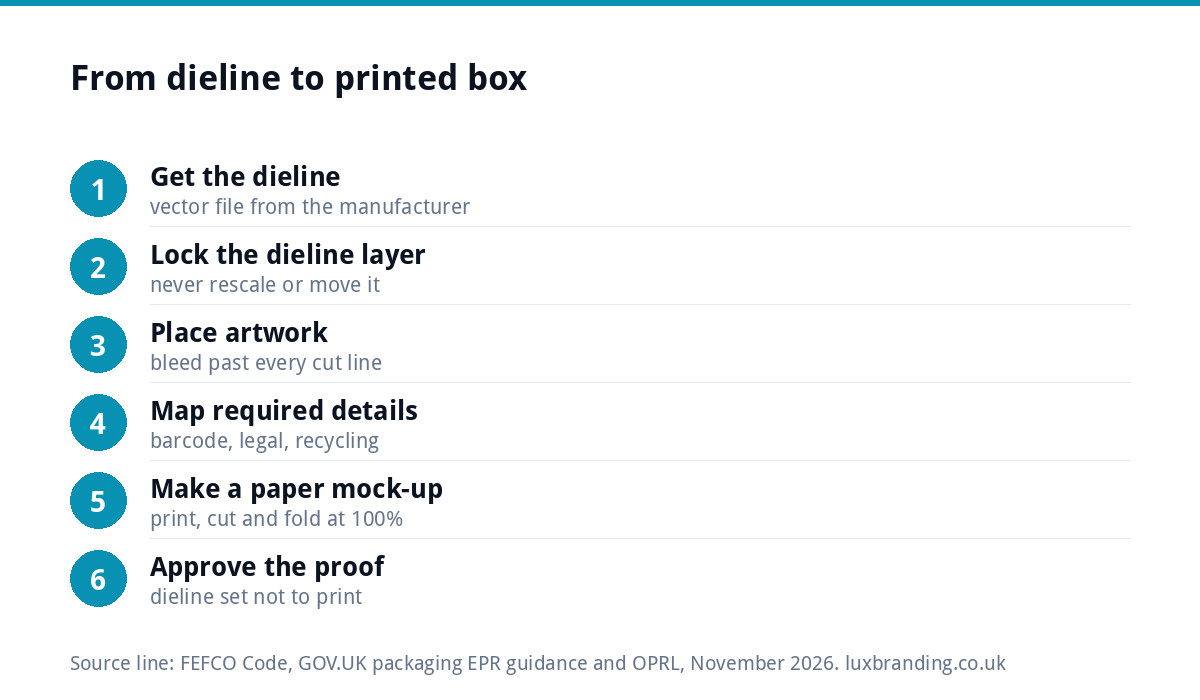
- Keep the dieline on its own locked layer, above the artwork, and never move or rescale it.
- Extend backgrounds past every cut line into the bleed, usually at least 3mm. Check the figure on the file.
- Keep text and logos inside the safe area, away from cuts and creases.
- Check orientation panel by panel. Flaps and lids are often upside down on the flat sheet relative to the front.
- Leave glue areas clear if the printer asks, because ink and coatings can stop glue sticking.
- Set the dieline colour as instructed, usually a named spot colour that the printer can switch off, so the line itself never prints.
Once it is laid out, print it at full size on paper, cut it out with scissors and fold it. A paper mock-up catches upside-down panels faster than any screen.
Leave room for the details you are required to show
Packaging carries more than branding. Depending on your product, you may need an ingredients list, allergens, weight or volume, a batch code, a barcode, your business name and address, and safety or age warnings. Our guide to product label design and UK label rules covers what applies to which products. Map these onto specific panels early, before the design is finished, so they are not squeezed into a flap at the end.
Recycling information is increasingly expected too. OPRL, the On-Pack Recycling Label organisation, describes itself as the UK’s independent experts in recyclability of packaging and sets recycling labels for consumer packaging. If you plan to use a label, allow a clear area for it.
Do small brands need to worry about packaging EPR?
Extended producer responsibility (EPR) for packaging makes some businesses report and pay for the packaging they place on the UK market. The thresholds matter. According to GOV.UK’s guidance on who is affected by packaging EPR, you are only an obligated producer if you supplied or imported more than 25 tonnes of packaging in the UK in the previous year and your annual turnover was £1 million or more. Below 25 tonnes there is no obligation, whatever your turnover.
Most start-up brands are far below both figures, but it is worth knowing where the line sits as you grow. Lighter, simpler packaging also tends to cost less to print and post.
Checks before you approve the print
| Check | What to look for |
|---|---|
| Dieline untouched | Same size and position as the file the printer supplied |
| Bleed | Background runs past every cut line by the required amount |
| Safe area | No text or logo near a cut or crease |
| Orientation | Every panel reads the right way up on the folded mock-up |
| Barcode | On a flat panel, with enough contrast and quiet space around it |
| Colour | CMYK or the specified spot colours; images at 300dpi |
| Dieline layer | Set so it does not print |
| Required details | Every legal and product detail present and correct |
If a printer sends the file back, our guide to why printers reject artwork explains the common errors in plain English.
Common dieline mistakes
- Scaling the dieline to fit the artwork, rather than the other way round.
- Designing on a dieline from a different supplier, whose box is a millimetre or two different.
- Forgetting that board thickness changes how panels meet at the folds.
- Placing the barcode across a crease or on a curved edge.
- Leaving the dieline visible, so the cut line prints on the finished box.
Getting your packaging designed
Good packaging starts with a strong brand: a clear logo, a fixed colour palette and type that reads at small sizes. If those are not settled yet, brand identity design at £299 covers logo, colours, typography, imagery and guidelines. Our packaging design guide for small brands covers the bigger decisions such as materials and unboxing.
For the box or label itself, our packaging design is £99 one-off. Whoever designs it, have your manufacturer’s dieline ready before the brief, because every design decision depends on it. All our prices are on the pricing page.
Get the UK Print-Ready Artwork Checklist (free)
A one-page checklist for any UK designer or printer covering CMYK, bleed, fonts and resolution. Saves you the pre-press fix-up fees.
No spam. UK GDPR compliant. We only use your email to send this resource, unless you tick the box to hear from us.
Frequently asked questions
What is a dieline in packaging? +
A dieline is the flat, unfolded outline of a box, label or pouch that shows where it will be cut, creased, perforated and glued. It is drawn to match the cutting die the manufacturer uses. Designers place artwork over it, and it sits on its own layer so it guides the print without being printed itself.
Who provides the dieline, the designer or the printer? +
Usually the packaging manufacturer or printer, because the dieline must match their tooling exactly. If they have a die for a standard size, use their file rather than paying for a new one. Ask for it as a vector file at 100% scale, with the line key, board thickness and required bleed.
How much bleed does packaging need? +
Packaging printers commonly ask for at least 3mm of bleed beyond every cut line, and some ask for more on larger boxes. The figure varies by printer and material, so always check the note on the dieline you are given. Keep text and logos inside the safe area so nothing important is trimmed or creased.
Can I make my own dieline? +
You can sketch one to test an idea, but for production you should use the manufacturer's dieline. Board thickness changes how panels meet at the folds, and a dieline that is a millimetre out can stop a box closing properly. A custom shape means the manufacturer draws the dieline and may produce a sample.
Does a small brand need to register for packaging EPR? +
Usually not at the start. GOV.UK guidance says you are an obligated producer only if you supplied or imported more than 25 tonnes of packaging in the UK in the previous year and had annual turnover of £1 million or more. Below 25 tonnes there is no obligation, but check the guidance as you grow.