Quick answer
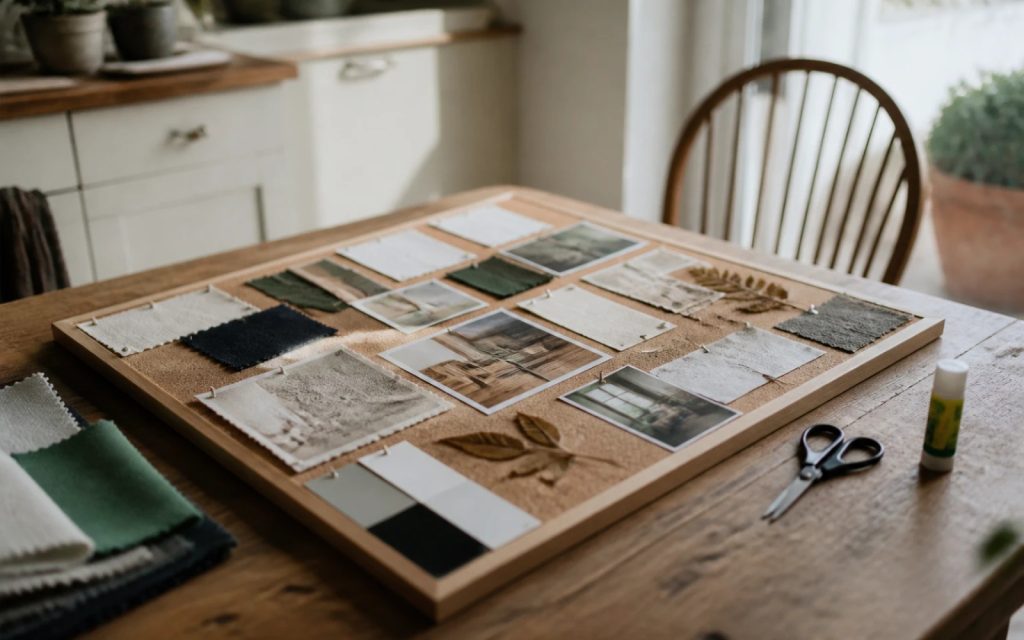
Collect 20 to 30 images that show the feel you want, not logos to copy: colours, textures, photography, typefaces, places and brands you admire or dislike. Cut it to about 12, add a short note to each saying what you like about it, group them, and send the board with your brief. A private Pinterest board works well.
“I’ll know it when I see it” is the most honest thing a business owner can say to a designer, and the least useful. A moodboard fixes that. It turns a vague feeling, such as “modern but friendly” or “premium but not flashy”, into something a designer can see. Done well, it saves a round of revisions and gets you to a logo you love faster. This guide explains what to collect, how to edit it down, how to annotate it, and the copyright point most people miss.
What a moodboard is for, and what it is not
A moodboard is a collection of images that together show the feeling, tone and visual direction you want for your brand. It answers questions words struggle with: how bold, how warm, how traditional, how playful.
It is not a set of logos to copy. Showing a designer three competitors’ logos and asking for “something like these” usually produces a brand that looks like those competitors. The most useful boards contain very few logos at all. They show colours, materials, photography, interiors, packaging, signage and type from all sorts of places, including well outside your industry.
It is also not a final decision. A moodboard sets a direction for the first concepts; the designer then interprets it. Expect the result to capture the feeling of your board rather than reproduce any single image on it, and treat that as a good sign.
What to collect
| Category | What to look for | Example for a garden design firm |
|---|---|---|
| Colour | Palettes and combinations that feel right | Sage, stone and deep olive |
| Texture and materials | Surfaces with the right character | Weathered oak, slate, linen |
| Photography | Light, framing and mood you like | Soft early light on planted borders |
| Typography | Lettering styles from signs, books, packaging | A clean sans serif on a shop fascia |
| Places and interiors | Spaces that feel like your brand | A calm, minimal garden room |
| Brands you admire | Any sector; note what you like about them | A heritage paint brand’s restraint |
| Things to avoid | Styles that are definitely not you | Cartoon leaves, bright lime green |
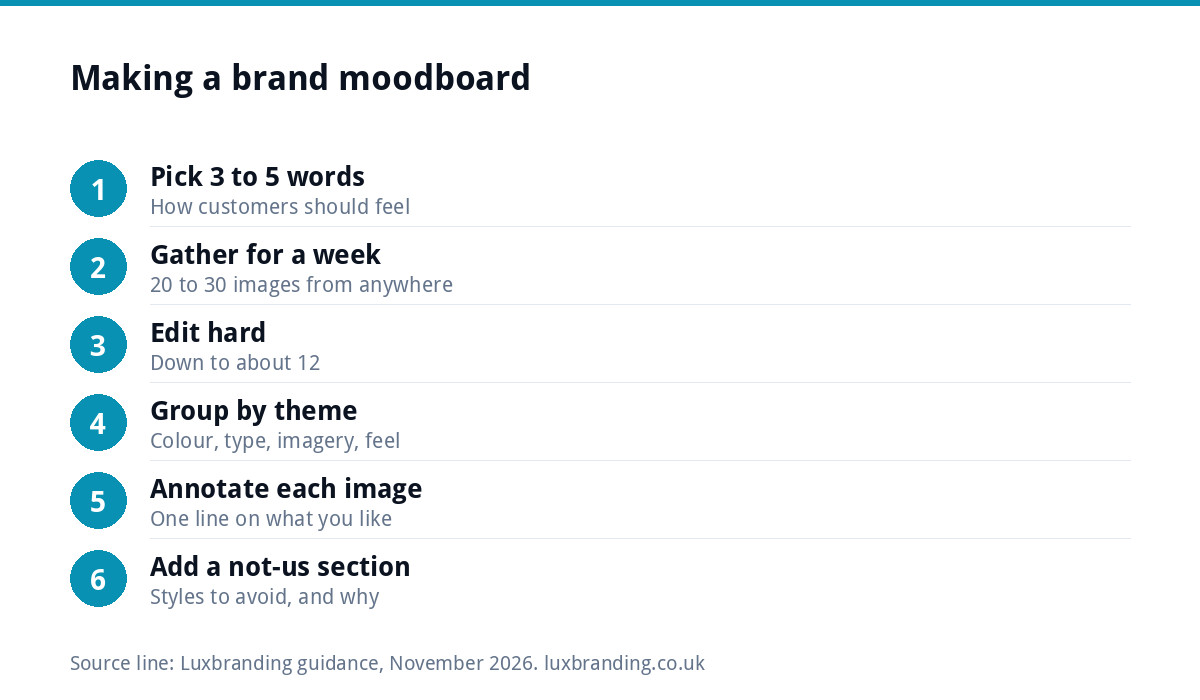
Six steps to a useful moodboard
- Write three to five words that describe how you want customers to feel about your business, such as “trustworthy, calm, local, skilled”. Use them as a filter for everything you collect.
- Gather widely for a week. Save anything that matches those words: photos you take on the street, packaging in your kitchen, magazine pages, screenshots. Aim for 20 to 30 images.
- Edit hard. Remove anything that does not fit the words, duplicates, and images you like for reasons unrelated to your brand. Get down to about 12.
- Group them into colour, type, imagery and overall feel, so the designer can see each theme clearly.
- Annotate every image with one line on what you like about it. This is the step that makes a moodboard genuinely useful.
- Add a “not us” section with three or four images of styles you want to avoid, each with a note on why.
Notes turn pictures into a brief
Without notes, a designer has to guess what caught your eye. A photo of a café could be there for its colours, its lettering, its lighting or the fact that it looks busy. One line removes the guesswork:
| Vague note | Useful note |
|---|---|
| “Love this!” | “The muted green and cream together, not the illustration.” |
| “Nice font” | “Simple, wide capitals that are readable from across the road.” |
| “This feels like us” | “Calm and uncluttered: lots of space around a few things.” |
| “Not this” | “Too playful; our clients are spending serious money.” |
The “not us” notes are often the most valuable of all. Knowing what to avoid narrows the field faster than knowing what you like.
Tools that work
You do not need design software. Any of these will do:
- Pinterest. Pinterest’s help page on creating a board explains how to make one, keep it secret so only you can see it, and invite collaborators, which is handy when a business partner wants a say.
- A presentation file. A few slides with images grouped by theme, notes underneath, exported as a PDF.
- A shared folder of photos, with notes in the file names or a short document.
- Paper. Printed pictures and cuttings on a board, photographed clearly. Old-fashioned, and surprisingly effective.
Whatever you use, make sure the designer can see the images at a decent size and read every note.
The copyright point most people miss
Almost every image on a moodboard belongs to someone else. That is fine for private reference: the board is a conversation tool between you and your designer. It is not fine to use those images in your actual branding, website or social media. As GOV.UK’s copyright guidance explains, copyright protection is automatic, so a photo or illustration found online is protected even if nobody has registered it.
The same applies to the design itself. A good designer uses a moodboard for direction, then creates something original. If you want to find where an image came from, perhaps to credit it or to see more of a photographer’s work, Google’s help page on searching with an image explains how to use Google Lens to trace it.
A worked example: a mobile dog groomer
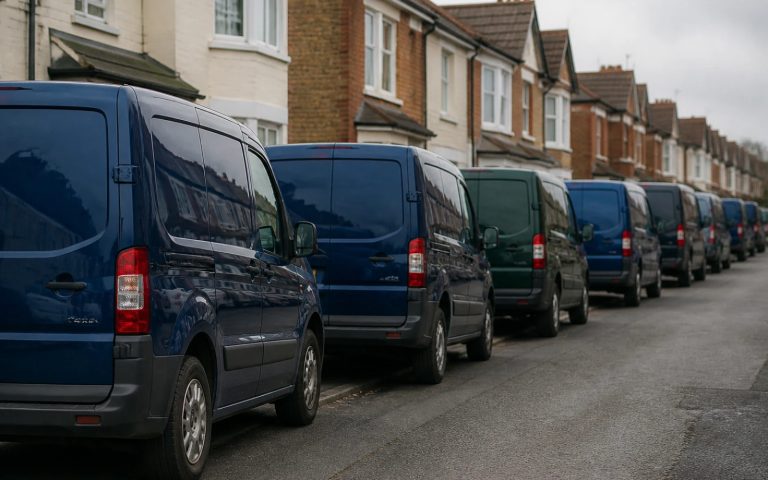
Picture a mobile dog groomer in Kent starting out with a converted van. Her five words are “gentle, clean, cheerful, local, trusted”. Over a week she saves 26 images: a Scandinavian bakery’s soft pastel packaging, a children’s book with rounded hand-drawn lettering, photos of fluffy towels on a sunny washing line, a vet’s waiting room in pale sage, a seaside beach hut painted in coral, and two rival groomers’ vans covered in cartoon paw prints.
She edits to twelve. The bakery stays, noted “soft colours that still feel fresh”. The lettering stays, noted “rounded and friendly, but must be readable on the van”. The towels stay for the light and the sense of clean. The beach hut stays only for its coral, which she marks as a possible accent. The rival vans move to the “not us” section, noted “too cartoonish, and everyone has paw prints”.
The designer now knows the palette direction, the type personality, the photography feel and the cliché to avoid, before drawing anything. The first concepts land far closer than “something friendly with a dog in it” ever could.
Common moodboard mistakes
- Too many images. Fifty pins show indecision, not direction. Edit to around 12.
- All logos. A board of competitors’ logos produces a logo like your competitors’.
- Contradictions left unresolved. Rustic hand-drawn and sleek tech minimalism on one board send the designer in two directions. Choose, or explain the balance you want.
- No notes. Pictures alone invite guesswork.
- Only your own taste. Check the board against your customers: would they feel drawn in, or put off?
Agreeing it with partners
If more than one person has a say in the brand, build the board together before the designer sees it. Each person adds images separately, then you meet and agree the final 12 and the notes. Disagreements surface at the moodboard stage, where they cost nothing, rather than at the concept stage, where they cost time. Send the designer one agreed board, not three personal ones.
Sending it with your brief
A moodboard works alongside a written brief, not instead of one. The brief covers the facts: your business name, what you do, who your customers are, where the brand will appear and any must-haves. The moodboard covers the feeling. If you are still settling the name itself, our guide to choosing a UK business name comes first. If you are unsure whether you need just a logo or a full identity, our comparison of brand identity vs logo design explains the difference.
From moodboard to logo
Our Logo Design is £129 one-off, with unlimited concepts, unlimited revisions within your brief, every file format and concepts within 48 hours, so a clear moodboard turns quickly into real options. Brand Identity Design is £299 and takes the same direction through colours, typography, imagery and brand guidelines. To estimate a budget first, try our logo cost calculator, and every fixed price is on our pricing page.
Get the UK Branding Budget Worksheet (free)
A printable worksheet: decide what your brand needs now and price it against fixed published prices and the IPO trademark fee.
No spam. UK GDPR compliant. We only use your email to send this resource, unless you tick the box to hear from us.
Frequently asked questions
How many images should a brand moodboard have? +
Gather 20 to 30 images, then edit down to about 12. Fewer, well-chosen images show a clear direction; fifty pins show indecision. Group the final set into colour, typography, imagery and overall feel, and add a small "not us" section showing three or four styles you want to avoid.
Should I put competitors' logos on my moodboard? +
Use very few, if any. A board full of competitors' logos tends to produce a logo that looks like your competitors. Collect colours, textures, photography, lettering, interiors and packaging from all sorts of places instead, including outside your industry, and note exactly what you like about each one.
What is the best tool for a brand moodboard? +
Pinterest works well because you can make a board secret, so only you see it, and invite a business partner as a collaborator. A few presentation slides exported as a PDF, a shared folder of photos, or printed cuttings on a board photographed clearly all work too. Notes on every image matter more than the tool.
Can I use moodboard images in my branding? +
No. Moodboard images almost always belong to someone else and are only for private reference between you and your designer. Copyright protection is automatic in the UK, so an image found online is protected even without registration. Your final logo, photos and graphics should be original or properly licensed.
Do I need a moodboard before ordering a logo? +
It is not essential, but it helps. With our Logo Design at £129 you get unlimited concepts, unlimited revisions within your brief and concepts within 48 hours. A clear brief and a short annotated moodboard sent with your order simply help the first concepts land closer to what you have in mind.