
Quick answer
Google Search Console is Google’s free tool that shows how your website performs in search. A small business needs five reports, checked once a month: Performance (searches, clicks and positions), Page indexing (which pages Google includes), Sitemaps, Core Web Vitals (real-user speed), and URL Inspection for individual pages. Setting it up takes about fifteen minutes.
Search Console can look intimidating, with dozens of reports and warnings. Most of it can be ignored by a small business. This guide covers how to set it up properly, the five reports worth opening each month, what each one tells you, and a simple monthly routine you can follow in half an hour.
Search Console versus Google Analytics
The two tools answer different questions, and you need both.
| Question | Search Console | Google Analytics |
|---|---|---|
| Which Google searches show my site? | Yes | No |
| Where do I rank for those searches? | Yes (average position) | No |
| Has Google indexed my pages? | Yes | No |
| What do visitors do once on the site? | No | Yes |
| Which visitors send enquiries or buy? | No | Yes, with conversion tracking |
| Is the site fast for real users? | Yes (Core Web Vitals) | Partly |
Search Console is about what happens before the click; Analytics is about what happens after. Used together, they show the whole journey from a search to an enquiry. This guide sticks to Search Console.
Setting it up properly
- Use a business Google account. Not a personal one, and not your web designer’s. The business should own the property.
- Add a Domain property if you can. It covers every version of your site (with and without www, http and https) in one place. It is verified by adding a DNS record at your domain provider.
- Add your web designer or SEO provider as a user, not an owner, if they need access.
- Submit your sitemap, usually at yourdomain.co.uk/sitemap.xml or similar.
- Turn on email notifications so Google can warn you about serious problems.
If you are not sure whether someone already set it up, ask your web designer; an existing property with years of data is worth recovering rather than starting again. The sooner a property is in place and owned by the business, the sooner you have a monthly history of your own notes to compare against.
Report 1: Performance
This is the report you will use most. Google’s Performance report guide explains its four metrics: clicks, impressions, click-through rate and average position. Each month, look at:
- Queries tab: the searches that show your site. Are they the right ones for your business?
- Pages tab: which pages get the most impressions and clicks.
- Countries and devices: useful if you serve one area or most visitors use phones.
- Compare dates: this month against the same month last year, to allow for seasons.
Look out for queries with lots of impressions but few clicks, which suggest a title or description that could be more appealing, and for queries where you rank just off page one, which are often the quickest wins.
Two filters make the report far more useful. First, add a query filter that excludes your business name, so you can see how people find you when they do not already know you. Second, click a single page in the Pages tab and then switch back to Queries: you now see every search that page appears for, which tells you whether it is attracting the searches you wrote it for. Both take seconds and turn a wall of numbers into something you can act on.
Report 2: Page indexing
This report shows which of your pages Google has indexed and which it has not, with a reason for each. Google’s help page on the Page indexing report explains the statuses. Not every “not indexed” page is a problem: redirects, duplicates and deliberately hidden pages are supposed to be excluded. What matters is whether your important pages, such as the homepage and each service page, are indexed.
If key pages are missing, our guide to a website not showing on Google walks through the usual causes.
Report 3: Sitemaps
The Sitemaps report confirms Google can read your sitemap, when it last did, and how many addresses it found. Check that the status says success and that the number of discovered pages roughly matches the number of pages you expect. A sitemap that cannot be fetched, or that lists far more or fewer pages than your site has, is worth raising with whoever manages the website.
Report 4: Core Web Vitals
This report shows how fast and stable your pages are for real visitors. Google’s guide to the Core Web Vitals report explains that it is based on real-world usage data and groups pages as Poor, Need improvement or Good, separately for mobile and desktop. Small sites with little traffic may see “not enough data”, which is normal.
If mobile pages show as Poor, start with image sizes and heavy scripts. Our guide to website speed for small businesses covers the usual fixes, and our Website Speed Optimisation service is £99 if you would rather have it done.
Report 5: URL Inspection
URL Inspection checks one page at a time. Paste an address into the search bar at the top of Search Console to see whether that page is indexed, when Google last crawled it and whether there are problems. After publishing or updating an important page, you can use it to request indexing, which asks Google to recrawl the page sooner.
Use it sparingly and only for pages that matter. Requesting indexing does not guarantee a page will be indexed or ranked, and repeating the request for the same page does not speed things up. If a page you inspect shows as not indexed, read the reason given before changing anything; it is often something simple, such as a page that was accidentally set to be hidden from search or a redirect pointing somewhere unexpected.
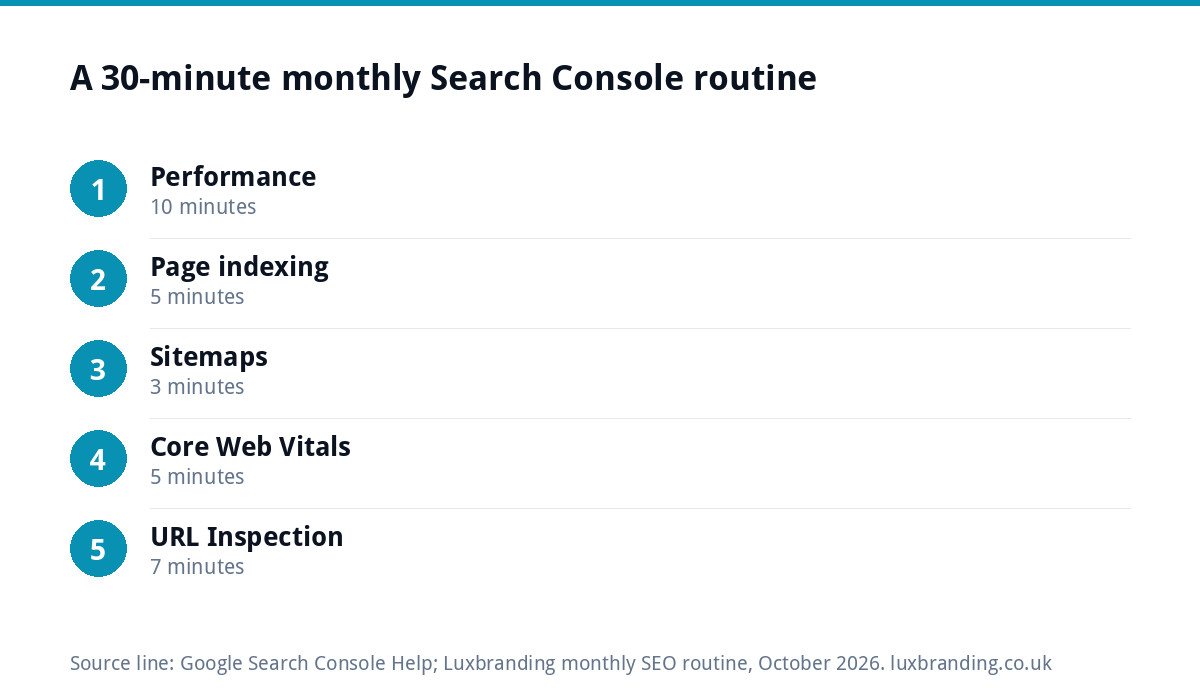
Your monthly 30-minute routine
| Minutes | Report | What to note |
|---|---|---|
| 0 to 10 | Performance | Clicks and impressions versus last year; top five queries; any query with high impressions and low clicks |
| 10 to 15 | Page indexing | Are all important pages indexed? Any new errors? |
| 15 to 18 | Sitemaps | Status is success; page count looks right |
| 18 to 23 | Core Web Vitals | Any pages in Poor on mobile? |
| 23 to 30 | URL Inspection | Check any page you published or changed this month |
Write three lines in a notebook or spreadsheet each month: what went up, what went down and one thing to fix. Over a year, those notes become the clearest picture you have of how the website is doing in search.
A worked example: one month’s notes
Here is how a month’s routine might read for a hypothetical window cleaning business in Exeter.
- Performance. Clicks are up on the same month last year. “Window cleaner Exeter” sits at an average position of about 8, but “conservatory roof cleaning” shows plenty of impressions at around position 15 with almost no clicks.
- Page indexing. All service pages are indexed. Twelve pages are listed as excluded, all of them old addresses that redirect, which is expected.
- Sitemaps. Read successfully last week, with a page count that matches the site.
- Core Web Vitals. Mobile shows two pages as Need improvement; both have large photo galleries.
- URL Inspection. The new gutter cleaning page published this month is indexed.
The three lines for the notebook: up, clicks on core searches; down, nothing significant; fix, improve the conservatory roof cleaning page so it fully answers that search, and compress the gallery images. That is a clear month’s to-do list, drawn entirely from free data, in half an hour.
Warnings you can usually ignore, and ones you cannot
Search Console sends a lot of emails. Many are routine: pages excluded because they redirect, duplicates handled correctly, or small changes in impressions. Take these seriously, though:
- a sudden drop in indexed pages;
- a manual action notice;
- security issue warnings;
- your homepage or a main service page reported as not indexed.
For a structured check of the whole site, our free SEO audit flags common technical issues in a few minutes.
Getting more from it
Search Console tells you what is happening; it does not fix anything. If the reports show problems you do not have time to work through, our SEO service is £249 a month and covers rankings, content, technical health, link building and monthly reports that include Search Console data. All our prices are on the pricing page.
Get the UK SEO DIY Audit Checklist (free)
A 32-point checklist UK SMEs can run against their own website in an afternoon. Surfaces the quick wins before paying for a paid audit.
No spam. UK GDPR compliant. We only use your email to send this resource, unless you tick the box to hear from us.
Frequently asked questions
What is Google Search Console used for? +
It shows how your website performs in Google Search: which searches show your site, how many people click, your average position, which pages Google has indexed, whether your sitemap is read and how fast pages are for real visitors. It is free and run by Google, and it complements Google Analytics.
Is Google Search Console the same as Google Analytics? +
No. Search Console covers what happens before the click: searches, impressions, clicks, positions and indexing. Analytics covers what happens after the click: what visitors do on the site and which of them enquire or buy. Most small businesses benefit from using both.
How often should I check Google Search Console? +
Once a month is enough for most small businesses, with a 30-minute routine across the Performance, Page indexing, Sitemaps and Core Web Vitals reports plus URL Inspection for pages you changed. Turn on email notifications so Google can alert you to serious problems in between.
Why are some of my pages not indexed in Search Console? +
Many excluded pages are fine: redirects, duplicates and deliberately hidden pages should not be indexed. It matters when important pages such as the homepage or a main service page are missing. Check the reason given in the Page indexing report and use URL Inspection on the page.
Can Luxbranding manage Search Console for me? +
Yes, as part of our SEO service at £249 a month, which covers rankings, content, technical health, link building and monthly reports that include Search Console data. If the main problem is slow pages, Website Speed Optimisation is £99. Prices are on our pricing page.