Canva has quietly become the default starting point for a generation of new businesses. It’s fast, it’s cheap, and within twenty minutes you can have something that looks like a logo sitting on your Instagram profile. For a lot of early-stage founders, that’s genuinely useful, and we’d never pretend otherwise. But “looks like a logo” and “is a logo your business can actually own and build on” are two different things. Having designed brands for UK businesses since 2019, we’ve seen plenty of Canva marks come through our doors a year or two later, when the limits start to bite. This is an honest look at what Canva does well, where it falls short, and the point at which it’s worth graduating to a professional designer.
Quick answer
Canva is excellent for speed, cost and testing an idea: perfect for a side project, a social profile or your first few months trading. It falls short on originality (templates are shared by thousands), true vector export, trademark safety and clear ownership of stock elements. The moment your logo needs to be uniquely yours, print crisp on signage, or survive a trademark check, switch to a professional designer. A pro logo with full vector files and copyright transfer starts from £129.
What Canva is genuinely good at
Let’s be fair: Canva is a brilliant tool, and dismissing it entirely would be snobbery rather than advice. For the right job, it’s exactly right:
- Speed. You can go from nothing to a usable graphic in under half an hour, with no software to learn and nothing to install.
- Cost. The free tier costs nothing and the Pro tier is a few pounds a month, a fraction of any design fee.
- Testing an idea. If you’re not even sure the business will exist in six months, spending hundreds on branding is premature. A quick Canva mark lets you trade, post and gauge interest first.
- Everyday social content. Once you do have a proper logo, Canva is a perfectly good place to drop it into Instagram posts, stories and simple flyers.
- Accessibility. No design background required. The templates give non-designers a sensible starting structure rather than a blank, intimidating canvas.
If you’re a weekend market stall, a brand-new side hustle or testing a concept before committing, Canva is a reasonable first step. The problems only appear when a real business tries to build on it.
Canva exports are fine on screen; printers and sign makers usually want vector. We can turn a Canva or AI logo into real vector artwork (£79) without changing the design.
Where Canva logos fall short
The core issue is that Canva is a template tool, not a bespoke design studio. Its strengths and its weaknesses come from the same place: everything is pre-built and shared. That has real consequences once you’re trading seriously:
- It isn’t unique. The same logo template is available to every one of Canva’s hundreds of millions of users. Tweaking the colour and swapping the name doesn’t change the underlying shape, so it’s entirely possible a competitor down the road is using a near-identical mark.
- It looks like a template. Trained eyes, and increasingly customers, recognise the stock icons and default font pairings. The mark reads as “made quickly” rather than “considered”.
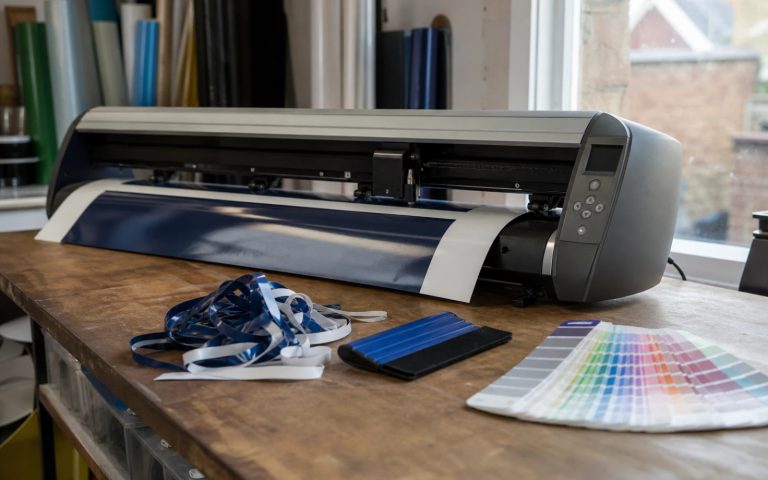
- Limited true-vector output. Canva’s SVG export (Pro only) is workable for simple shapes but isn’t built like a designer’s master artwork. Sign-makers, embroiderers and printers frequently ask for clean AI or EPS files Canva doesn’t really provide.
- No strategy behind it. A good logo is shaped by your market, your tone and where it’ll be used. A template knows none of that. You’re choosing what looks nice, not what works hardest for your specific business.
The trademark and originality risk
This is the part most Canva users never think about, and it’s the one that can cost real money later. Because Canva logos are assembled from shared templates and stock elements, two genuine risks stack up.
First, trademark registration becomes difficult. The UK Intellectual Property Office won’t register a mark that isn’t distinctive, and a widely-available template is, almost by definition, not distinctive. If you ever want to protect your brand name and logo legally, a stock-built mark may simply fail.
Second, you can unknowingly clash with someone else. Because the same elements circulate freely, another business may already be using a near-identical logo, potentially one that is registered. If they got there first, you could be forced to rebrand after you’ve already paid for signage, vehicle wraps and printed stock. A professional designer creates a mark from scratch, which sidesteps both problems by being genuinely yours.
Ownership, licensing and vector files
Ownership is where the gap is starkest, and it’s the detail most people miss until it matters. With Canva, you don’t fully own the individual stock graphics and many fonts inside your design. You hold a licence to use them under Canva’s terms, and that licence comes with restrictions (you generally can’t trademark a design that uses unaltered stock elements, for instance). With professional design, full copyright is transferred to you, outright. Here’s the honest side-by-side:
| Factor | Canva | Professional designer |
|---|---|---|
| Originality | Shared template, used by thousands | Designed from scratch, unique to you |
| Ownership | Licence to use, with restrictions | Full copyright transferred to you |
| Trademark-able | Often no; not distinctive enough | Yes, built to be distinctive |
| Vector files | Limited SVG (Pro only) | Full SVG, AI, EPS master files |
| Print & signage | Can pixelate or need rework | Scales crisp to any size |
| Versions supplied | One main export | Primary, mono, reversed, favicon |
| Cost | Free to a few £/month | From £129 one-off |
The vector point matters more than it sounds. A true vector master scales from a business card to a shopfront fascia without losing a single crisp edge. Canva’s exports are fine on screen, but signage companies and embroiderers regularly send Canva files back asking for “proper artwork”. For a fuller breakdown of what different budgets actually buy, see our UK logo cost guide.
When to switch to a professional designer
You don’t need a pro from day one, but there are clear signals it’s time. If several of these are true, you’ve outgrown the template:
- You’re investing in physical brand assets: signage, vehicle livery, uniforms or packaging that need crisp vector files and would be expensive to redo.
- You want to register a trademark to protect your name and mark legally.
- You’re competing on professionalism in a market where customers judge you on how established you look.
- You’re raising money, pitching, or seeking serious clients who will scrutinise your brand.
- You keep hitting file or quality problems: printers asking for formats you can’t supply, or a logo that blurs when scaled.
In short: Canva is fine while you’re testing. Once the business is real and you’re spending money in your brand’s name, a unique, ownable mark stops being a luxury and becomes basic risk management. For more on getting this right early, our small-business logo guide walks through the whole decision.
What to do next
If you started on Canva, that was a sensible move; no shame in it. The question now is simply whether you’ve outgrown it. A practical sequence: keep your Canva mark running for social posts and informal use, but commission a professional logo with full vector files and copyright transfer before you spend on signage, vehicle wraps or printed stationery. Roll the new mark onto your website and physical assets together, and you’ll never again be caught sending a sign-maker a file they can’t use, or discovering your “logo” belongs to a template, not to you.
Ready to graduate from a template?
A unique, ownable logo from £129
Designed from scratch: full vector files, every version you need, and complete copyright transferred to you. Unlimited revisions, 48-hour first concepts.
Get the UK Branding Budget Worksheet (free)
A printable worksheet: decide what your brand needs now and price it against fixed published prices and the IPO trademark fee.
No spam. UK GDPR compliant. We only use your email to send this resource, unless you tick the box to hear from us.
Sources & Further Reading
- Register a trade mark, GOV.UK
- How copyright protects your work, GOV.UK
Frequently asked questions
Is a Canva logo good enough for a real business? +
For a brand-new side project or testing an idea, yes. Once you're investing in signage, printed stock or competing on professionalism, a Canva template falls short on originality, vector files and ownership, so a professional mark becomes worth it.
Can I trademark a logo I made in Canva? +
Usually not. The UK Intellectual Property Office requires a distinctive mark, and Canva templates are shared by thousands of users, so they rarely qualify. A logo designed from scratch is built to be distinctive and trademark-able.
Do I own a logo I created in Canva? +
Not fully. You hold a licence to use Canva's stock elements and fonts under their terms, with restrictions. With professional design, full copyright is transferred to you outright, so the mark is genuinely and entirely yours.
Will a Canva logo work for signage and print? +
Often not cleanly. Canva's SVG export is limited and sign-makers, embroiderers and printers frequently request proper AI or EPS files it can't supply. A professional designer provides true vector masters that scale crisp to any size.
Can a designer improve a logo I made in Canva? +
Yes. If the idea works, a designer can redraw it as a proper vector file and refine it. A logo built from Canva elements may also include stock graphics you cannot register as a trade mark, which a redraw can replace with original artwork.