
Quick answer
There is no safe number of WordPress plugins. Ten badly built plugins can slow a site more than thirty light ones, because what matters is what each plugin loads and runs on every page. Measure instead of counting: test speed, switch plugins off one at a time, and delete anything you no longer use.
“How many plugins is too many?” is one of the most common questions small business owners ask once their WordPress site starts to feel sluggish. It is the right worry with the wrong measure. This guide explains why the count is misleading, what actually slows a site down, how to find the plugins that are costing you, and when it makes more sense to stop patching and rebuild.
Why the count is the wrong question
A plugin is just extra code. Some plugins add one small setting and do nothing on the public pages. Others load scripts, styles, fonts and database queries on every single page a visitor opens. Counting them treats both kinds as equal, which they are not.
The official WordPress optimisation guide puts it in exactly those terms: “The number of plugins and their performance will also have a huge impact on your site’s performance.” It gives no magic number. Instead it recommends deactivating and deleting unnecessary plugins and testing them one at a time to see which ones affect the server.
So the useful questions are: what does each plugin do on the pages visitors see, and do you still need it? A site with a long list of small, well-maintained plugins can be quick. A site with a short list that includes one or two heavy ones can be painfully slow on a phone.
What actually slows a site down
Some kinds of plugin are far heavier than others. This is a rough guide to where the weight usually sits.
| Plugin type | Typical impact on public pages | Why |
|---|---|---|
| Page builders | High | Extra scripts, styles and nested markup on every page |
| Sliders and galleries | High | Large images and animation scripts, often loaded sitewide |
| Social feeds and share buttons | Medium to high | Calls to outside services, third-party scripts |
| Contact forms | Low to medium | Some load their files on every page, not just the contact page |
| Security and backup tools | Low on pages, can be heavy on the server | Scans and backups run in the background |
| Admin-only tools | Usually none | Only run inside the dashboard |
The pattern is simple: anything that adds visible features to the front of the site costs speed, and anything that only works behind the scenes usually does not. That is why one slider plugin can do more damage than a dozen admin helpers.
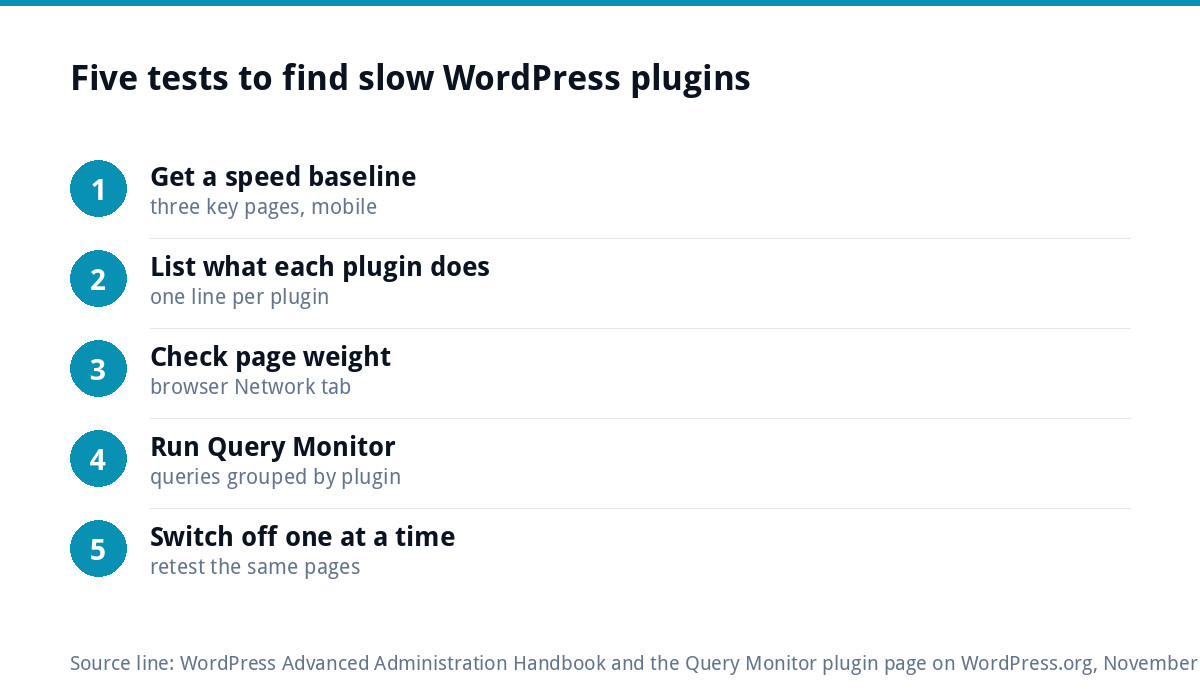
Five tests to find the slow ones
You do not need to be a developer to run these. Take a full backup first.
- Get a baseline. Test three key pages (home, a service page, contact) in Google PageSpeed Insights and note the mobile results.
- List what each plugin does. Go to Plugins in the dashboard and write one line per plugin. Anything you cannot explain is a candidate for removal.
- Look at the page weight. In your browser, open the developer tools, reload the page and look at the Network tab. Files with a plugin’s name in the path show what it loads.
- Use Query Monitor. The free Query Monitor plugin shows database queries grouped by the plugin responsible, and flags slow, duplicate or failing queries. Install it, check, then remove it again.
- Switch off one at a time. On a staging copy if you have one, deactivate a plugin, retest the same pages and note the difference. Re-enable it before moving to the next.
By the end you will have a short list of plugins that cost real speed, and a longer list that cost nothing but clutter.
A worked example
Picture a roofing firm’s site with 34 plugins and a slow mobile homepage. The list shows a page builder, a full-width slider, an Instagram feed, two form plugins (one left over from an old contact page), two security plugins, an import tool from the original launch and a long tail of small admin helpers. Switching them off one at a time shows that the slider and the Instagram feed account for most of the extra page weight, while the 20 or so admin helpers make no visible difference at all. Removing the slider, the feed, the spare form, the spare security plugin and the import tool takes the count to 29. The number barely moves, but the homepage gets noticeably lighter, which is the point.
The security side of plugin sprawl
Speed is only half of it. Every plugin is code written by someone else, and every one needs updating. The WordPress hardening guide tells site owners to keep plugins updated and, if you are not using a plugin, to delete it rather than leave it switched off. It also notes that attacks often target old or outdated plugins.
A site with forty plugins has forty things to update, forty authors who might abandon their product, and forty chances for an update to clash with something else. That is why plugin sprawl and broken updates usually travel together. Our WordPress security guide covers the rest of the basics.
Which plugins most small business sites need
A typical trades or service business website needs surprisingly little. Here is a sensible starting point.
| Job | Plugin needed? | Note |
|---|---|---|
| Contact or quote form | Usually one | Choose one that only loads on pages with a form |
| Caching | Often, unless the host provides it | Many managed hosts cache at server level |
| Backups | Only if the host does not | Daily off-site backups are the standard to aim for |
| Security | One, not three | Overlapping security plugins clash and slow the dashboard |
| SEO basics (titles, sitemap) | Can be built into the theme | WordPress already produces a sitemap |
| Sliders, popups, animations | Rarely | Usually cost more in speed than they earn in enquiries |
Plugins you can usually remove
- Anything deactivated. If it has been switched off for months, delete it.
- Duplicates. Two security plugins, two caching plugins or two form plugins doing the same job.
- One-off helpers. Import tools, migration plugins and “coming soon” plugins left behind after launch.
- Abandoned plugins. If the plugin page says it has not been updated in a long time or has not been tested with recent WordPress versions, find a replacement.
- Decoration. Snow effects, scroll animations and social feeds nobody looks at.
Replacing plugins with built-in features or code
Many plugins exist to do something WordPress or a well-built theme can already do. Adding a phone number to the header, embedding a map, adding a small piece of tracking code or showing reviews can often be handled with a few lines in the theme rather than a whole plugin.
This is the main reason we build sites by hand without page builders. A hand-coded theme includes only what the site needs, so there is far less to load, update and go wrong. Our guide to website speed for small businesses shows which fixes move the needle most.
How to remove a plugin safely
- Take a backup and, ideally, test on a staging copy.
- Check what the plugin produces on the site: shortcodes, forms, widgets or redirects that will disappear with it.
- Deactivate it and check the key pages and the contact form.
- If nothing breaks after a few days, delete it.
- Retest speed so you know what you gained.
Some plugins leave settings in the database after deletion. That is rarely a problem for speed, but it is worth knowing if you reinstall later and find old settings waiting.
When it is time for a rebuild
Pruning works when the site is basically sound. It does not work when the plugins are the site: a page builder holding every layout, a slider on every page and a stack of add-ons to patch the gaps. If removing anything breaks the design, or the site is still slow after a clean-out, you are paying for the build every month in lost speed and update headaches.
At that point a rebuild is often cheaper than more patching. Our custom WordPress websites are hand-coded, with no Elementor, Divi or WPBakery, start at £499 for up to eight pages and include an SEO foundation, contact forms connected to your inbox and 30 days of support.
Getting help
If you would rather not run the tests yourself, our website speed optimisation service is £99 one-off and covers exactly this kind of clean-up. For ongoing care, our website management and hosting plan at £20 a month includes automatic updates, daily backups and security monitoring, so plugin updates are watched rather than left to chance. All prices are on our pricing page, and you can order online or email us at support@luxbranding.co.uk.
Get the UK Website Project Brief Template (free)
A two-page template for briefing any UK web designer: sitemap, integrations, audience and deliverables. Cuts revision rounds in half.
No spam. UK GDPR compliant. We only use your email to send this resource, unless you tick the box to hear from us.
Frequently asked questions
Is 20 plugins too many for WordPress? +
Not necessarily. Twenty light plugins that only work inside the dashboard may have no effect on speed, while three heavy ones, such as a page builder, a slider and a social feed, can slow every page. Judge each plugin by what it loads on the public site and whether you still need it, not by the total.
Do deactivated plugins slow down WordPress? +
A deactivated plugin does not run, so it does not slow pages. It is still worth deleting, because the WordPress hardening guide advises removing plugins you are not using rather than leaving them installed. Deactivated plugins also miss updates, so they can become a security risk if someone switches them back on later.
How do I know which plugin is slowing my site? +
Test a few key pages for speed, then switch plugins off one at a time and retest, ideally on a staging copy. The free Query Monitor plugin shows database queries grouped by plugin and flags slow ones. Your browser's developer tools also show which files each plugin loads on a page.
Can I replace plugins with code? +
Often, yes. Small jobs such as adding tracking code, a header phone number, a map embed or simple redirects can be built into the theme with a few lines of code. That means one less thing to update. Leave complex features, such as online payments, to well-maintained plugins rather than reinventing them.
Do page builders count as heavy plugins? +
Usually, yes. Page builders add their own scripts, styles and extra layers of markup to every page they control, and the layouts depend on the builder staying installed. That makes them one of the heaviest plugin types and one of the hardest to remove, which is why we build sites by hand without them.