Quick answer
Presentation design in the UK runs from £0 with Google Slides and your own brand, to about £100 a year for Canva Pro and its templates, to a designer-built template or bespoke deck priced per project. What moves the price is the slide count, custom charts and icons, copywriting and whether you need a reusable master template.
Most small businesses do not need a bespoke deck for every pitch. They need one well-built template that makes every future presentation look consistent, and someone who can drop content into it. Below are the routes and what each costs, how designers price the work, what drives the figure up, three examples by situation and a brief that gets you a fair quote.
The four routes and what they cost
| Route | What you pay | Best for | Watch out for |
|---|---|---|---|
| DIY in Google Slides or PowerPoint | £0 extra if you already have the software | Internal updates, simple quotes | Inconsistent slides and off-brand fonts |
| DIY with a template subscription | Canva Pro £100 a year; Envato Elements from £12.50 a month billed yearly | Regular presentations on a tight budget | Templates other businesses also use |
| Designer-built master template | Quoted per project | Businesses that present often | Needs your brand fonts and colours settled first |
| Bespoke deck, designed slide by slide | Quoted per project, usually the most expensive | Investor pitches, major tenders, keynote talks | Paying again for the next deck |
Subscription prices are from the official pages at the time of writing (October 2026): Canva’s UK pricing page lists Pro at £100 a year for one person, including brand kits, and Envato Elements’ pricing page lists its Core plan at £12.50 a month billed annually (£25 billed monthly), with presentation templates in its catalogue. Prices change, so check before you buy.
How designers price presentation work
Quotes for presentation design usually come in one of four shapes:
- Per slide: simple to compare, but encourages padding and penalises clear, short decks.
- Per template: a fixed price for a master template with a set number of layouts.
- Per project: a fixed price for a finished deck, with a set number of revision rounds.
- Day rate: common for urgent or loosely defined work, where the scope is hard to pin down.
Ask which shape a quote uses, what is included and what counts as an extra. Two quotes that look far apart are often pricing different things.
Why a master template is usually the best value
PowerPoint, Keynote and Google Slides all let a designer build the look once, in a master, so that every new slide inherits it. Microsoft’s guide to the slide master explains that changes made to the master apply to all your slides, and that each layout carries its own placeholders. Google’s help page on themes and layouts describes a theme as a preset group of colours, fonts, background and layouts.
In practice, that means a well-built template with eight to twelve layouts (title, section break, text and image, chart, team, quote, comparison, closing) lets anyone in the business build a decent deck in an hour. You pay for the design once and reuse it for years. When the brand changes, updating the master updates every layout built on it, rather than someone fixing slides one at a time across dozens of old files.
What pushes the price up
- Slide count: more slides, more time, whatever the pricing shape.
- Custom charts and diagrams: redrawing data clearly takes longer than placing text.
- Icons and illustrations: a custom set costs more than a licensed library.
- Photography: sourcing, licensing or commissioning images.
- Copywriting: turning notes into tight slide wording is a separate skill, often priced separately.
- Animation: builds and transitions done properly take time to set up and test.
- Multiple formats: the same deck in PowerPoint, Keynote and Google Slides is three builds, not one.
- Deadlines: “by tomorrow morning” usually costs more.
The cost nobody mentions: no brand to design from
A designer can only make a deck look like your business if your business has a defined look: a logo in the right formats, a set of colours with codes, chosen fonts and a style for images. Without that, part of what you pay for is the designer guessing, and the next deck will guess differently.
Our brand identity design is £299 and covers the logo, colours, typography, imagery and brand guidelines, which is everything a presentation template is built from. Our guide to brand guidelines costs explains what a good set contains, and if your materials already look different everywhere, our guide to fixing an inconsistent brand is the place to start.
What you should get for the fee
Whatever the price, a presentation job should hand over more than a pretty PDF. Check the quote includes:
- The editable master file in the format you will use, not just an export.
- Named layouts for each slide type, so staff pick the right one without guessing.
- Font details and licences: which fonts are used, and whether everyone who edits the deck can legally install them. If not, ask for fonts that are already on every computer or freely licensed.
- Image licences for any photos or icons, recorded so you can prove them later.
- A short usage note: how to add a slide, swap a photo and update a chart without breaking the design.
Missing any of these usually means paying again later, either for a fix or for a fresh start.
Budgeting for a year of presentations
Think about the year, not the next deck. Take an illustrative building firm that bids for around ten commercial tenders a year and gives two talks at local business events:
- Bespoke every time: twelve separate design jobs, each quoted, and no two decks quite matching.
- One master template, then DIY: one designed template, then a few hours of the firm’s own time per bid. Every deck matches, and each one is quicker than the last.
- Template plus a subscription: the same, plus Canva Pro at £100 a year for icons and images if the team prefers working there.
For most small firms the middle option wins: pay for design once, then spend time, not money, on each deck. Save bespoke work for the one or two presentations a year that could change the business.
Examples by situation
| Situation | Sensible route | Why |
|---|---|---|
| A roofing firm presenting to housing associations and main contractors | Designer-built master template | Many similar tenders; consistency builds credibility |
| A start-up raising its first investment round | Bespoke deck on a brand template | One high-stakes pitch where clarity matters most |
| A cleaning company sending monthly client reports | DIY on a branded template | Frequent, routine and mostly data |
| A trainer delivering workshops at trade shows | Template plus a few bespoke slides | Repeatable structure, a few memorable visuals |
For trades firms bidding for commercial work, the deck is part of a bigger picture. Our guide to winning commercial contracts as a trades business covers what buyers look for beyond the slides.
Slides rarely travel alone
If you present at events, the same messages usually end up on a roller banner, a poster or a stand backdrop. Designing them together keeps everything consistent. Our poster and banner design is £89 one-off for print-ready vector artwork in CMYK at 300dpi with bleed, and our guide to roller banner and exhibition design covers what works on a stand.
How to brief a presentation designer
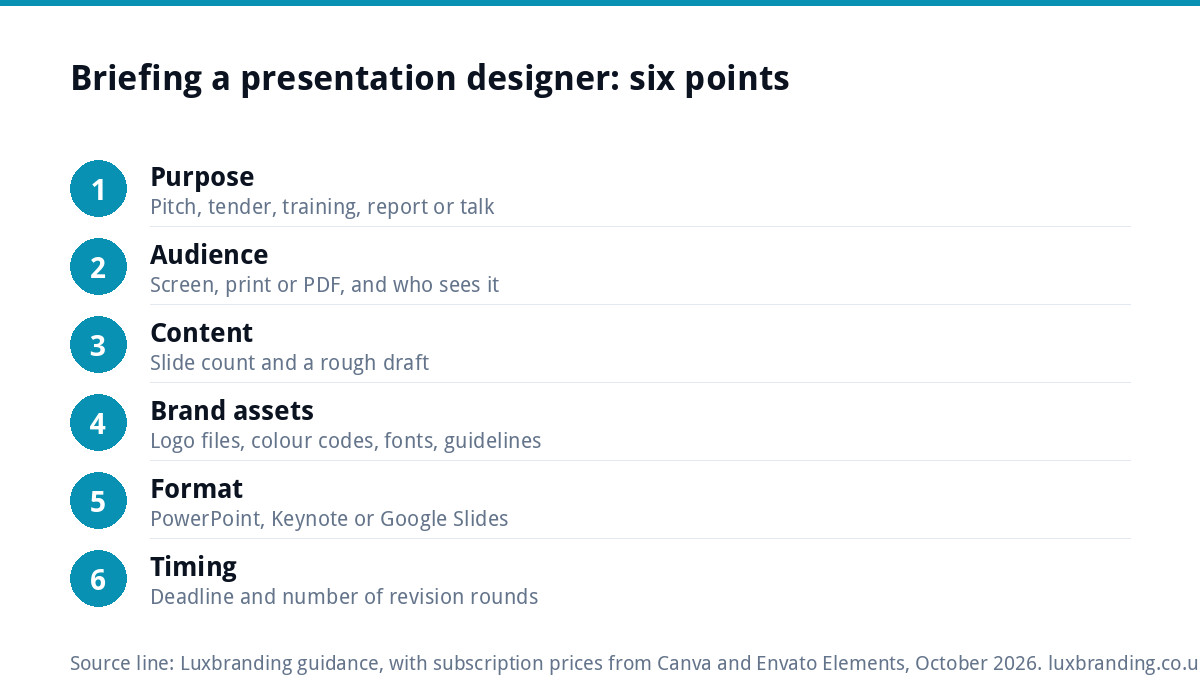
- Purpose: pitch, tender, training, report or talk.
- Audience: who will see it, on a screen, printed or sent as a PDF.
- Slide count and content: your draft, even if rough.
- Brand assets: logo files, colour codes, fonts and any guidelines.
- Format: PowerPoint, Keynote or Google Slides, and who will edit it after.
- Deadline and revision rounds: so the quote reflects the real timetable.
With those six answers, any designer can give you a fixed quote rather than an estimate, and you can compare like with like.
DIY that does not look DIY
If budget means doing it yourself for now, a few rules make a big difference: one font family, your brand colours only, one idea per slide, big readable numbers on chart slides, real photos of your work rather than generic stock, and the same layout for the same kind of slide every time. Start from a master, not a blank slide, so every deck you make adds to the brand instead of wandering from it.
Our full list of fixed prices, from logo and brand work to websites, is on the pricing page, and our guide to how much branding costs in the UK explains where a presentation template fits in a wider brand budget.
Get the UK Print-Ready Artwork Checklist (free)
A one-page checklist for any UK designer or printer covering CMYK, bleed, fonts and resolution. Saves you the pre-press fix-up fees.
No spam. UK GDPR compliant. We only use your email to send this resource, unless you tick the box to hear from us.
Frequently asked questions
How much does presentation design cost in the UK? +
It ranges from £0 if you build slides yourself in Google Slides or PowerPoint, to about £100 a year for Canva Pro and its templates, to a designer-built master template or bespoke deck priced per project. Slide count, custom charts and icons, copywriting, animation and deadlines are what move a designer's quote.
Is a presentation template or a bespoke deck better value? +
For most small businesses, a well-built master template is better value. A designer creates eight to twelve layouts once, and anyone in the business can then build consistent decks for years. A bespoke deck makes sense for a single high-stakes moment, such as an investment pitch or a major tender, ideally built on your template.
How do presentation designers charge? +
Usually per slide, per template, per project or by day rate. Per slide is easy to compare but rewards padding. Per project gives a fixed price with set revision rounds. Day rates suit urgent or loosely defined work. Always ask which shape a quote uses and what counts as an extra, because quotes that look far apart often cover different things.
What do I need before hiring a presentation designer? +
Your brand assets: logo files in proper formats, colour codes, fonts and any guidelines, plus a rough draft of the content. Without a defined brand, part of what you pay for is the designer guessing at your look. Our brand identity design at £299 covers the logo, colours, typography, imagery and guidelines a template is built from.
Can I make a professional presentation myself? +
Yes, if you start from a branded master rather than a blank slide. Stick to one font family and your brand colours, put one idea on each slide, use big readable numbers on charts and real photos of your work, and keep the same layout for the same kind of slide every time.