
Quick answer
Free listings let your products appear on Google’s Shopping tab, Search, Images and other Google surfaces at no cost. Set up a Google Merchant Center account, add your products with the required details such as title, price, image and availability, add matching product structured data to your shop, and fix any errors Merchant Center reports.
Many small UK shops assume that appearing in Google Shopping means paying for adverts. It does not. Google has offered free product listings for some time, and plenty of small sellers still have not switched them on. This guide explains what free listings are, where your products can show, how they differ from Shopping ads, the steps to get listed, and the common reasons products do not appear.
What free listings are
A free listing is a product entry on Google, with its image, price and shop name, that costs nothing when someone sees or clicks it. Google’s Merchant Center help page on free listings for products says your products can appear at no cost on Google Search and other Google surfaces, and that you can run free listings alongside paid campaigns.
The information comes from you, either as a product feed in Merchant Center, as structured data on your product pages, or both. Google then matches your products to what people search for. Eligibility is not guaranteed: it depends on your data being accurate and following Google’s policies.
Where your products can appear
| Google surface | How products show |
|---|---|
| Shopping tab | Product listings with image, price and shop; in-store items can appear in free local listings |
| Google Search | Rich results showing price, availability and reviews, and the Shopping Knowledge Panel |
| Google Images and Lens | Images labelled as products, with product details |
| YouTube | Products beside videos or in results, in some countries |
| Maps and Business Profile | A products module on your Business Profile, among other surfaces |
Which surfaces you appear on depends on your products, your data and the searcher’s location, so treat this list as the possibilities, not a promise.
Free listings vs Shopping ads
| Free listings | Shopping ads | |
|---|---|---|
| Cost | Nothing per view or click | You pay per click |
| Placement | Organic positions, chosen by Google | Paid placements, labelled as sponsored |
| Control | Limited: good data is your main lever | Budgets, bids, targeting and reporting |
| Setup | Merchant Center account and product data | The same, plus a Google Ads account and campaign |
| Best for | Every shop, as a baseline | Shops ready to pay for more visibility on key products |
The two use the same product data, so getting free listings right is also the groundwork for Shopping ads if you add them later. Our Google Ads management covers the paid side when you are ready.
What you need before you start
- An online shop where customers can buy directly, with a working checkout.
- Clear product pages: a unique title, a sharp product photo on a clean background, a price and stock status.
- Published delivery costs and a returns policy.
- Your business name and contact details visible on the site.
- Access to your website so you can verify it and, if needed, add code.
- A Google account for the business, ideally not someone’s personal one.
Five steps to get listed
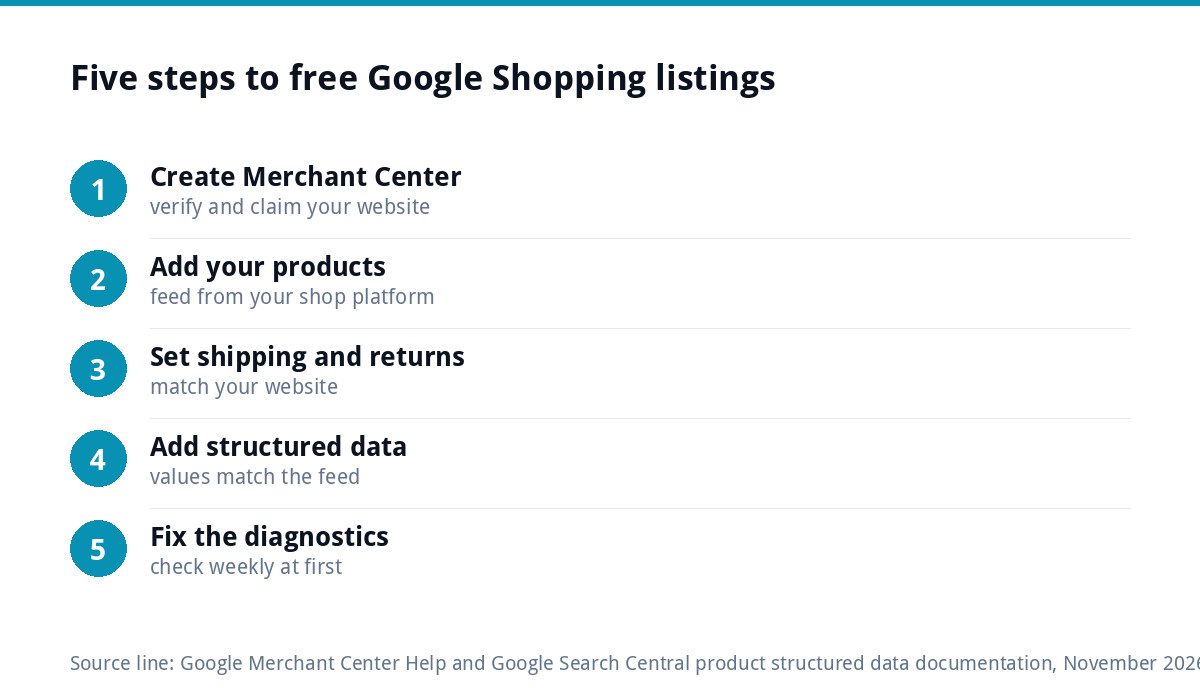
- Create a Merchant Center account and verify and claim your website. Google’s help page says new accounts are opted into free listings by default, and you can check the status in the free listings card under marketing methods.
- Add your products. Use a feed from your shop platform or a spreadsheet. Google lists required details including ID, title, link, image link, price, description, availability and brand or GTIN.
- Set up shipping and returns in Merchant Center so they match what your website says.
- Add product structured data to your product pages, using values that match your Merchant Center data.
- Fix the diagnostics. Merchant Center flags disapproved products and data problems. Work through them, then check back weekly at first.
WooCommerce and Shopify both have official or well-established ways to send products to Merchant Center, so most shops never need to build a feed by hand. Our Shopify vs WooCommerce comparison covers the wider differences between the two platforms.
Product data that matters most
Google matches products to searches using the data you give it, so the quality of that data is your main lever.
- Titles should say what the product is in the words customers use: “Oak Chopping Board, 40 x 30cm, Handmade” beats “The Hampton”.
- Images should show the product clearly, without added text, borders or promotional overlays.
- Prices and stock must match the product page exactly, including any sale price.
- Identifiers such as GTINs (barcodes) help where your products have them. Handmade or own-brand items often do not, and Google allows brand and part-number details instead in many cases.
- Descriptions should be specific: materials, sizes, uses and what makes it different.
Structured data on your product pages
Structured data is a small block of code on each product page that tells Google the product’s name, price, availability and more in a format it can read reliably. Google’s documentation on product structured data distinguishes product snippets, for pages where people cannot buy directly, from merchant listing experiences, for pages where they can. It recommends providing both structured data and a Merchant Center feed, saying that doing both maximises your eligibility and helps Google verify your data.
Most modern shop platforms output basic product structured data automatically. The common problem is mismatches: a sale price in the feed but not on the page, or “in stock” in the code when the page says otherwise. Check a few product pages in Google’s Rich Results Test and in Search Console after any changes.
A worked example: a small pottery shop
Picture a pottery studio selling around 20 handmade mugs, bowls and vases through a WooCommerce shop. None of the products have barcodes, the product titles are names such as “The Morning” and “Sea Glass”, and some photos have the studio name stamped across them.
The studio creates a Merchant Center account, verifies the website and connects WooCommerce to send the product data. Before the first sync, it renames products to say what they are (“Handmade Stoneware Mug, 350ml, Sea Glass Glaze”), retakes the stamped photos on a plain background, enters its own brand name for every product, and copies its delivery charges and returns policy into Merchant Center so they match the website.
The first diagnostics report flags two products where a sale price on the site was not in the feed. Once those match, the products are approved. Over the following weeks the studio checks Merchant Center for new warnings and watches clicks from Shopping in its reports, with no advertising budget spent at all.
Common reasons products are not showing
- Price or availability mismatch between the feed, the structured data and the page.
- Missing shipping or returns information in Merchant Center.
- Images with added text or watermarks, or images too small, which as general guidance tend to be rejected or shown less.
- Website not verified or claimed, or the checkout not working properly.
- Products in restricted categories that need extra steps or are not allowed.
- Thin or vague product data, so Google cannot match the product to searches.
If the shop is getting little traffic of any kind, the issue may be wider than Shopping. Our guide to an online shop getting no sales covers the other usual causes.
Shipping, returns and the rules UK shops must show
Google asks for shipping and returns information, and UK law asks for it too. GOV.UK’s guidance on online and distance selling says that before an order is placed you must give customers your business name, contact details and address, the price including all taxes, delivery arrangements and costs, and tell them they can cancel up to 14 days after delivery.
Getting these right on your site does two jobs at once: it keeps you on the right side of consumer law and gives Merchant Center the accurate, consistent information it checks against. This is general information, not legal advice.
Where we fit
Our e-commerce websites start at £499 for up to 20 products on WooCommerce or Shopify, with Stripe and PayPal, and include an SEO foundation with schema, meta and sitemap, which gives your products a clean starting point for Merchant Center. For ongoing visibility, our SEO service is £249 a month. See our guide to e-commerce website costs for the wider picture, and every price on our pricing page. Order online or email us at support@luxbranding.co.uk.
Get the UK SEO DIY Audit Checklist (free)
A 32-point checklist UK SMEs can run against their own website in an afternoon. Surfaces the quick wins before paying for a paid audit.
No spam. UK GDPR compliant. We only use your email to send this resource, unless you tick the box to hear from us.
Frequently asked questions
Are Google Shopping listings really free? +
Yes. Google's Merchant Center help says products can appear at no cost on Google Search and other Google surfaces through free listings. You do not pay per view or click. Paid Shopping ads are a separate option that gives more control over placement, and both use the same product data from Merchant Center.
Do I need Google Ads to appear in Google Shopping? +
No. Free listings only need a Google Merchant Center account, a verified website and accurate product data. Google says new Merchant Center accounts are opted into free listings by default. A Google Ads account is only needed if you want to run paid Shopping ads as well.
Why are my products not showing in Google Shopping? +
The usual causes are a mismatch between the price or stock in your feed and on the product page, missing shipping or returns settings, images with added text, an unverified website, or thin product data. Check the diagnostics in Merchant Center, fix the flagged products and give Google time to recrawl.
Do I need structured data if I have a Merchant Center feed? +
It is recommended. Google's product structured data documentation says providing both structured data on your pages and a Merchant Center feed maximises your eligibility and helps Google verify your data. Most shop platforms output basic product structured data automatically; the key is making sure it matches your feed.
Can handmade products without barcodes get free listings? +
Yes, in many cases. Barcodes, known as GTINs, help where products have them, but Google allows brand and part-number details instead for many products that do not. Focus on clear titles in the words customers search for, good photos without added text, accurate prices and specific descriptions.