

Quick answer
Facebook ads can find local staff, especially for trades, hospitality, care, cleaning and retail roles. Expect Meta’s employment ad rules: no age or gender targeting and a minimum 15-mile location radius. Write an inclusive advert with pay and hours, send people to a simple job page, and advertise somewhere else as well, as Acas recommends.
Many small businesses struggle to hire not because nobody wants the job, but because the right people are not looking at job boards. They are scrolling Facebook and Instagram on a break. Paid ads put your vacancy in front of them. This guide covers when recruitment ads work, the targeting rules Meta applies to job ads, how to word an advert within UK discrimination law, where to send applicants and how to run a small campaign step by step. It is general guidance, not legal advice.
When Facebook ads work for recruiting
Recruitment ads suit roles where good candidates are not actively job hunting, and where location matters more than a specialist qualification:
- Labourers, apprentices, drivers and trades assistants.
- Cleaners, care workers and kitchen staff.
- Shop, salon and front-of-house roles.
- Part-time and flexible roles that suit parents or students.
They are less suited to senior or highly specialised roles, where professional networks, recruiters and specialist job boards usually reach the right people more reliably.
Meta’s rules for employment ads
Job ads fall into what Meta calls a Special Ad Category, which limits targeting to reduce discrimination. Meta’s developer documentation says these restrictions apply to advertisers based in the United States or running ads reaching the United States, Canada or Europe, and lists the limits below. Ads Manager will ask whether your ad relates to employment; answer honestly, because job ads run without the category may be rejected.
| Targeting option | Normal ads | Employment ads |
|---|---|---|
| Age | Choose an age range | Generally fixed at 18 to 65+ |
| Gender | Can be chosen | Cannot be chosen |
| Location | Any radius, exclusions allowed | Minimum radius of 15 miles (25 km); no location exclusions |
| Detailed targeting | Interests, behaviours, demographics | Behaviour and demographic targeting not permitted; interests limited to an approved list |
| Lookalike audiences | Available | Unavailable |
In practice, your ad will reach a broad local audience. That makes the advert itself, its wording and image, do most of the work of attracting the right people.
Wording the advert within UK law
The Equality Act applies to recruitment, including adverts. Acas’s guidance on advertising a job says you must not ask for or exclude anyone with a protected characteristic. It gives practical examples: terms like “recent graduate” or “highly experienced” can discriminate by age unless the requirement can be justified; gendered job titles such as “handyman” or “barmaid” imply a preferred gender; and you should name a language rather than a nationality.
| Avoid | Use instead |
|---|---|
| “Handyman wanted” | “Maintenance operative wanted” |
| “Young, energetic team” | “Busy, friendly team” |
| “Recent school leaver” | “No experience needed; full training given” |
| “Highly experienced only” | “At least two years in domestic plumbing”, if the job genuinely needs it |
| “Native English speaker” | “Good spoken English, as you will talk to customers” |
Describe the job and the skills it needs, not the person you picture doing it.
What a good recruitment ad includes
- The job title in plain words people search for.
- Pay, as a figure or range. Vague phrases such as “competitive salary” give people little reason to stop scrolling.
- Hours and pattern: full-time, part-time, early starts, weekends.
- Where: the town or area, and whether a driving licence is needed.
- One or two genuine benefits: a company van, training, steady local work, finishing early on Fridays.
- A real photo of your team, van or workplace rather than a stock image.
- One clear action: apply on our website, or apply in two minutes.
Where to send applicants
You have two main options. Meta’s built-in lead forms keep people inside the app, which makes applying quick but often brings more casual applications. A job page on your own website takes a little more effort for applicants, which tends to filter for people who are serious, and it gives you room to explain the role properly.
Acas suggests giving applicants the job description, person specification, information about your organisation and an equality monitoring form, and telling them how you will use their personal information and what you will need from them, such as proof of right to work or references. A simple job page can hold all of that, with a short application form underneath.
A focused landing page works well for a recruitment campaign: one page, one role, one form.
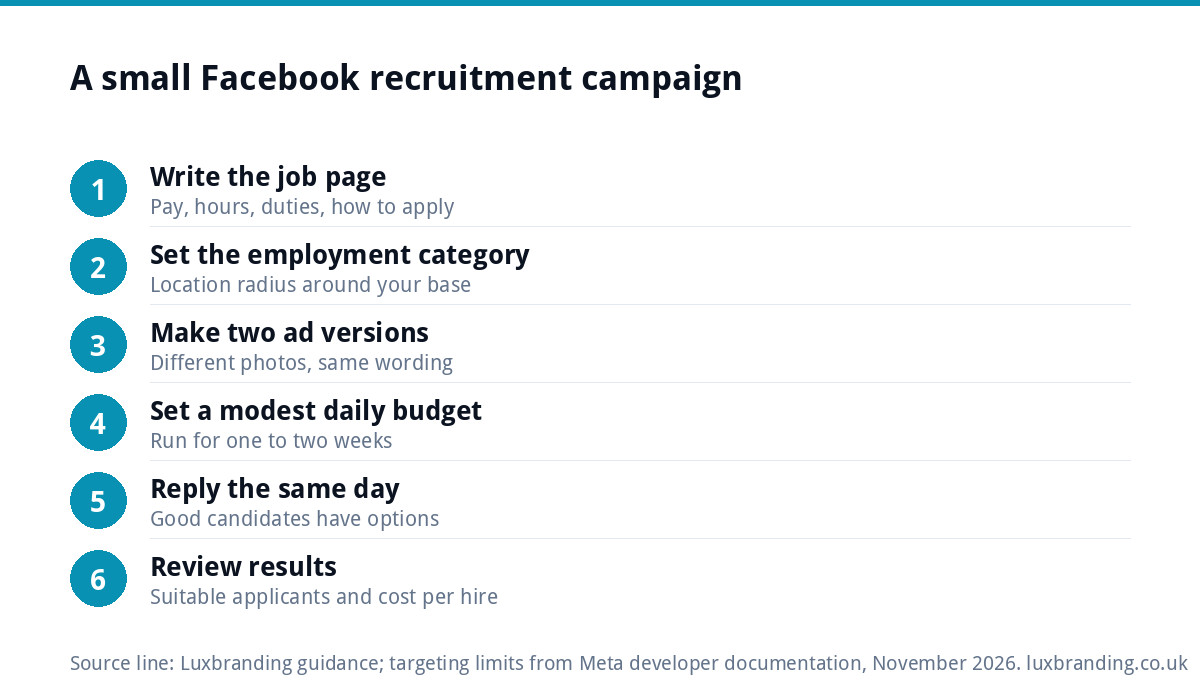
Running a small campaign step by step
- Write the job page with pay, hours, duties and how to apply.
- Choose the employment category in Ads Manager and set your location radius around your base.
- Create two versions of the ad, for example a team photo and a van photo, with the same wording.
- Set a modest daily budget you are comfortable with, and run it for one to two weeks.
- Reply to every applicant quickly, ideally the same day. Good candidates often have other options.
- Review results: applications, how many were suitable, and which ad version brought them.
Keep your business Page in good order before you start. Candidates will click through to it, and a Page with no posts for two years raises doubts.
Advertise in more than one place
Acas recommends advertising in at least two different places and notes that relying only on social media could mean missing applicants who do not use it. Pair your Facebook campaign with at least one other route: a job board, a local college, the Jobcentre, a notice in your shop or on your van, or a careers page on your website. That widens your pool and helps you show a fair process.
Before your first hire
If this is your first employee, there are legal steps before day one. The government’s guide to employing staff for the first time lists checking the person counts as an employee, checking you can afford them including the National Minimum Wage, making your workplace safe, registering as an employer and setting up PAYE, checking your workplace pension duties and getting Employers’ Liability insurance. Sort these before the ad goes live, so a good candidate is not left waiting.
Mistakes that waste a recruitment budget
- Boosting a post instead of building an ad. A boosted post gives you less control over who sees it, where people go next and what you can measure. Build the campaign in Ads Manager, where you choose the category, the destination and the budget yourself.
- No pay in the advert. People compare jobs quickly on a phone; an advert without pay asks them to do extra work before they know whether it is worth it.
- A slow reply. Applications left for a week often go cold. Set aside ten minutes a day while the ad runs.
- A job page that does not work on a phone. If the form is fiddly or asks for a CV upload many people cannot do from a mobile, offer a short form and collect the CV later.
- Running the same ad for months. Refresh the image and the first line every few weeks so regular scrollers notice it again.
- Forgetting your own network. Ask your team, past staff and regular suppliers to share the advert. A personal recommendation often brings the most reliable people, and costs nothing.
Judging whether it worked
The number of applications is the least useful measure. Track instead:
- How many applicants met your essential requirements.
- How many you interviewed, and how many turned up.
- Whether you hired, and what the campaign cost per hire.
- Which ad version and which other channel produced your best candidates.
If you get plenty of applications but few suitable ones, tighten the advert’s wording about the essential requirements. If you get very few, look at the pay, the image and the first line of text before raising the budget.
Getting help
Our Meta ads service runs Facebook and Instagram campaigns, so you can hand over the set-up and the weekly checks. A recruitment landing page is £199, and our social media design templates give your job posts a consistent, professional look. If your business itself needs to look more established to attract good people, our guide to branding for trades businesses covers vans, workwear and the details candidates notice. Our custom WordPress website, £499 for up to 8 pages, can include a careers page, and every price is on our pricing page.
Get the UK SEO DIY Audit Checklist (free)
A 32-point checklist UK SMEs can run against their own website in an afternoon. Surfaces the quick wins before paying for a paid audit.
No spam. UK GDPR compliant. We only use your email to send this resource, unless you tick the box to hear from us.
Frequently asked questions
Can I target job ads by age on Facebook? +
No. Employment ads fall under Meta's Special Ad Category, and its developer documentation says age options are generally fixed at 18 to 65 and over, gender cannot be chosen, location needs a radius of at least 15 miles, and lookalike audiences are unavailable. Your advert's wording does the targeting work instead.
Do Facebook job ads in the UK need the employment category? +
Meta's documentation says the restrictions apply to advertisers based in the United States or running ads reaching the United States, Canada or Europe. Ads Manager asks whether your ad relates to employment; answer honestly, because job ads run without the right category may be rejected or restricted.
What words should I avoid in a job advert? +
Acas warns against wording that asks for or excludes protected characteristics. Terms like recent graduate or highly experienced can discriminate by age unless justified, gendered titles like handyman imply a preferred gender, and you should name a language rather than a nationality. Describe the job and the skills it genuinely needs.
Should applicants apply through Facebook or my website? +
Meta's lead forms make applying quick but often bring more casual applications. A job page on your website takes slightly more effort, which tends to filter for serious candidates, and lets you share the job description, person specification and how you will use their personal information, as Acas suggests.
Is Facebook enough on its own to recruit staff? +
It is better not to rely on it alone. Acas recommends advertising in at least two places, noting that relying only on social media could miss applicants who do not use it. Pair your campaign with a job board, a local college, the Jobcentre or a careers page on your own website.


